
Inventory: Verified
Verified Status
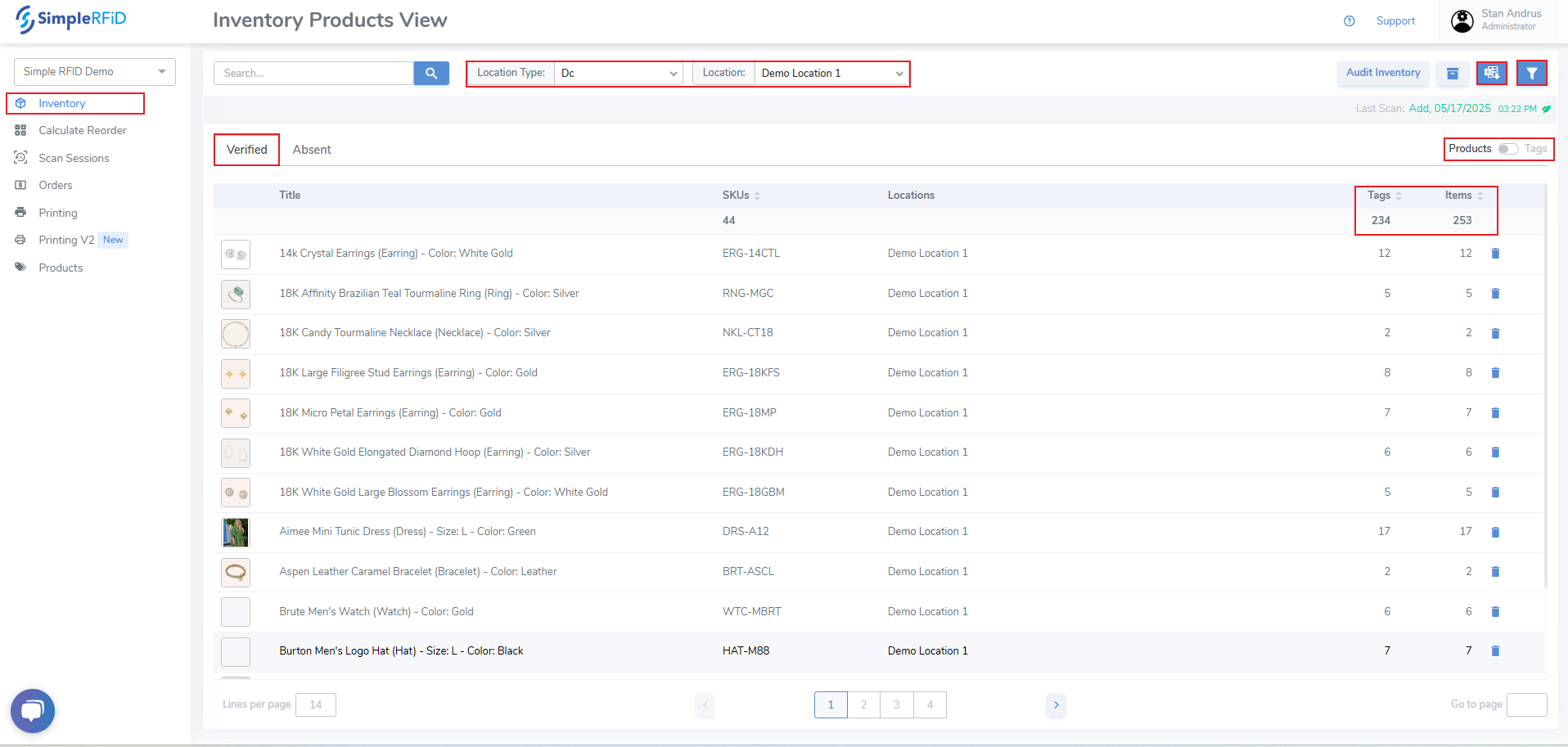
The Verified Inventory displays the current labels in the on hand inventory
- Select Location - If you have access to more than one location, select your location or select 'All' to view inventory for all locations
- Products / Tags switcher - provides ability to view inventory by product and individual tag level detail
- Products & Tags level switcher
- View items grouped by quantities
Move Verified Items to Absent
You can move items to Absent by product or tag:
By Product - From the Products view, click the Trash-can icon on the far right of the product you wish to move all items to Absent status. Then accept the pop-up prompt.
By Tag - Change to the Tags view. Then click the Trash-can icon on the far right of the Tag you wish to move to Absent status. Then accept the pop-up prompt.