
Ability to trim product prefixes from labels when printing
If you have information in one of your Product fields that you wish to have trimmed when printing, follow these steps to trim these properties.
This feature requires Manager level permissions
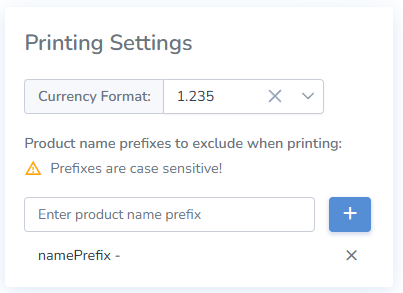
- Using a manager’s account, access the Customer Profile from the Admin menu in the top right of the web portal
- Then enter any prefixes that you wish to be trimmed from products named when printing
- Finally, click save.