
Clubessential | Import Inventory Report
Download Inventory Report from Simple RFID
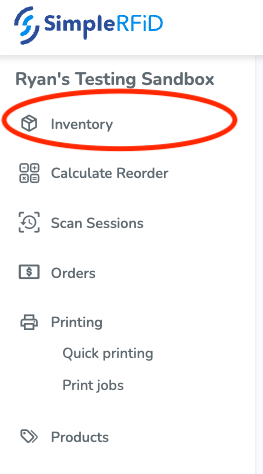
On the Simple RFID Web Portal, navigate to the Inventory page
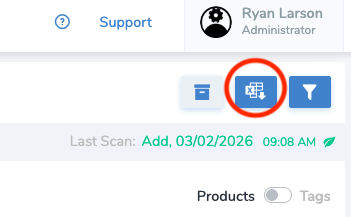
On the top right of the page, select the Reports button
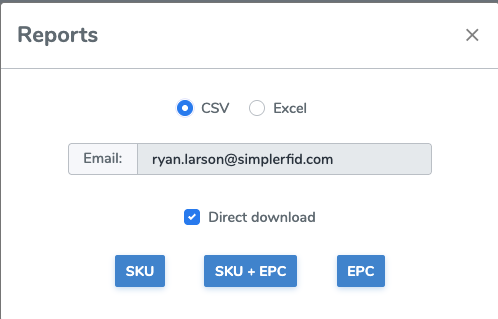
Select CSV and SKU. This will download a report in your default download location. It will have the extension .csv
Format Report for Clubessential
Open the downloaded report in a spreadsheet program such as Excel
Delete the Name column
Rename the Total column to Counted Quantity
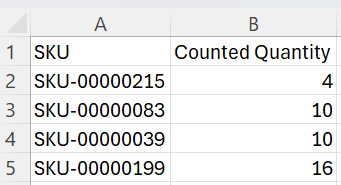
If your unique identifier is the UPC, you will need to rename the SKU column to UPC and select the UPC column and make them Numbers.
Import into Clubessential
On Clubessential, navigate to Items then Inventory Count Wizard
Select Import Counts from Scanning Device (*.csv)
Upload the CSV file that you formatted
You will need to lock the count sheet prior to uploading