
Integrations: Compare Tool
Use the spreadsheet compare tool to quickly compare RFID scans against a partner software on hand inventory, identify discrepancies and make corrections to ensure your inventory is accurate.
For some sites we have developed out-of-the-box integrations we support. Examples of this include Shopify, Bigcommerce & Lightspeed. For others a custom Compare site is created for you. This URL will be passed to you during onboarding.
Simple RFID Actions
- Export Simple RFID inventory -
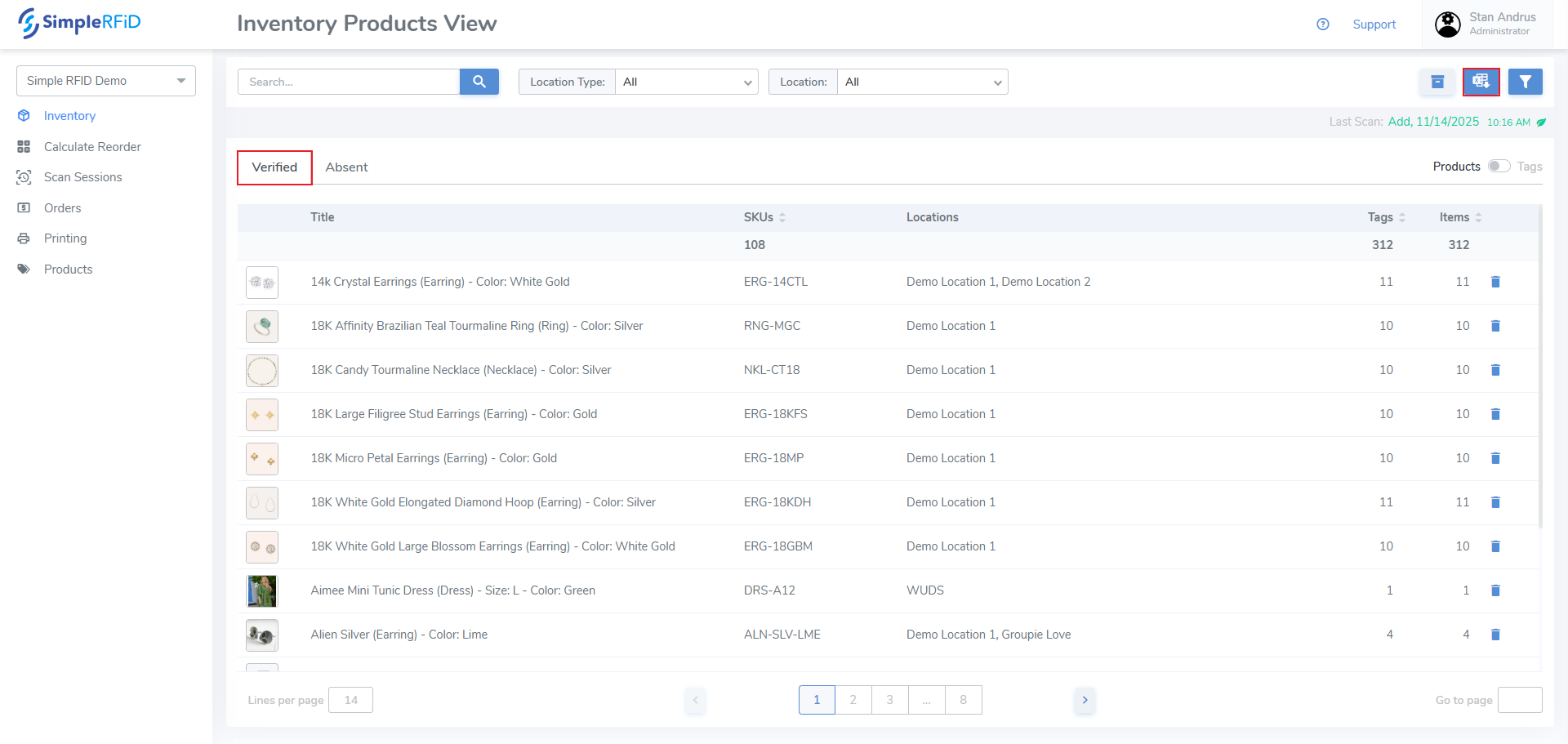
- Navigate to the Inventory tab. Ensure that you have the Verified tab selected.
- Click the Reports icon in the top right corner of the screen
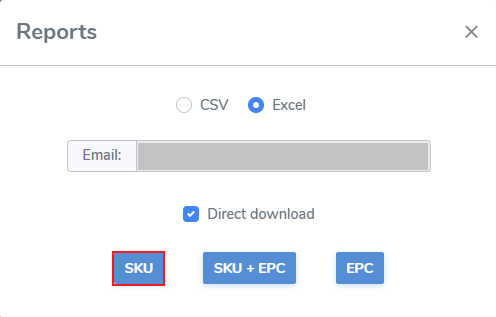
- Click the SKU option
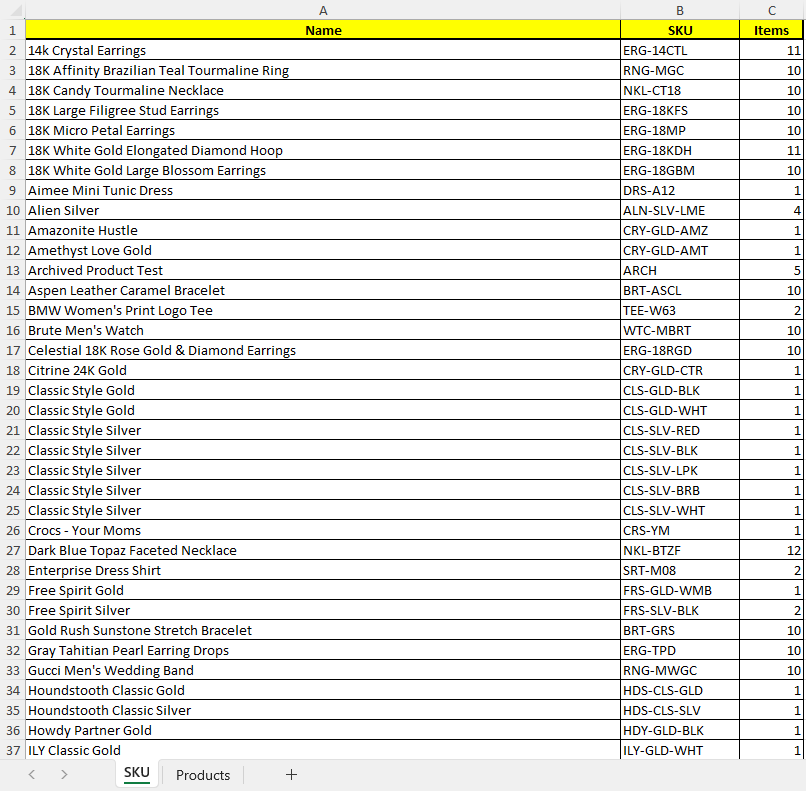
The Excel report will contain: Name, SKU, Quantity of Items.
Partner Software Actions
- Export Partner On Hand inventory - Export on hand inventory / connect via API
Compare Web Tool
- Launch the Compare Tool
- Press the Compare Inventories button to generate the compare report
The report groups items into Match & Mismatch. Mismatches may include Inflated, Deflated, & Out of Stock items
- Review Mismatches
Deflated (Partner qty is less than RFID qty)
- reason: items aren't accounted for - fix by: Increase on hand quantities in partner system
- Create Discrepancy report with missing items
Inflated (Partner qty is more than RFID qty)
- Some reasons:
- items physically missing - fix by: Reduce quantities in partner system (shrink)
- poor scan accuracy - fix by: Perform another scan to capture missing items
Out of Stock