
Mobile App: Application Settings
The Application settings allows users to enable & disable features & views inside the app
Scan & Archive
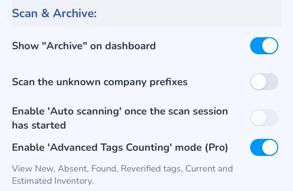
- Enable to display the "Archive" option. If this option is disabled the user will not see this option.
- Scan the unknown company prefixes. Enabling this option will allow the reader to capture tags not associated with your account
- Enable the "Auto-scanning" once the scan session has started. This option is not yet available for use.
- Enable "Advanced Tags Counting" mode (Pro)
Ship
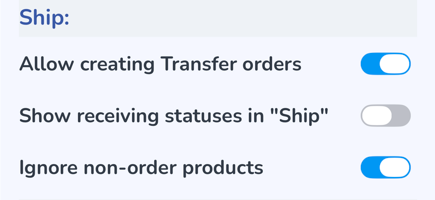
- Allow creating Transfer orders - enable if you wish to create Transfer orders from the app
- Show receiving statuses in "Ship" - enable if you wish to view the receiving statuses in the Ship menu
- Ignore non-order Products - enable if you want the scanner to only scan for matching products. This setting can be helpful for tag dense environments where the RFID signal is likely to capture tags nearby.
Receive
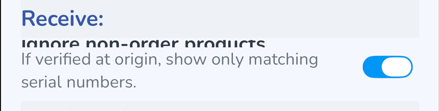
- Ignore non-order products - enable if you wish the scanner to ignore any product which doesn't match the order. This can be helpful to assist in receiving orders so as to not capture anything unrelated to the order. The draw back is that if the supplier sent something not included in the order it will be missed.
- If verified at origin, show only matching serial numbers. - enable if you are verifying the tags at the origin and only want the scanner to scan matching serial numbers scanned at the origin.
Product View
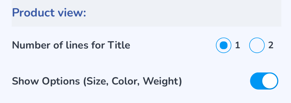
- Number of lines for Title can be adjusted from 1 to 2
- Show Options (Size, Color, Weight) displays the Variant properties
Reader Control
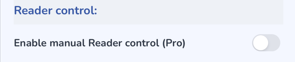
- Enable manual Reader Control (Pro) restores the original reader controls, and instead of Speed & Distance, the user can adjust the Scan Modes & Sessions. Instead of the preset power options of Near, Middle & Far, the reader power is a slider
Actions
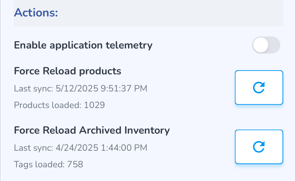
- Enable the application telemetry to provide additional details in logs sent to Support
- If, when scanning items, the product details (photos, name, size, etc.) do not appear, click this to reimport products
- If when scanning items, Archived inventory does not load, click this to reload Archived Inventory