
Shopify Product Import: Resolving Import Issues
Simple RFID requires a unique value from the partner system be available to map data. This unique value can be either a SKU or Barcode.
In the past there was no easy way to identify product import issues, or fix them. This new feature seeks to enable users to resolve these themselves.
Enable New Portal (beta)
ToFirst, to see the new Product import page you must enable New Portal (beta) via the Customer Profile > Shopify Settings
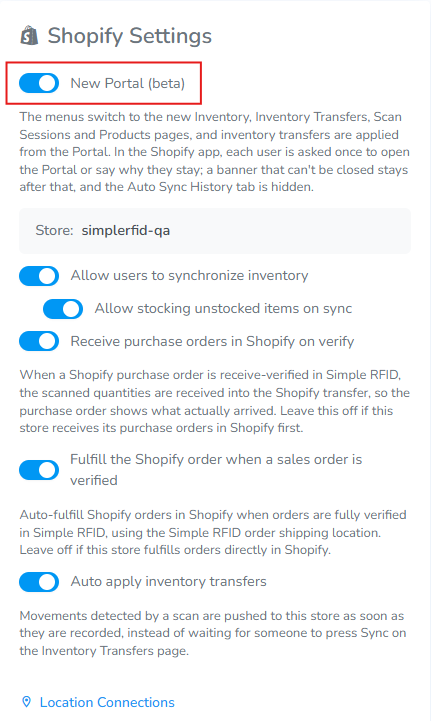
Once enabled the Products tab will be changed.
Products
The products tab contains a list of all products which exist in your Shopify catalog, regardless of if they have officially been created in Simple RFID. The reason that this list does not contain all items is, Simple RFID requires a unique value which can be either SKU or Barcode to create a product. This unique value must be unique for each variant created.
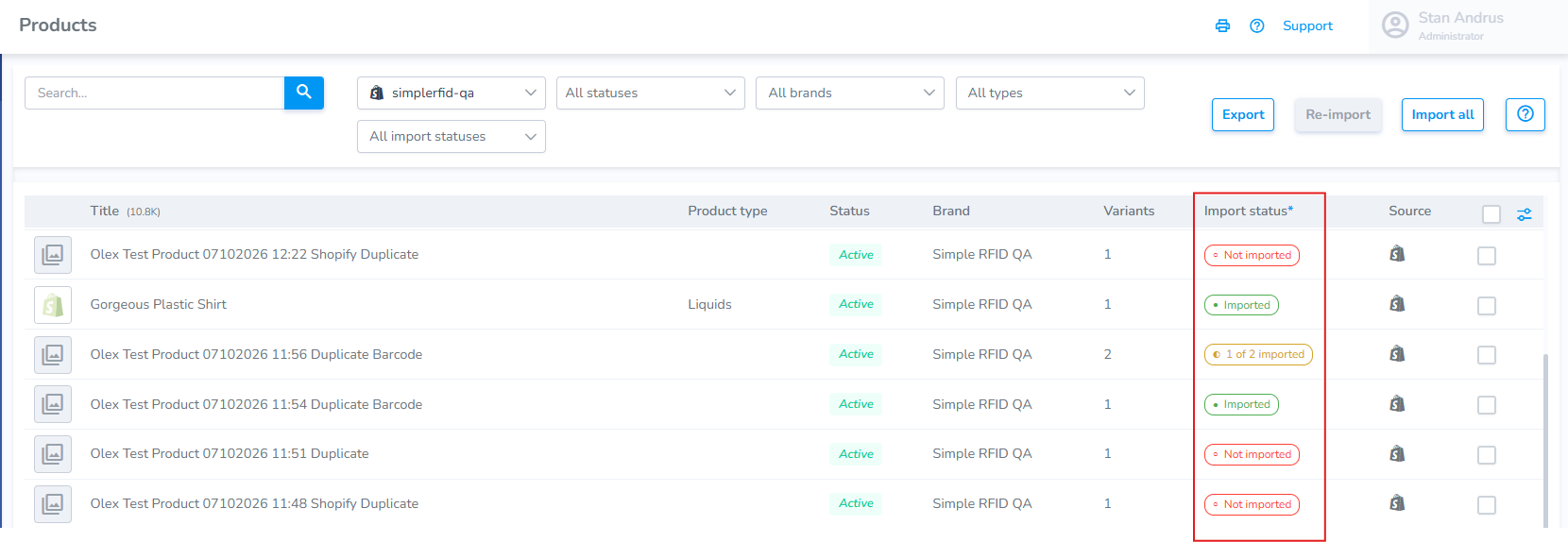
Products are typically unable to be imported for 2 reasons:
- The Product Variant has a duplicate value (two or more variants are created with the same SKU or Barcode)
- The Product Variant does not have a unique value (SKU or Barcode) assigned
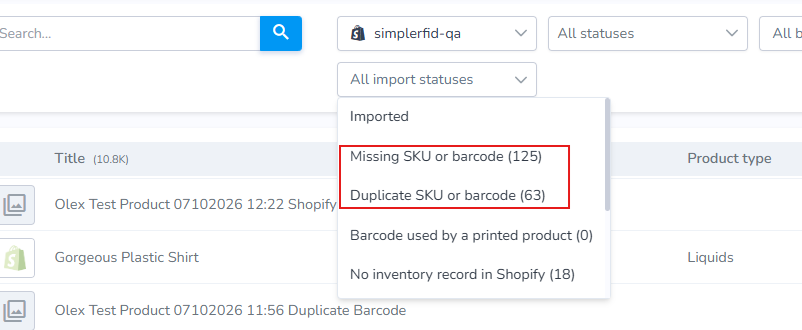
FromUse the filter "All Import Statuses" filter to view the errorerrors list.and filter the desired option. The two most common reasons appear at the toptop.
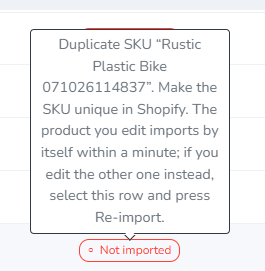
Hover over the Import Status flag to see required action.
Click on the Shopify icon on the far right to open the variant in Shopify to make the necessary changes.
