Inventory: Absent
Absent Status
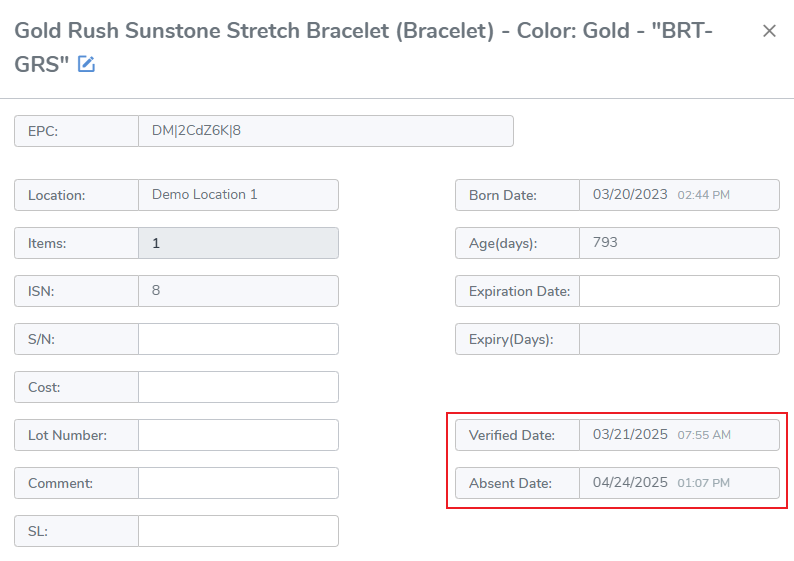
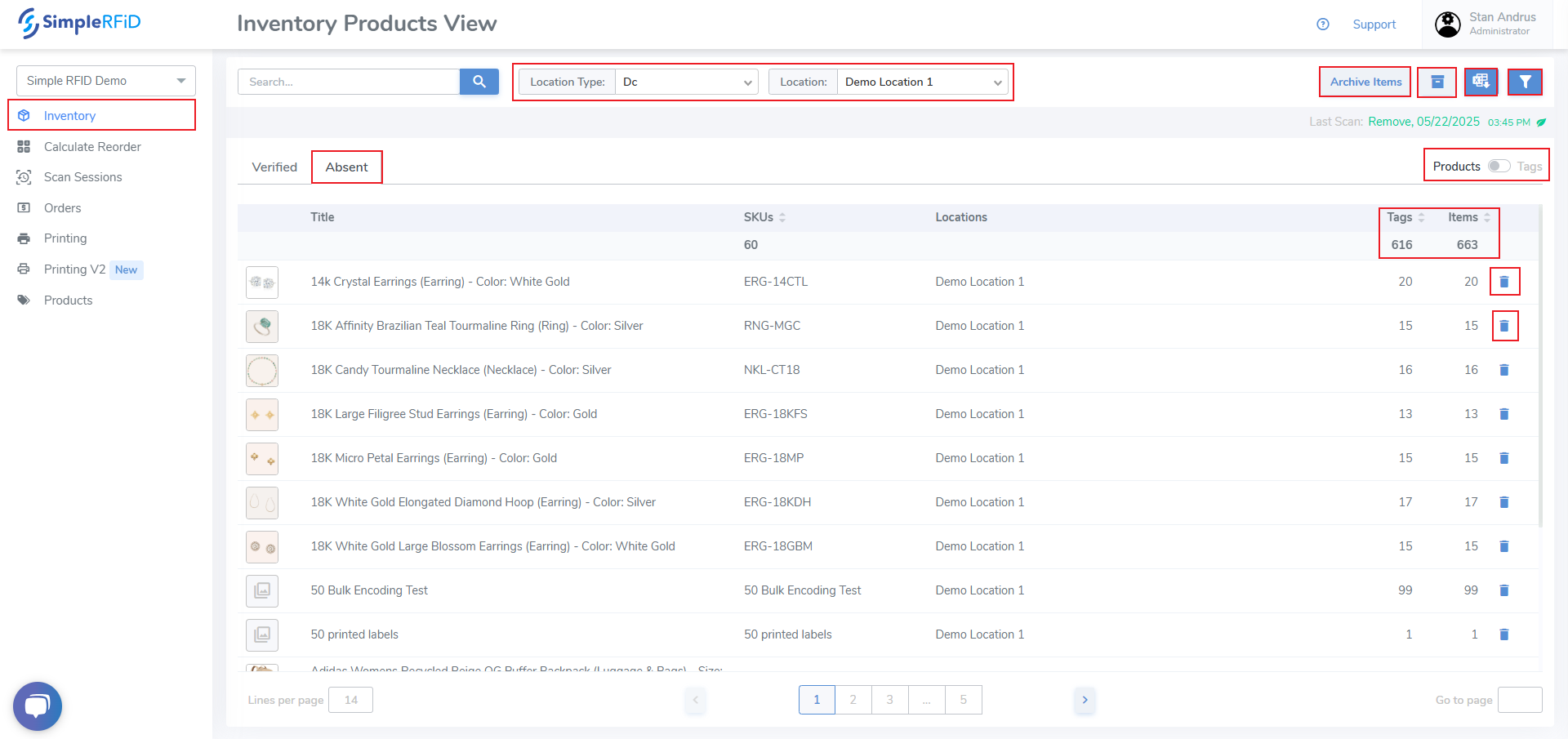
View and manage Absent items from the web portal. Absent items are any item that was once verified, however has not scanned since an audit. You can view this "Absent" date, which is the audit date when the tag was no longer scanned.
- Archive by Product level - Move all items to Archived by Product by clicking the "Archive Items" button. Then accept the pop-up prompt.
- Archive by Tag level - Archive a single Tag by clicking the Trash Can icon on the far right side. Then accept the pop-up prompt.
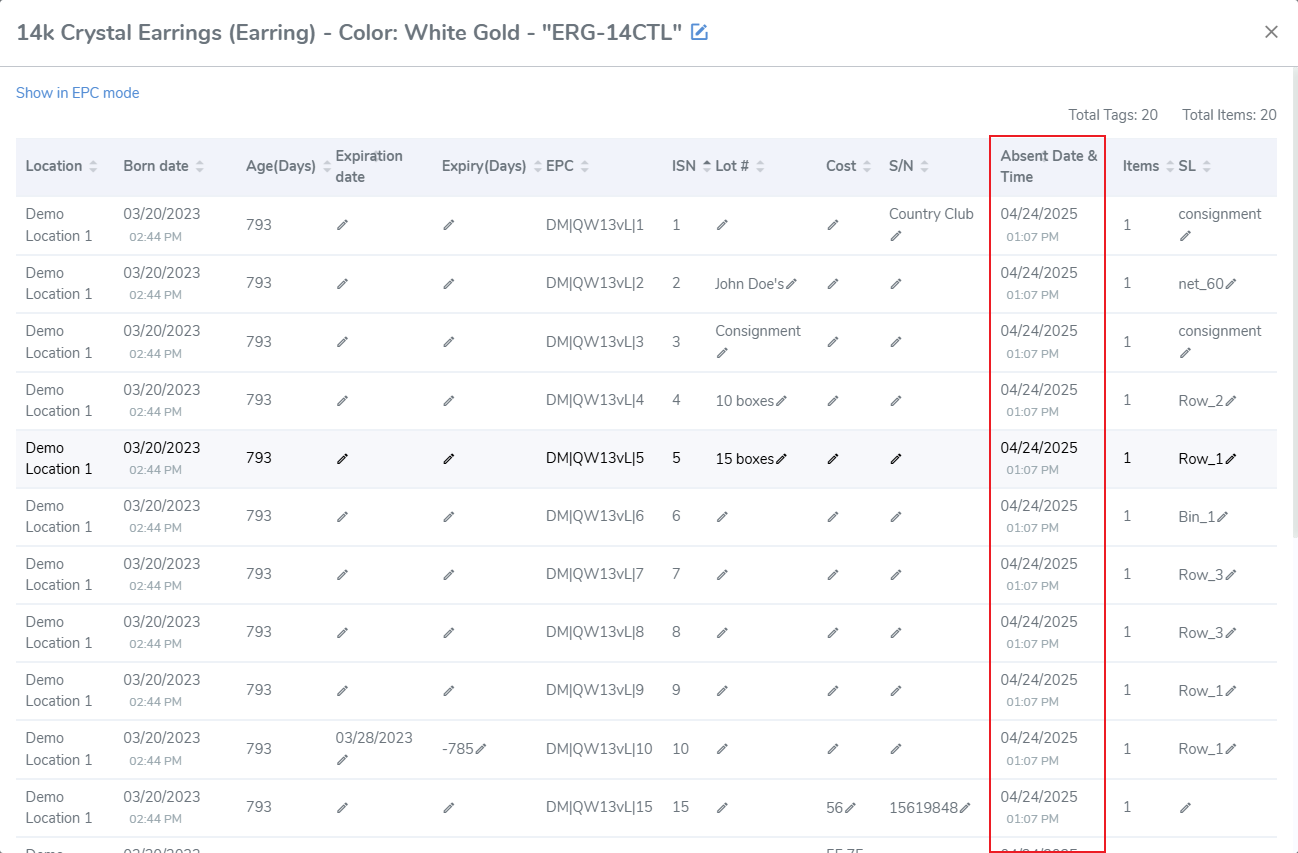
- Clicking an individual Product opens the Item View pop-up. This pop-up displays the Absent date of each tag.
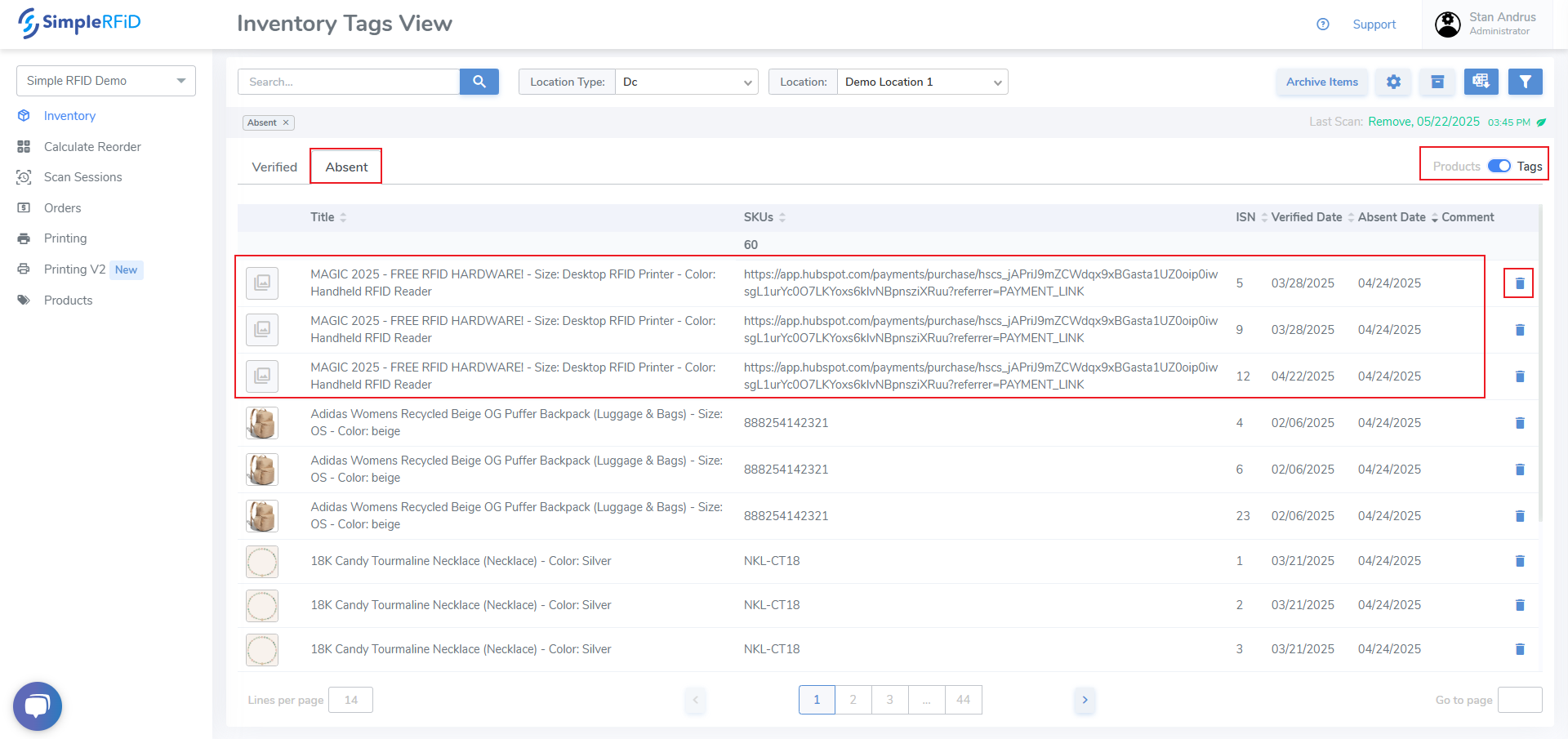
- Archive individual items by sliding the Products / Tags switcher to Tags view. From this page individual items can be archived the trash can icon. From this view you can see the Verified Date which is the last time the tag was scanned, and the Absent Date which is the first audit the tag was no longer found to be in inventory.
- Click an individual item and view the item's card which includes this date as well.