
Resolve & Sync
This article describes the process of resolving inventory count discrepancies and syncing to Shopify after you perform an Audit.
This feature is currently only available for customers creating audits via spreadsheet, or using Shopify or Apparel Magic integrations. For all other customers, refer to the Audit & Compare article
What is a Resolution?
A Resolution in Simple RFID is the process of investigating inventory discrepancies between scanned RFID counts and the expected on-hand quantities from a partner system. Each discrepancy is reviewed, assigned a resolution reason, and resolved by taking the appropriate corrective action to synchronize both inventory records.
Discrepancies move through these resolution workflows:
- Pending Actions – The RFID inventory must be adjusted. These include printing new tags for items, performing Add scans to add items, as well as performing Remove (Archive) scans to remove tags.
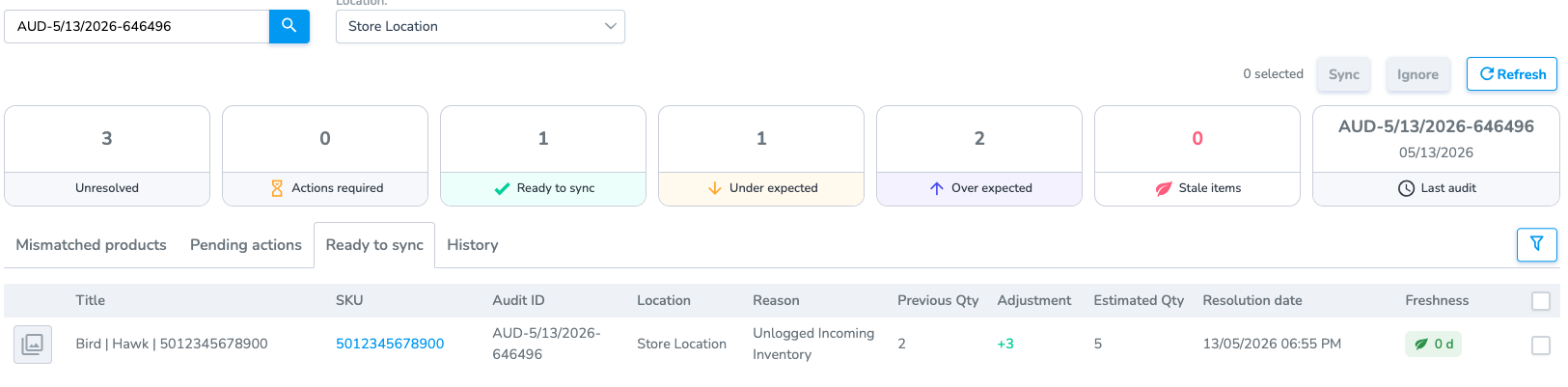
- Ready to Sync (or Ready for Correction) – This flow accounts for any time the partner system's expected on-hand inventory requires a correction. If you are using an integration you can sync corrections instantly to your partner system, if you are using your own source you will export the inventory correction sheet to upload into your partner system.
Assigning a Reason
Each Mismatched product needs a Reason for that mismatch. A Reason could be missing tags, more products than Shopify expected, etc. Each reason has an Action attached to it. An Action could be printing tags, scanning tags, or updating Shopify's inventory count. The Resolution Center allows you to provide Reasons and perform Actions for products that are Mismatched.
Access the Resolution Center
From an Audit, you can go to the Resolution Center. This is where you can give reasons for specific items being Over- or Under-expected.
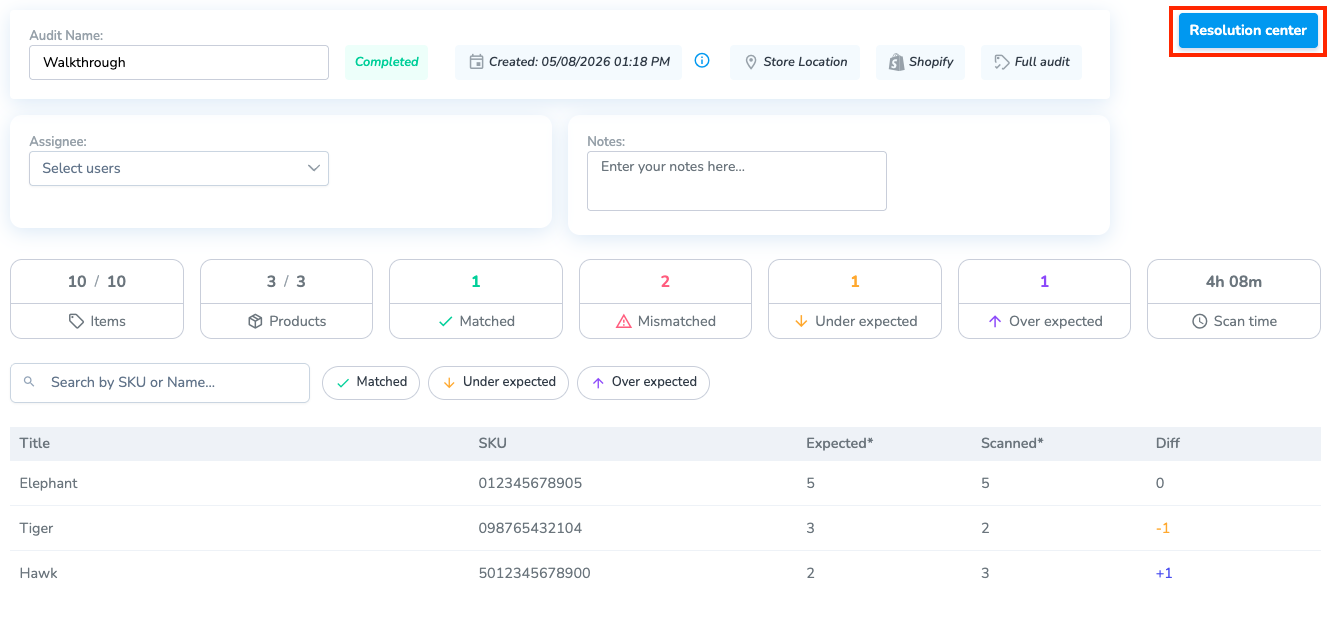
You can also access this page from the Resolve & Sync tab in the navigation menu.
Resolve Mismatched Products
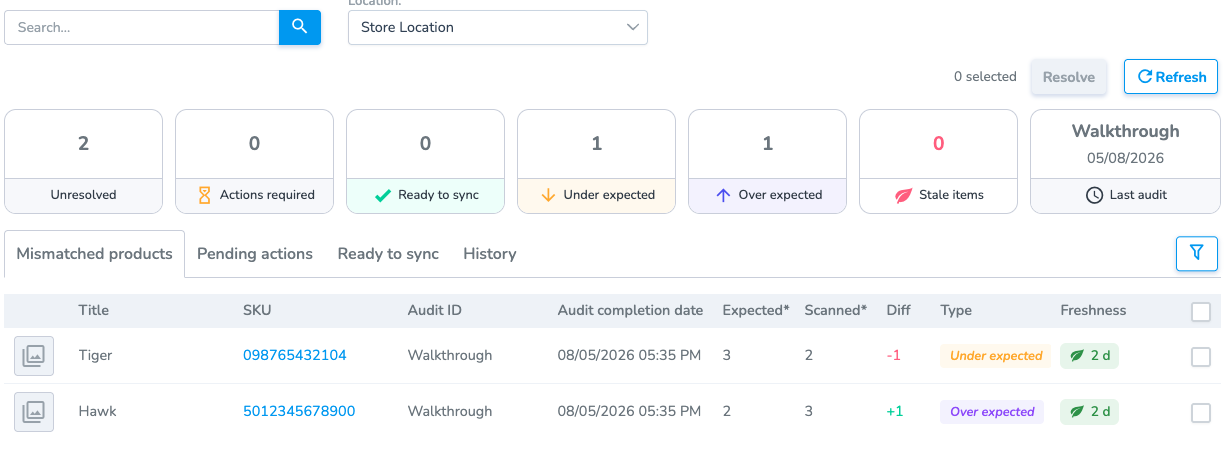
Each product can be in one of three categories:
- Mismatched Products: The products are either Under Expected or Over Expected without a Resolution
- Pending Actions: The products are waiting for a specific Action to be taken (printing, scanning, etc.)
- Ready to Sync: The products are waiting to be synced with Shopify
Group Reason - Single Reason (per product)
You can apply a reason to one or multiple products, then click Resolve to bring you to the resolution step. There are two groups on this page: Under Expected and Over Expected.
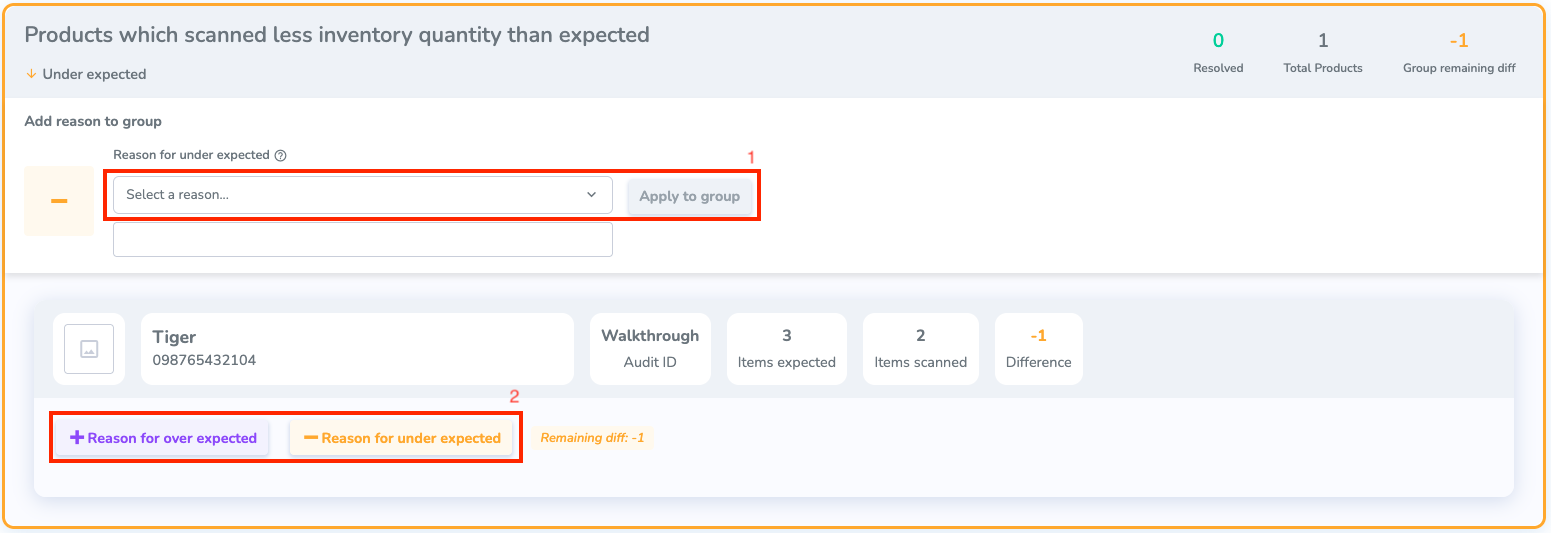
To Resolve a mismatch, you need to give it a Reason. Depending on the reason you give it, it will require a specific Action.
There are two different ways you can add a Reason:
1. Group Reason: Give the same reason for every product selected
2. Single Reason: Give a reason for a specific product
Pending Actions
Once you have selected a Reason for all of the products, any that require an Action will be put in the Pending Actions section in the Resolve & Sync tab.
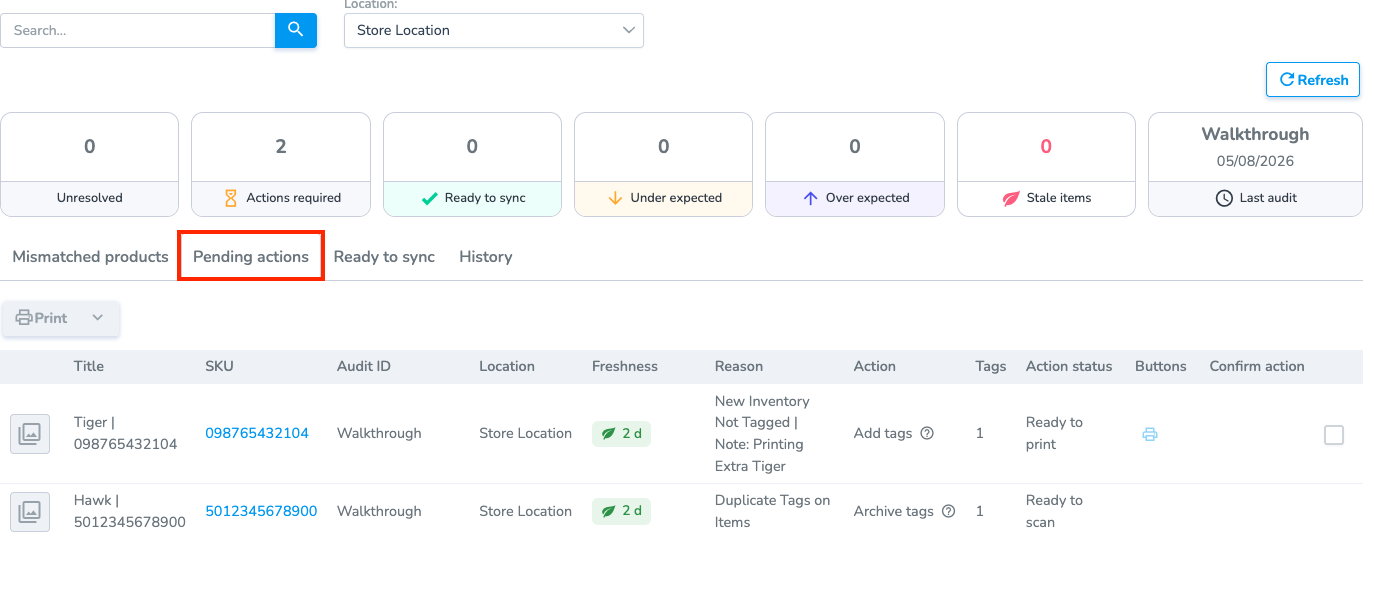
Some Actions can only be resolved on the Simple RFID mobile app. For example, archiving an extra tag.
In the next version of the mobile app the user will have a "Pending Actions" tab to streamline the process of viewing and completing these pending actions.
From here, you can see the Action that needs to be taken. You can hover over the Action column to see what needs to be done.
Any products that need to be synced will be in the Ready to Sync tab.
You can Ignore products; this will remove them from the Resolve page without updating Shopify