Web Portal: Pending Actions & Adjusting Inventory in Partner
Pending Actions
All required actions which must be completed from the RFID side appear in the Pending Actions section in the Resolve & Sync tab.
Pending Actions displays the actions which need to be taken. Additional information can be found by hovering over the "?" icon in the Action column. The Actions include the following:
Ready to Print - Displays a list of all products & quantities needing to be printed. If the print job was already completed the user can locate the job and associate it with the action.
Ready to Scan (Add or Archive) - Displays the products & quantities scan actions which must be taken for the associated products, either added to inventory or removed from inventory.
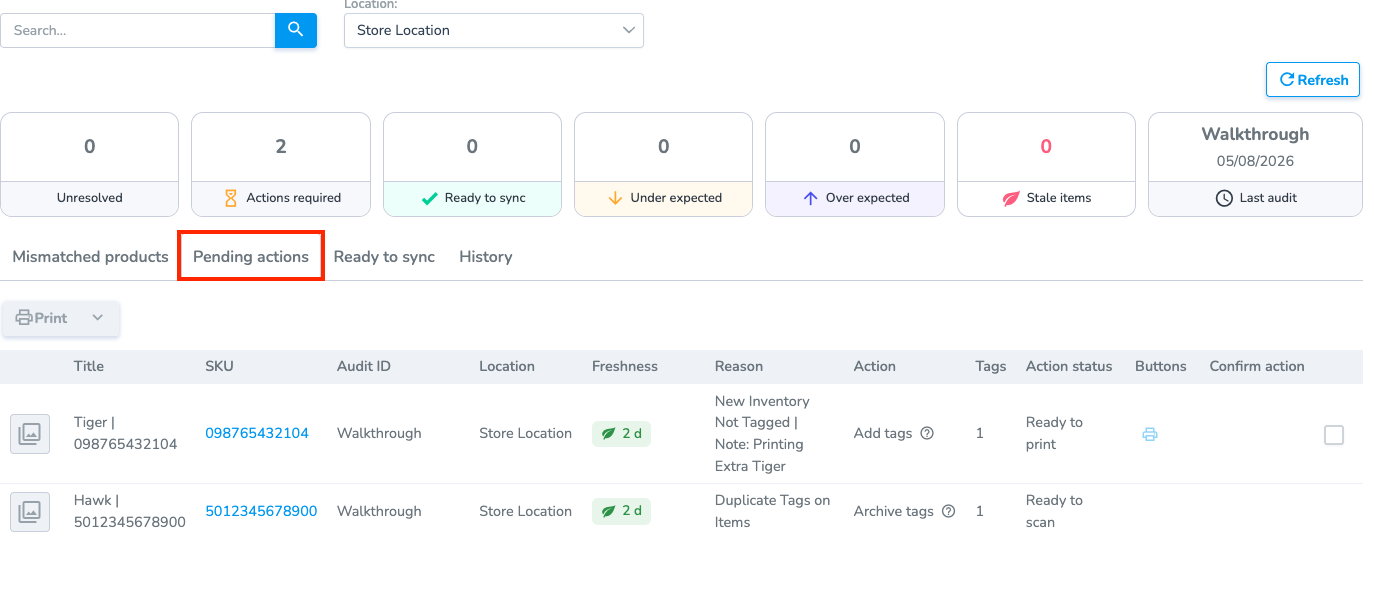
Note: To update RFID inventory, use the mobile app to perform Add scans (to increase the RFID count) or Archive scans (to decrease the RFID count). Printing actions must be completed from the Pending Actions page or by the associated print job generated for the action.
Coming Soon: The next version of the mobile app introduces a dedicated Pending Actions tab that consolidates all required RFID actions into one place. Instead of switching between multiple screens, users will be able to view and complete Add, Archive, and print actions from a single workflow.
Ready to Sync (Integration Users)
Depending on if you are integration, or if you manually created your audit the name of the page will change. For integration users the page is called Ready to Sync.
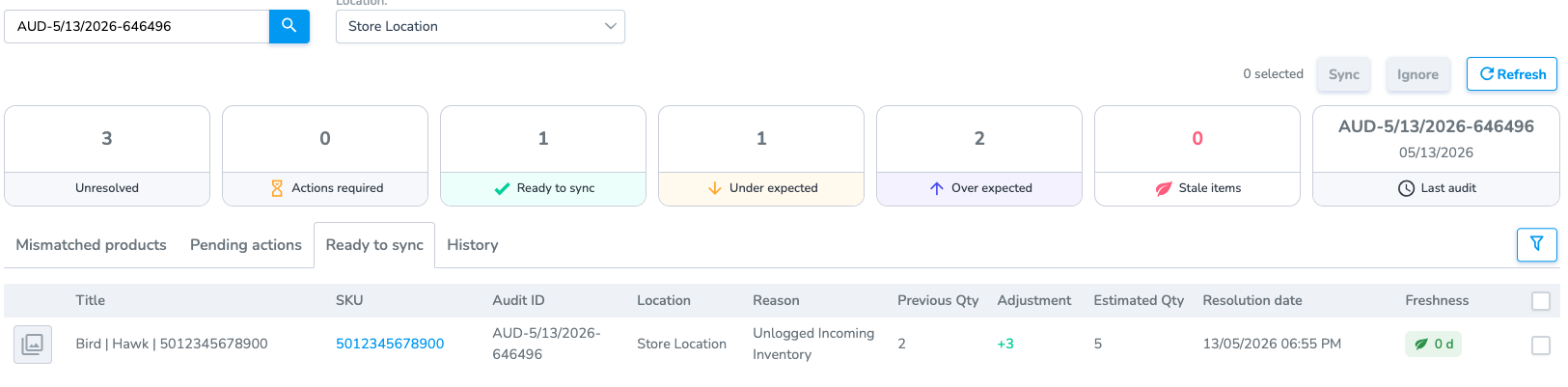
Ignore
Use the ignore button to remove items from the Ready to Sync list without making a change to the partner quantity.
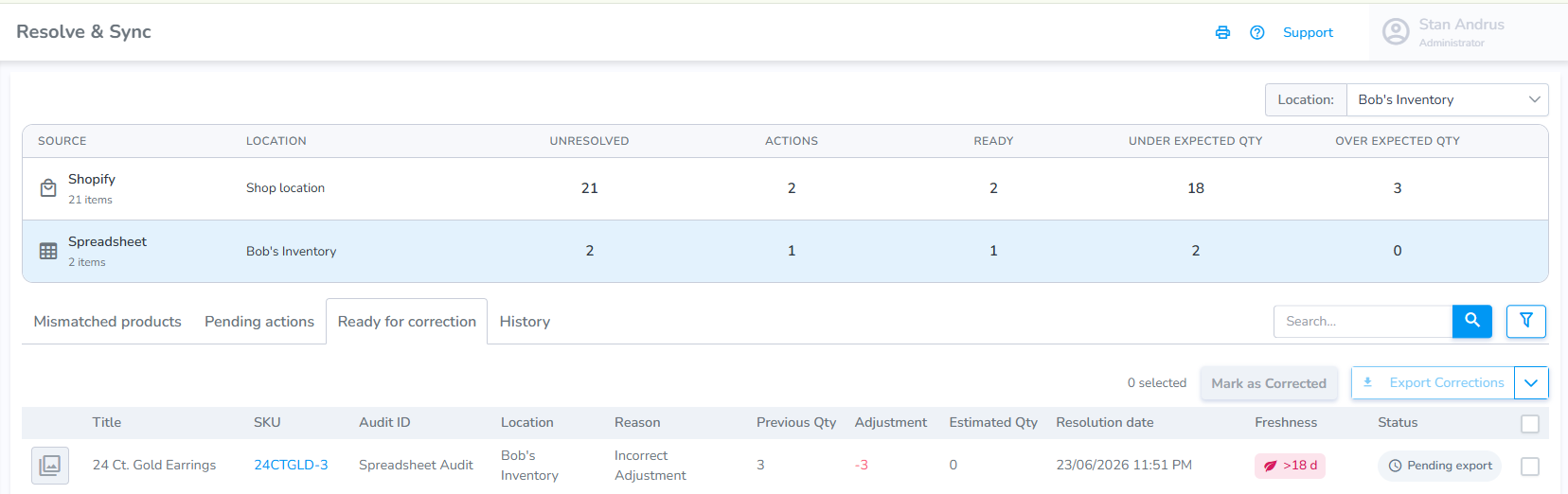
Ready for Correction (Manual & Spreadsheets)
If the audit is created using their own source the page is called Ready for Correction.
- Inventory corrections are generated as a spreadsheet.
- Sheet is exported, then upload into partner system.
- Once partner system has been updated the user "Mark(s) as Corrected" to indicate that the partner system has been updated.