
Web Portal: Resolution Center: Review & Resolve Mismatched SKUs
This article describes the process of reviewing mismatched products generated from an inventory audit. Based on this review process tasks are created (RFID & Partner) to ensure all steps are completed.
What is the Review & Resolve Process?
The Review & Resolve page displays all Mismatched Products from your audits. The user is required to choose one of three possible outcomes:
Trust RFID Count - If you trust your RFID it means:
- If the RFID count is greater than the Partner Count = increase Partner Count to match the RFID.
- If the RFID count is less than the Partner Count = decrease Partner Count to match the RFID.
Trust Partner Count - If you trust your Partner Count it means:
- If the RFID is greater than the Partner Count = Perform an "Archive" scan on tags to reduce RFID count to match Partner.
- If the RFID is less than the Partner Count = Print and/or scan tags to increase RFID count to match Partner.
Manual Count - If you trust neither the RFID or Manual Count it means:
- The physical count may differ from both the RFID and the Partner Counts, therefore you must perform a manual count, then enter this count.
- If this count differs from both the RFID and Partner Counts tasks will be generated to adjust both RFID and Partner.
When should you choose each Source of Truth?
RFID Count
Choose the RFID Count if you trust that every item has been tagged with RFID and that all tagged items were successfully scanned.
This option is often preferred when:
- If the Partner Count is less than the RFID Count: You want to avoid overselling by ensuring inventory is not overstated.
- If the RFID Count is greater than the Partner Count: The partner system quantity is too low and want to increase it to match the verified RFID scan.
- You have confidence in your RFID tagging and scanning process.
When RFID Count is selected as the Source of Truth, all generated tasks will be Partner Actions, updating the partner system to match the RFID inventory.
Partner Count
Choose the Partner Count if you trust that the inventory quantity in your partner software is accurate.
This option is commonly used when:
- You are first implementing RFID and have not yet established confidence in your RFID data.
- You believe the partner system reflects the correct inventory.
- You wish to align your RFID inventory with your existing records.
When Partner Count is selected as the Source of Truth, all generated tasks will be RFID Actions, such as printing missing RFID labels or performing Add or Archive scans to match the partner inventory.
Trust Neither / Manual Count
Perhaps you don't trust either your RFID or Partner counts. In this instance you must physically count the items to determine the truth.
If the manual count differs from both, both RFID and Partner tasks will be created.
Assigning a Reason / Generating an Action
Users have the option of assigning a reason for each action.action to help in categorizing issues.
Accessing the Resolution Center
Once an audit is completed, all mismatched products are moved to the Resolution Center. From there, users can access mismatches either:
- Directly from the audit by selecting Resolution Center, or
- From the left navigation menu by selecting Resolve & Sync
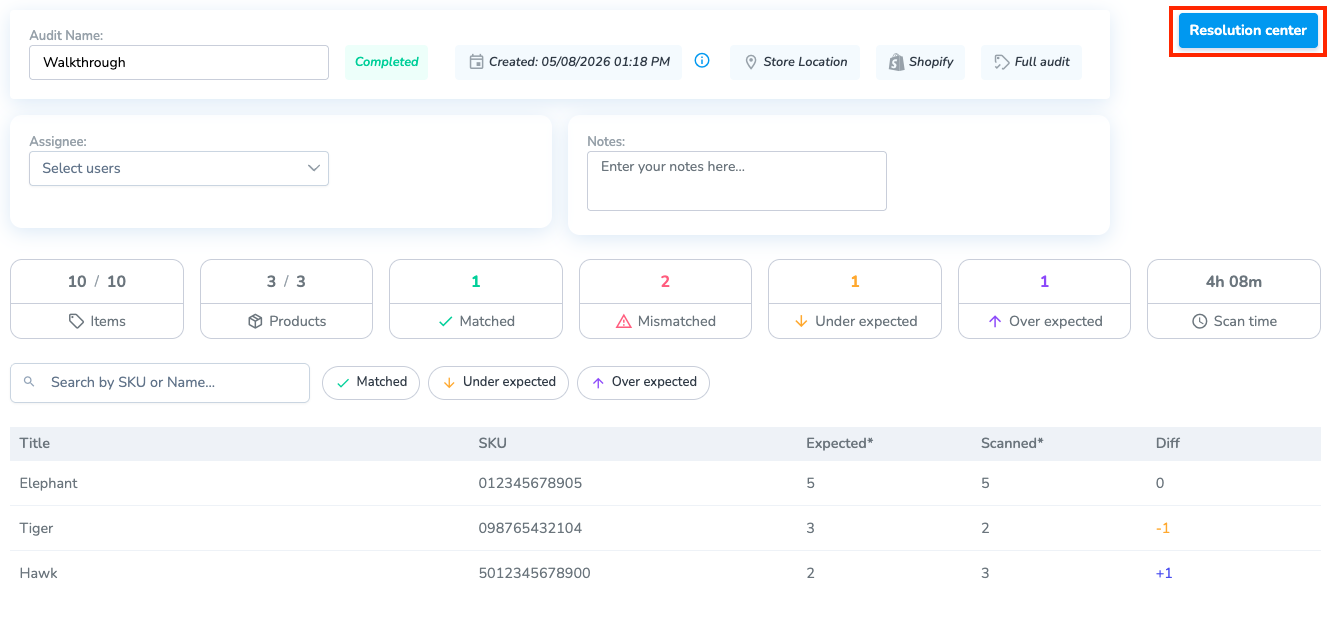
Steps
1. Review Mismatched ProductsMismatches
- Choose the product(s) you wish to review by clicking the checkbox(es) on the far right.
- Next, click "Review" to manage the products.
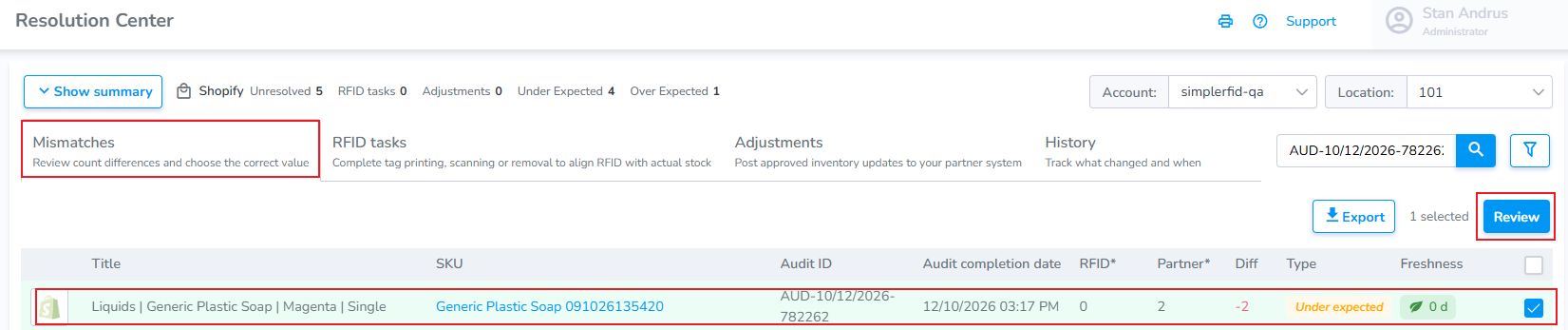
2. ReviewDetermine Quantitieswho you Trust
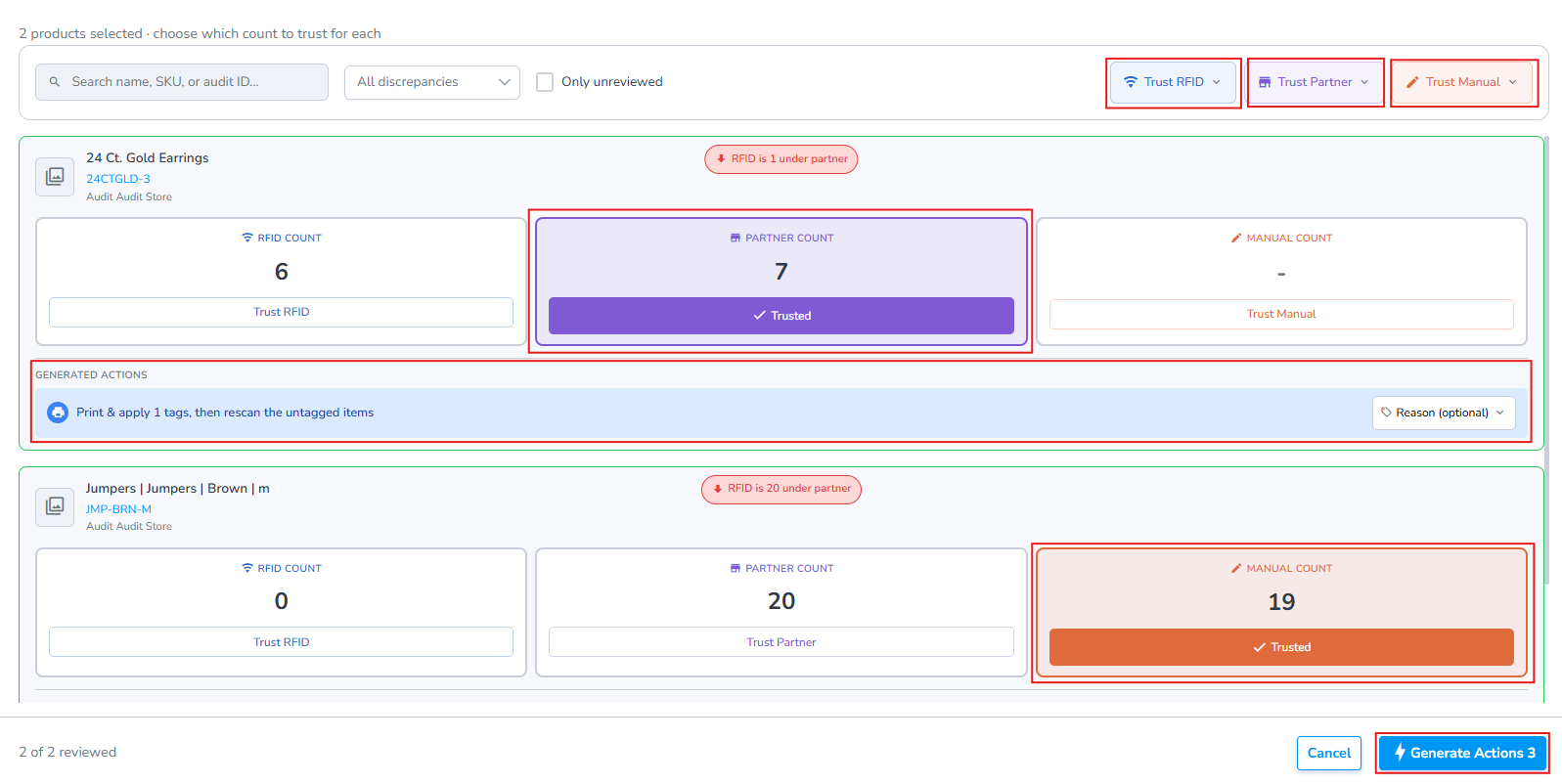
1. Choose either RFID Count, Partner Count, or Manual Count
- If Manual Count is selected you
choose Manual Count,must enter the count
2. After selecting the option, below each product card is displayed the "Generated Actions" which indicates what required actions will be.
3. Finally, click the "Generate Actions" button at the bottom right.
Complete Required RFID Actions & Partner Corrections
Once the "Resolve" butt is clicked RFID actions, and/or adjusting the partner count by Syncing mismatches / Uploading corrections are generated. Please follow the links to complete the steps.