
Create Audit, Scan & Identify Mismatches
Manual Input
Do you want to create an audit using data from another system? This article walks through the steps to load your own data into an audit.
Steps
To create an audit using our own data source you will follow the same steps found in the Audit with an Integration article with a few small exceptions:
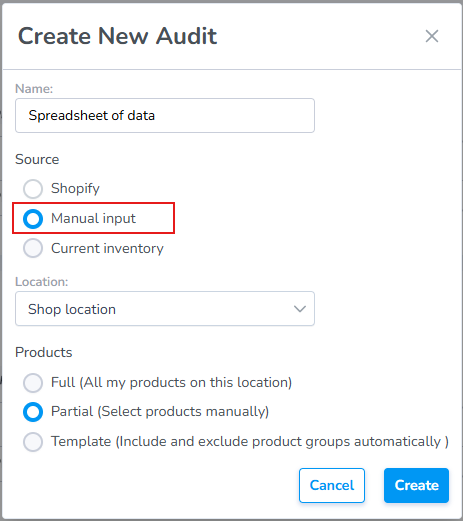
- Select Manual input as your Source
- The Products selector will defaults to "Partial"
Name:
- This is a free text field to name the audit anything you choose. If you choose to keep this field blank the system will auto-generate an Audit Name for you.
Source:
- for the Source you'll choose Manual Input: This allows the user to use their own Custom Source such as a spreadsheet
Location:
- Choose the location where the audit is being conducted
Products:
- The Products radio select will default to Partial since without an integration the system doesn't know how much or what part of the inventory is being audited.
Click "Create" to create
- The Audit will be created in Draft status.
Add Products to an Audit
Important: Once you click Start Audit, the Audit is locked. You will no longer be able to add or remove products from the Audit.
The Audit view will include two buttons, + Add Items button to search and add items manually, and a Import from Excel button to upload a spreadsheet.
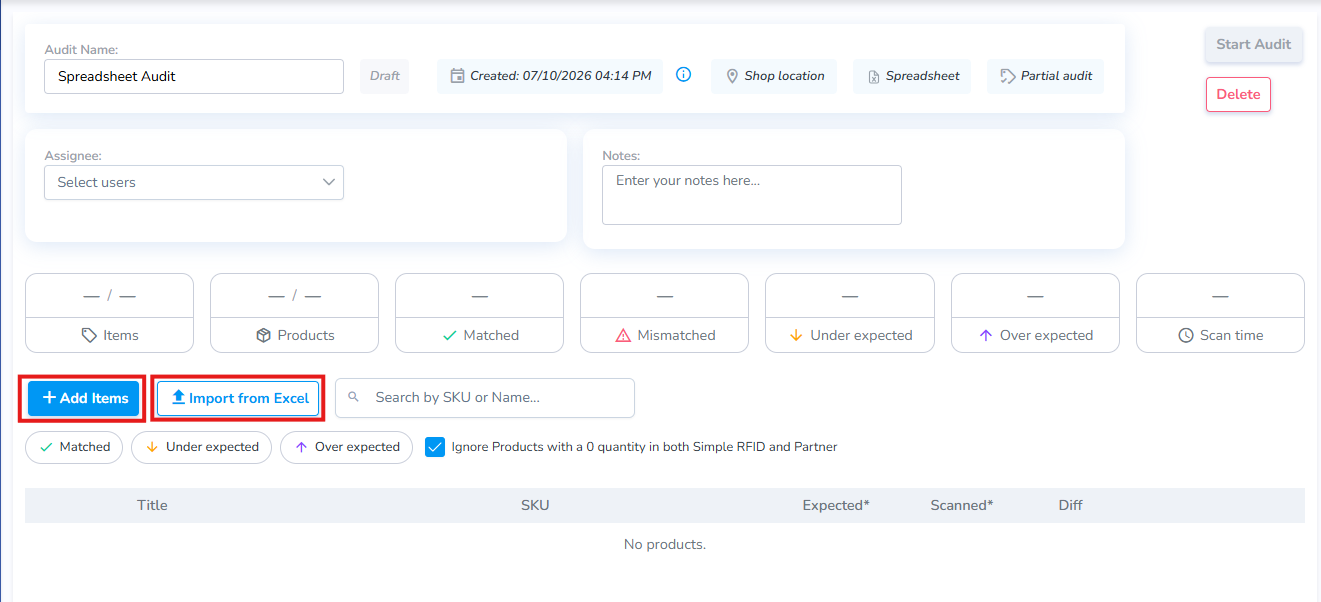
+ Add Items Manually
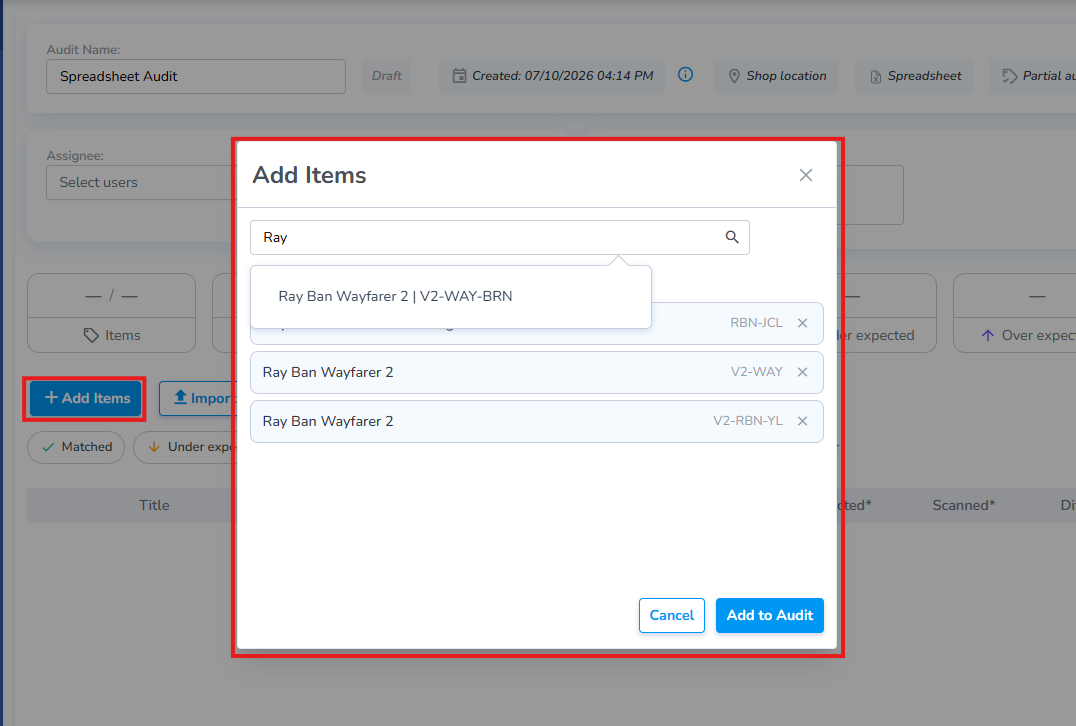
Clicking + Add Items opens the Add Items pop-up window which allows the user to search for and select the specific products to include in the Audit.
Import from Excel
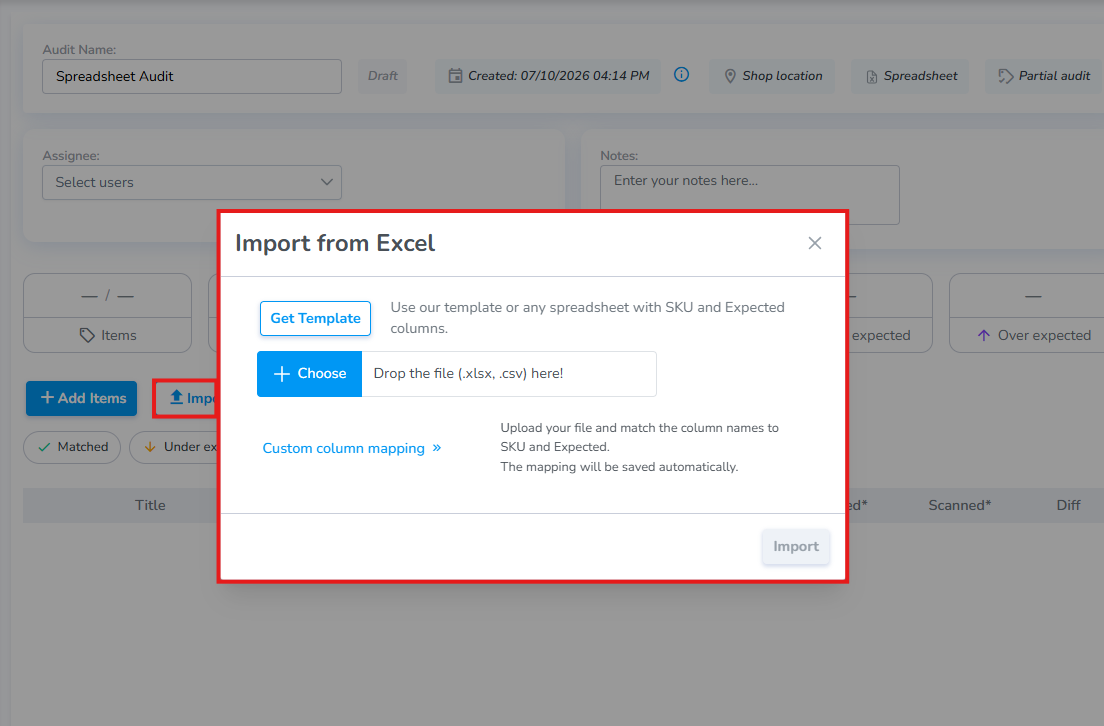
Clicking the Import from Excel button opens the Import Pop-up.
Use the Simple RFID Template
From this pop-up download a formatted template to enter inventory numbers.
Use your Own Spreadsheet and Map Columns
Click the Custom column mapping link to associate the corresponding columns from your own spreadsheet.
Finally, Once you have added all desired products, click Start Audit to load their current inventory quantities and begin the Audit.