
Web Portal: Inventory Compare
This page is currently hidden and can be accessed by manually searching via the URL: portal.simplerfid.com/inventory-compare
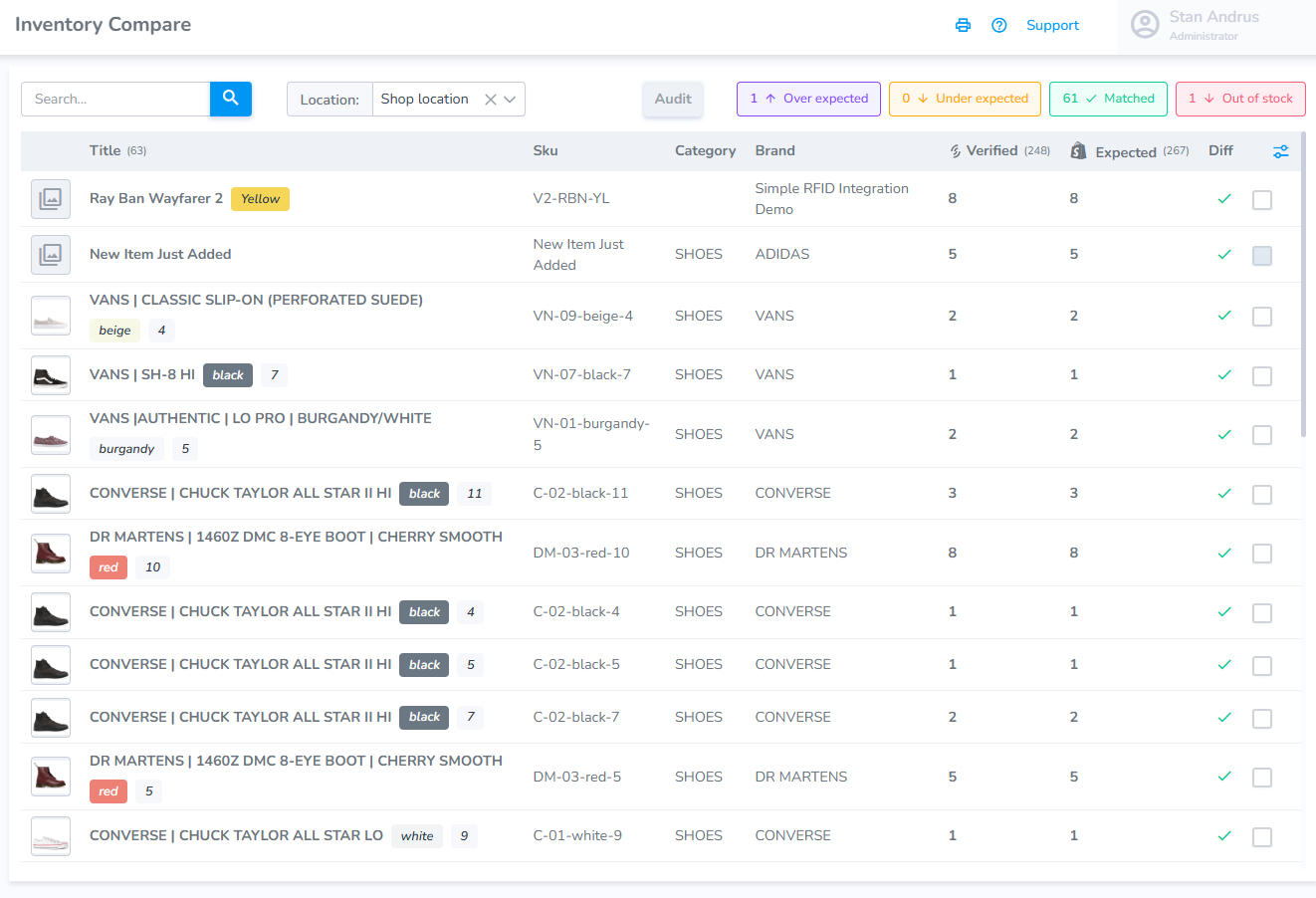
From the inventory compare page a user can view RFID and Partner inventory numbers. This provides a simple interface which allows a user to review their products and initiate important actions.
The compare page contains the following elements:
- Search window
- Location Selector
- Filters for: Over expected, under expected, matched, and out of stock
- Checkboxes on the right to select a record(s)
Configurable Columns
The page also allows the user to configure the product elements and display what matters to the user.
Click on the configuration icon on the right corner
- Choose the properties you wish included
- Drag the property to the order you wish it to appear
Starting an Audit from the Inventory Compare page
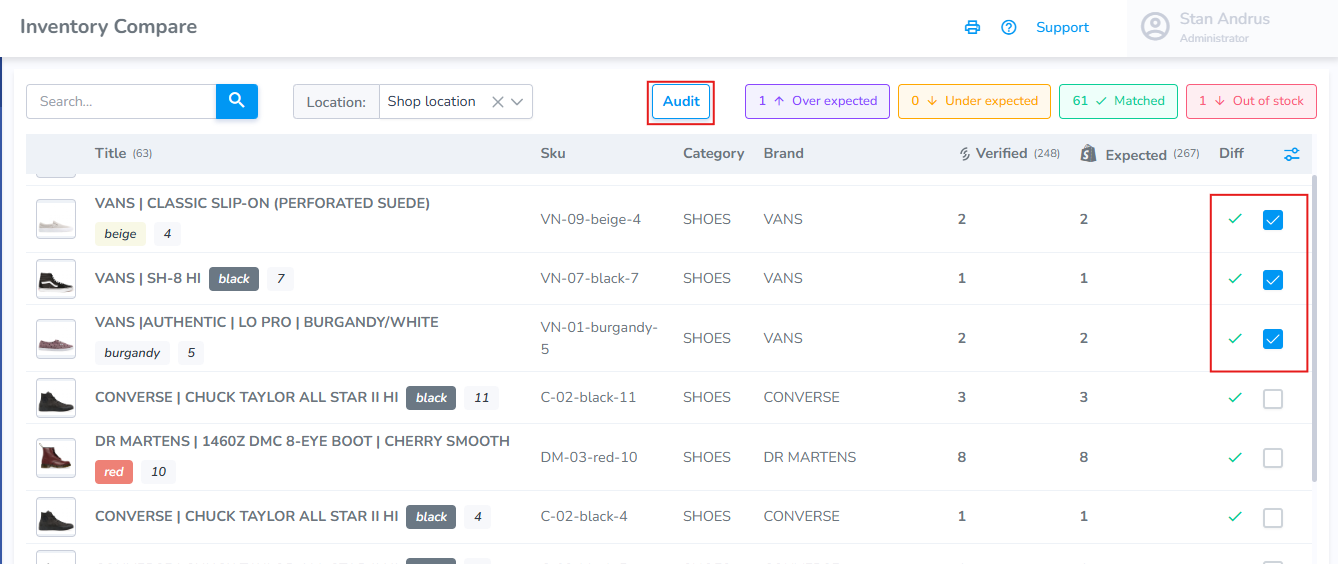
To begin an audit from the Inventory Compare page:
Select the products you wish to include checkbox
Click the Audit button
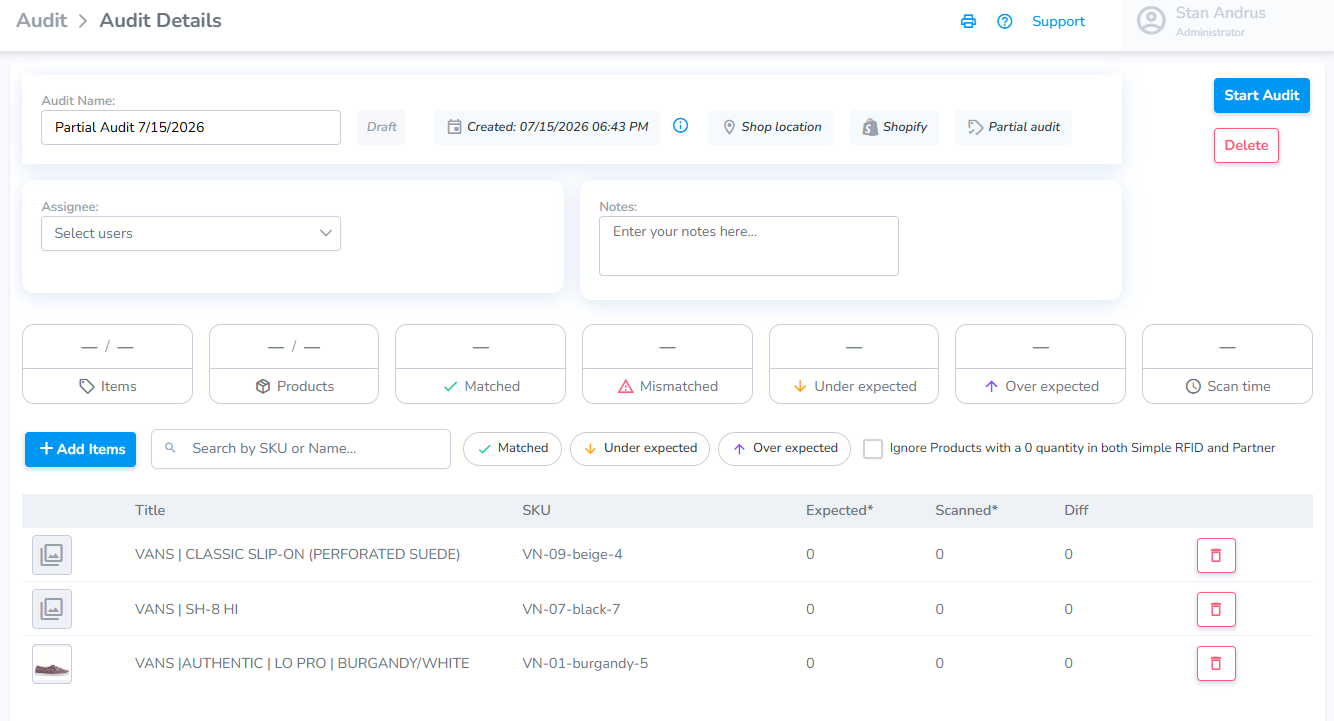
After clicking Audit" you will be redirected to the Audit page with the associated products added to the Draft audit.
Click "Start Audit" to Open the audit and begin scanning.
Printing from the Inventory Compare page
This feature is not yet available and is under development.