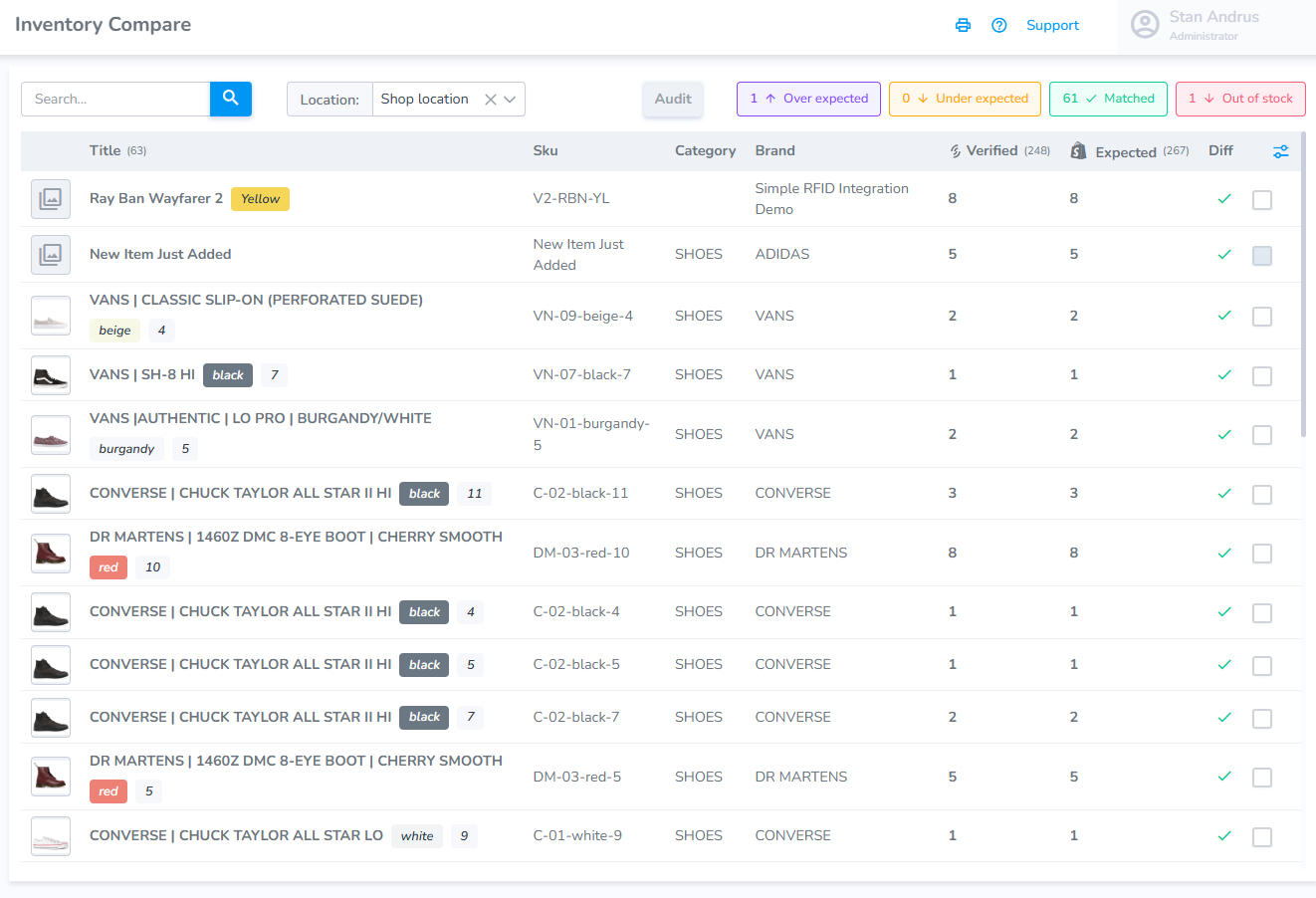
Web Portal: Inventory Compare
From the inventory compare page a user can view RFID and Partner inventory numbers. This provides a simple interface which allows a user to review their products and initiate important actions.
The compare page contains the following elements:
- Search window
- Location Selector
- Filters for: Over expected, under expected, matched, and out of stock
- Checkboxes on the right to select a record(s)
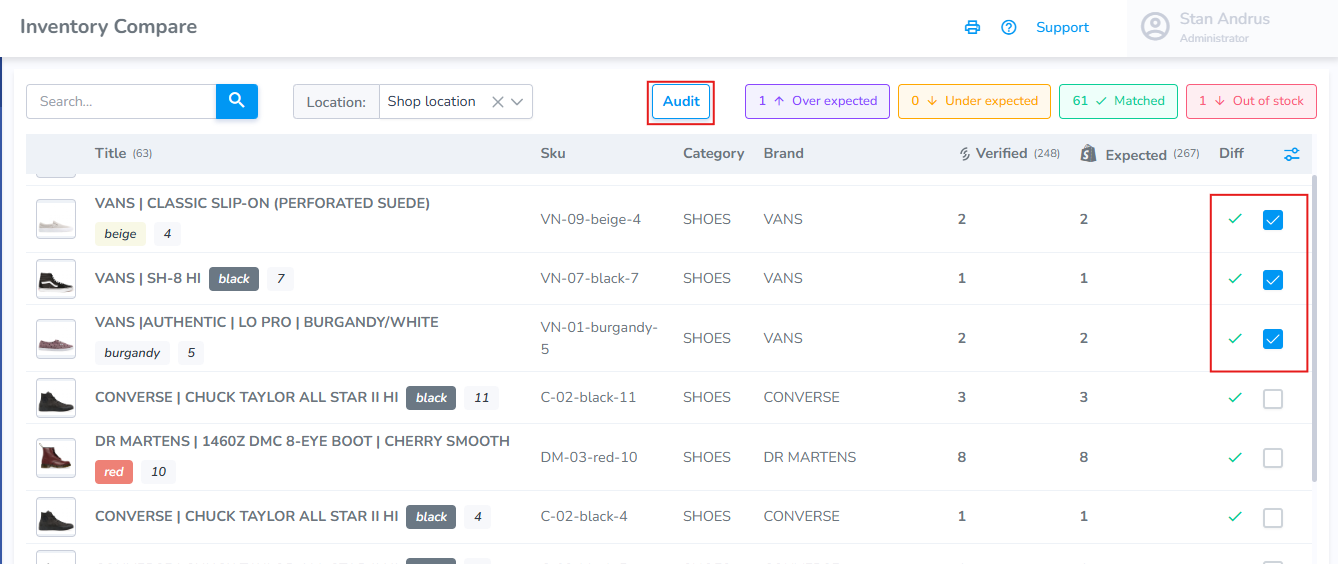
Starting an Audit from the Inventory Compare page
To begin an audit from the Inventory Compare page:
Select the products you wish to include checkbox
Click the Audit button
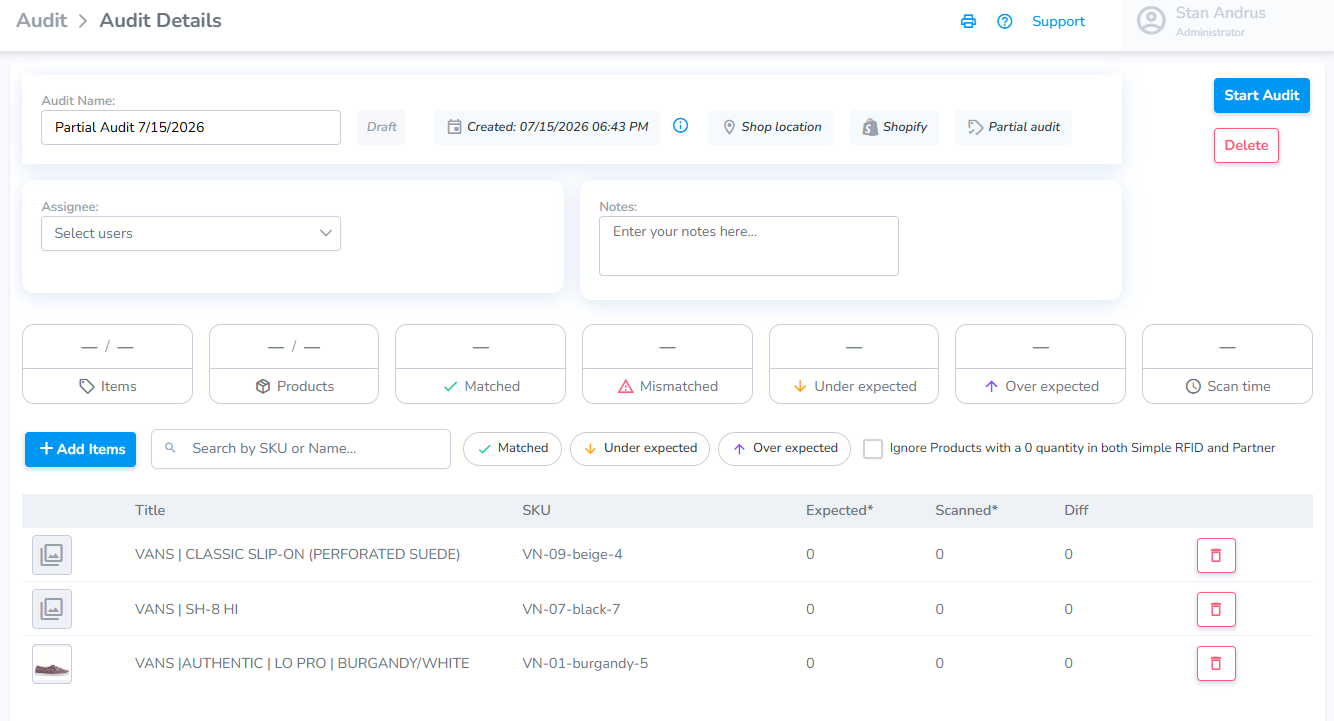
After clicking Audit" you will be redirected to the Audit page with the associated products added: