
Account Settings: Switching our of Legacy Audit mode
The system offers two modes for auditing: Legacy Audit, which is a basic flow, and Advanced Mode, which allows for more granular auditing and discrepancy resolving. These modes can be enabled or disabled from the customer profile menu using the switch button at all times.
You will need to be a Manager on the Simple RFID Web Portal to access this page
Access Account Settings
On the SimpleRFID web portal, click your account name in the top right corner of the screen, then select Account Settings
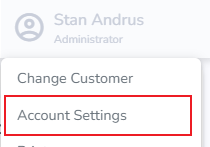
Account Settings Page
On the Account Settings page, you can switch out of Legacy Audit mode
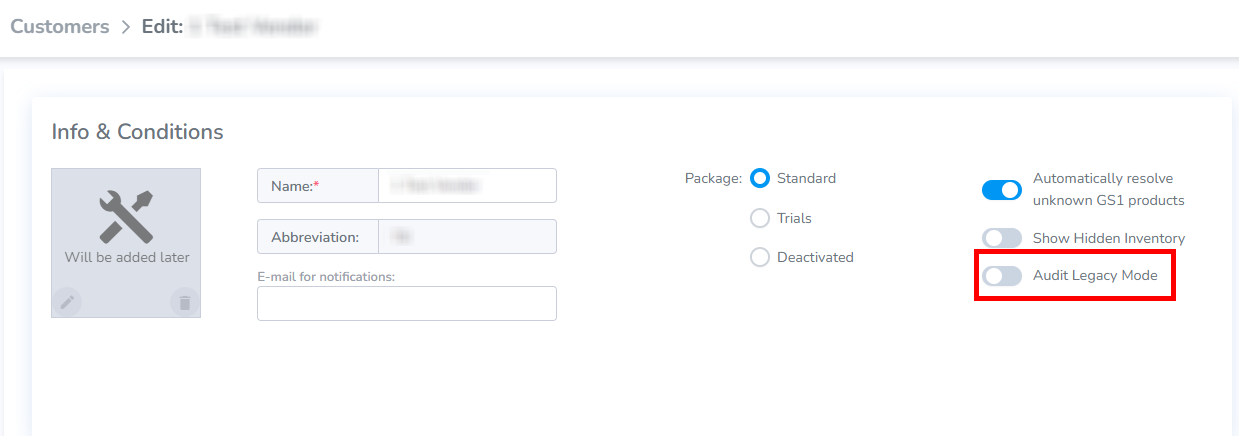
Doing so will change the Audit process! Both modes have their own set of actions required for a successful Audit. All active Audits will be canceled.
The instructions for the Legacy Audit Mode can be found here: Audit and Compare and Audit & Compare Shopify.
The instructions for the New Audit flow can be found here: Audit - Shopify