
Mobile App: Complete Audit
Once you have performed as many scans as you wish to ensure accuracy you will need to Complete the audit to close it. Once the Audit is Closed all Mismatched products are moved to the "Review Mismatches" page for review.
Complete an audit to move mismatched products to the Review & Resolve process. To do this the audit must be in Open status.
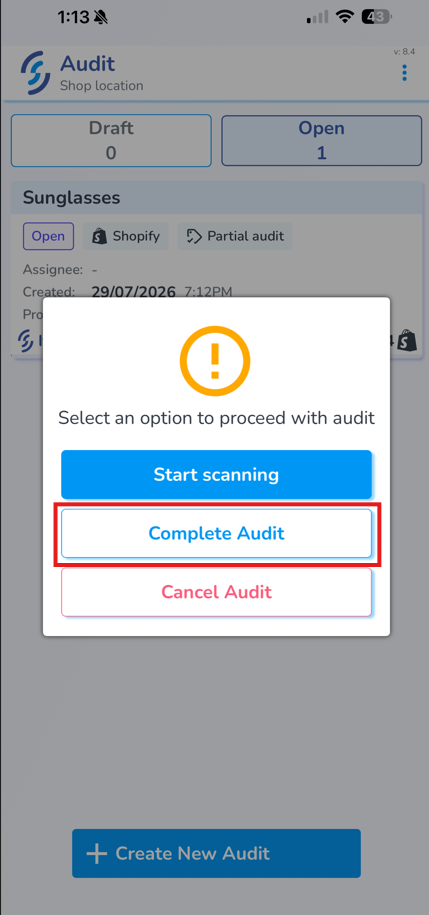
- Click on the desired audit

- A pop-up will appear. Click "Complete Audit"
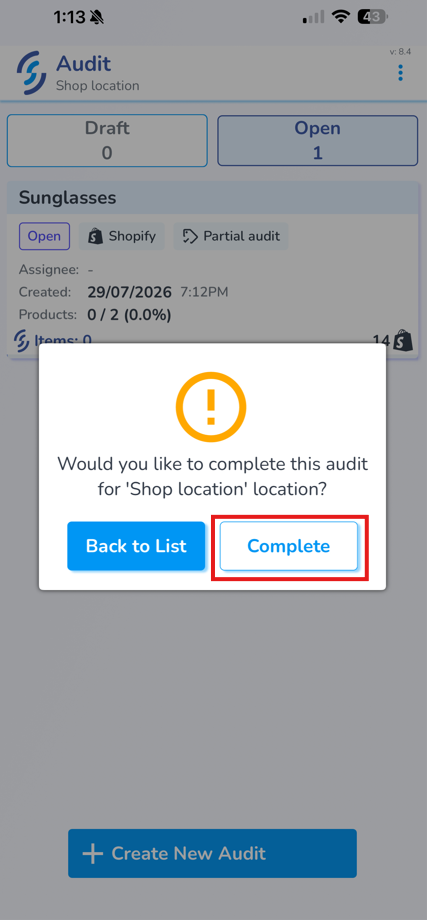
- Accept the confirmation pop-up prompt by clicking "Complete"
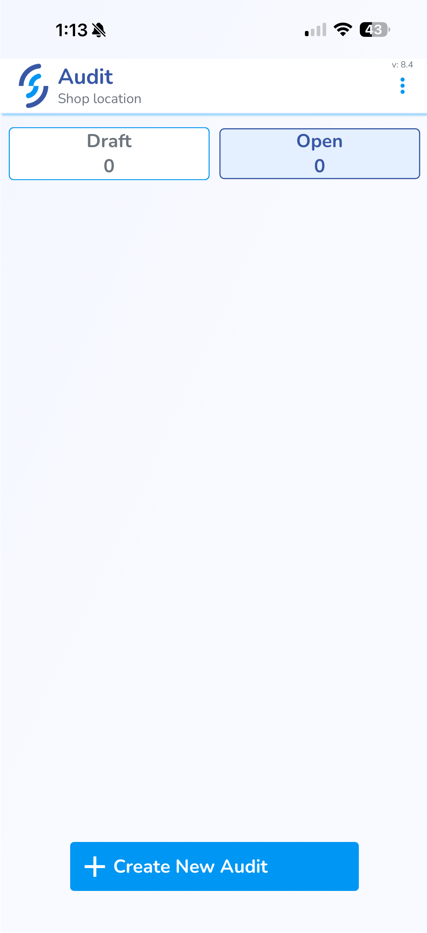
- The Audit will then be removed from the mobile view
The mismatched items will now appear on the Resolve & Sync Mismatched Products tab for review and resolution.