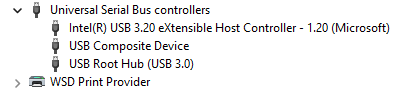
Troubleshooting USB Connection
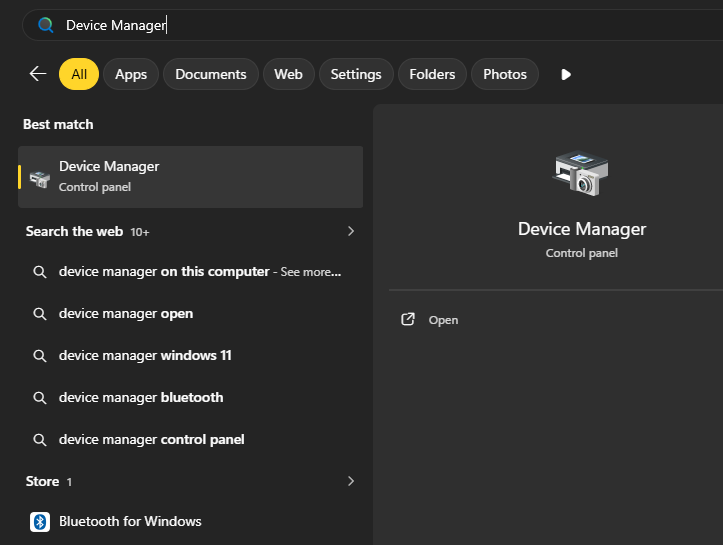
1. In the Windows Search bar type Device Manager and open it.
2. Expand Universal Serial Bus controllers section in the Device Manager window.
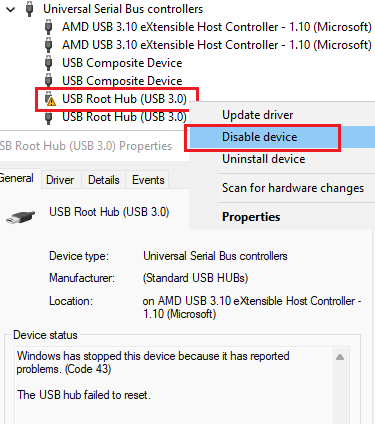
3. Right click the device with the warning icon, which is USB Root Hub (USB 3.0) and click Disable device.
4. Wait for a couple of second for the same device to appear with the "down arrow" icon, right click it and select Enable Device.
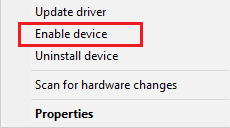
5. Now, the USB Root Hub (USB 3.0) should appear with the regular icon and work properly.