Skip to main content
Manual Calibration: ZD500R
- Press the button under the HOME symbol.
- Use the left-right arrow keys to select TOOLS, then press ENTER.
- Use the left-right arrow keys to navigate to MANUAL CALIBRATION, then press START.
- The printer should now say LOAD BACKING, PRINTER PAUSED.
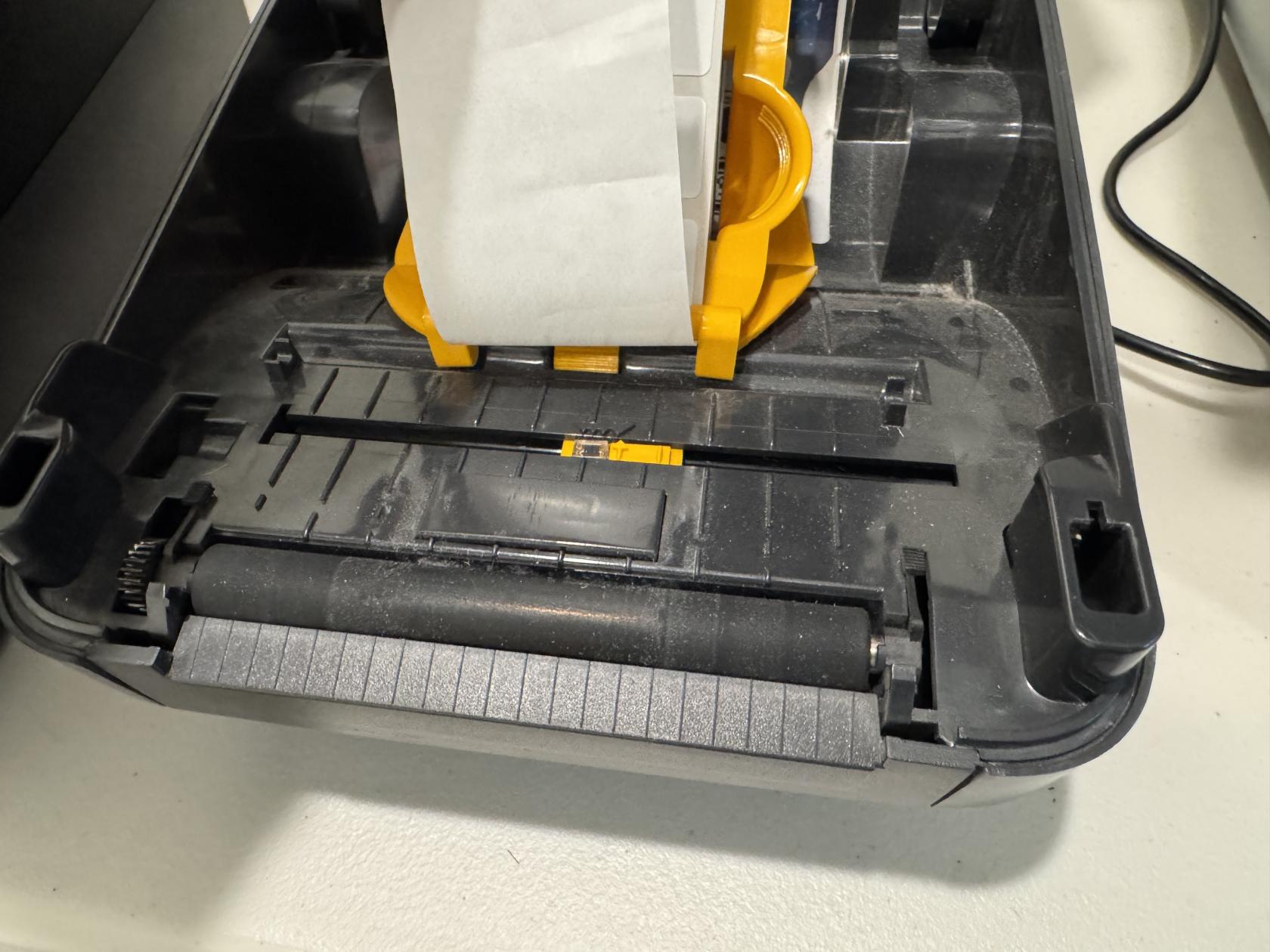
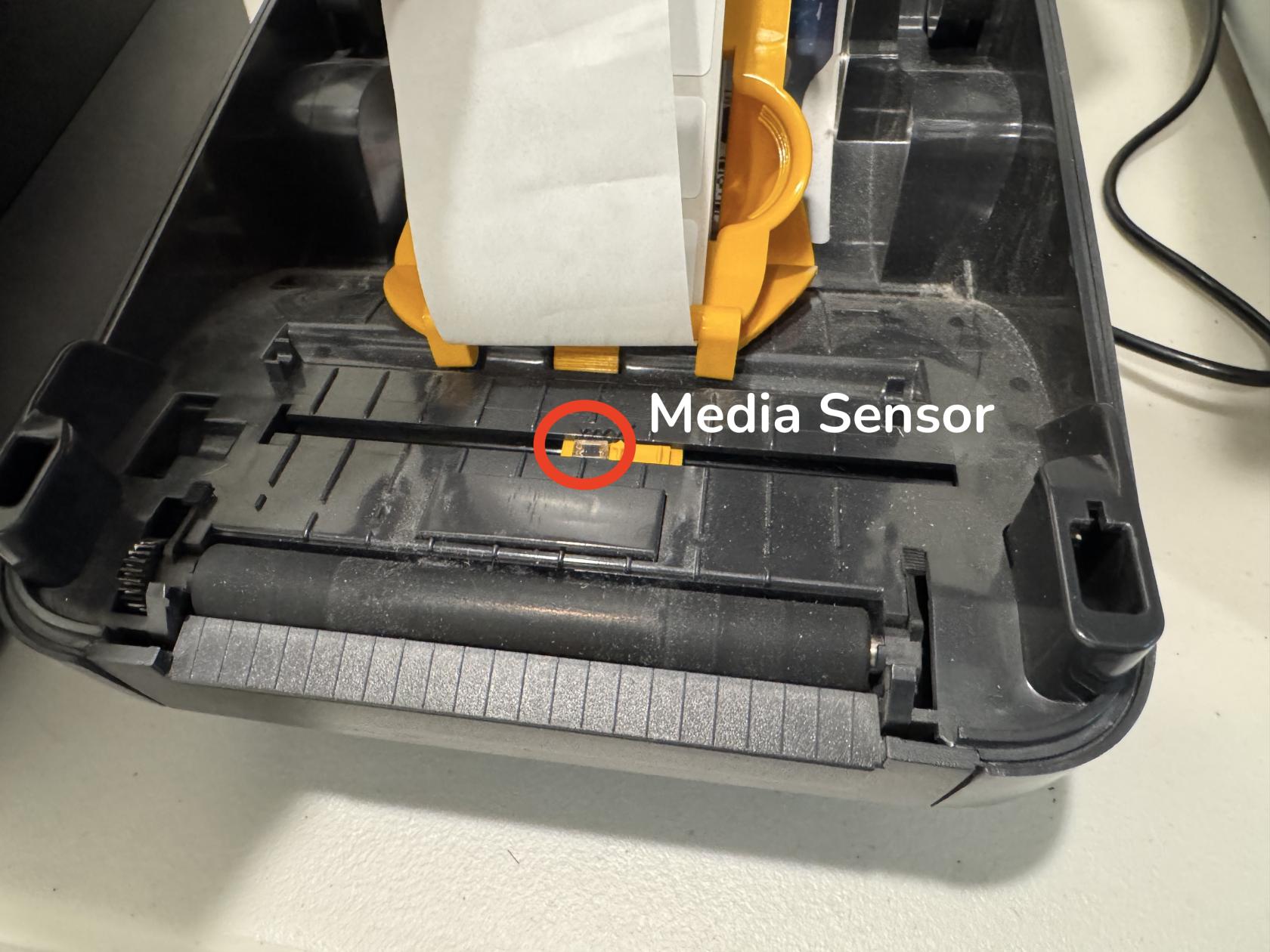
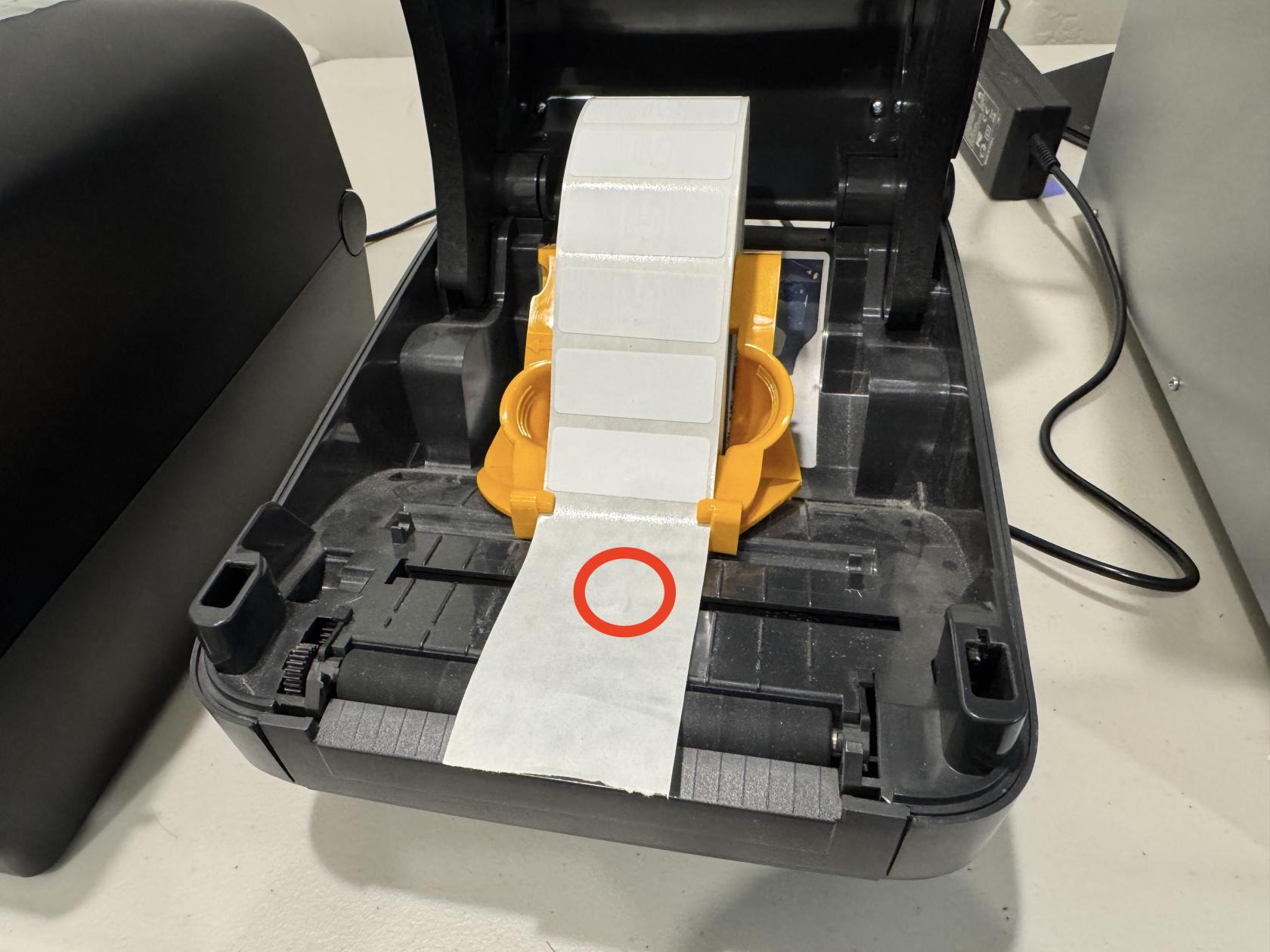
- Open the printer, remove labels from the first three inches of backing. Roll the labels back so that the empty backing is directly over the media sensor.
- Close the printer.
- Press the Pause button to begin the calibration.
- The printer will take a few seconds to measure the sensor through the empty backing.
- When the printer says RELOAD ALL, press Pause again.
- The printer will feed labels out until it identifies the gap successfully.
AfterThe themanual calibration is complete,now complete. Press the button under the HOME symbol twice to return to the main screen.
