TSL 2128P - Setup
Battery Installation
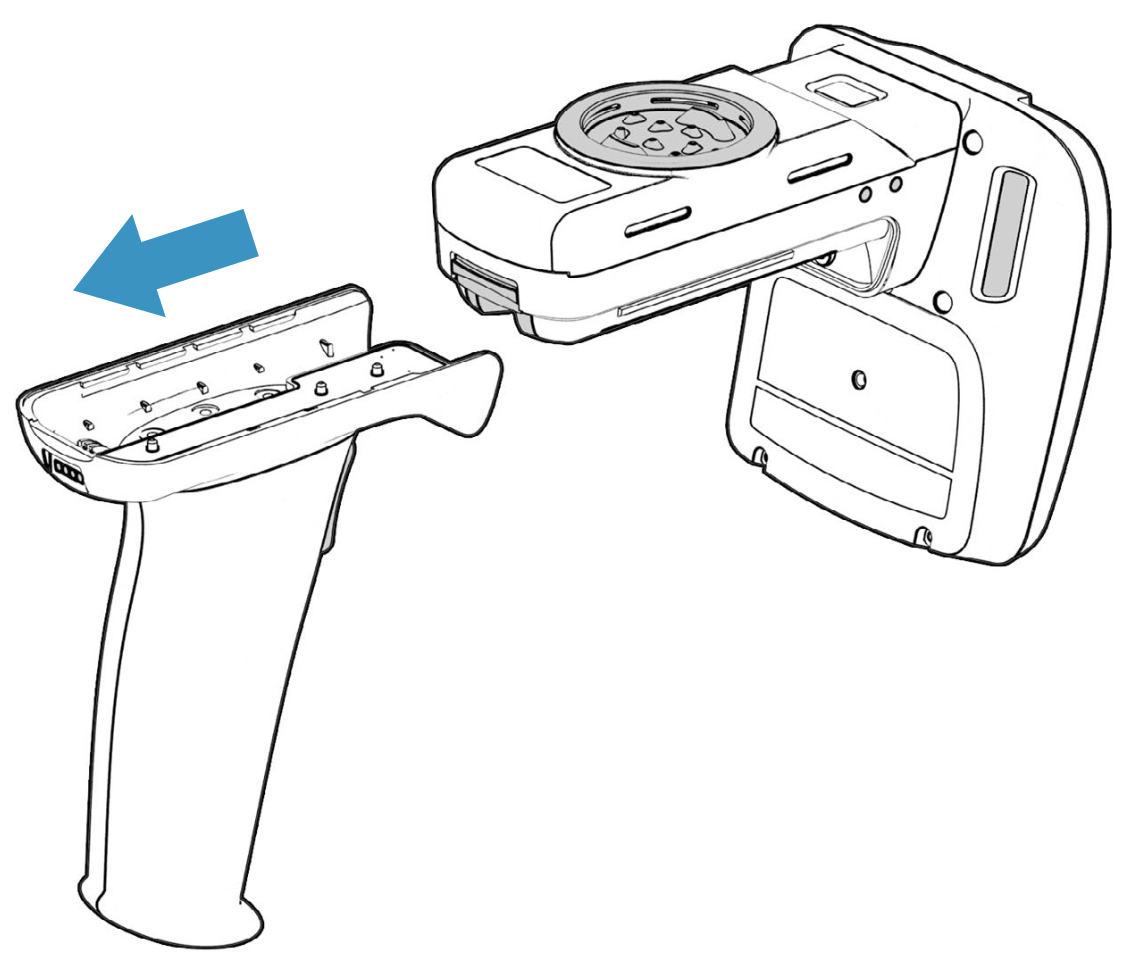
First, lift the yellow latch on the back of the reader, then slide the handle backwards to remove it:
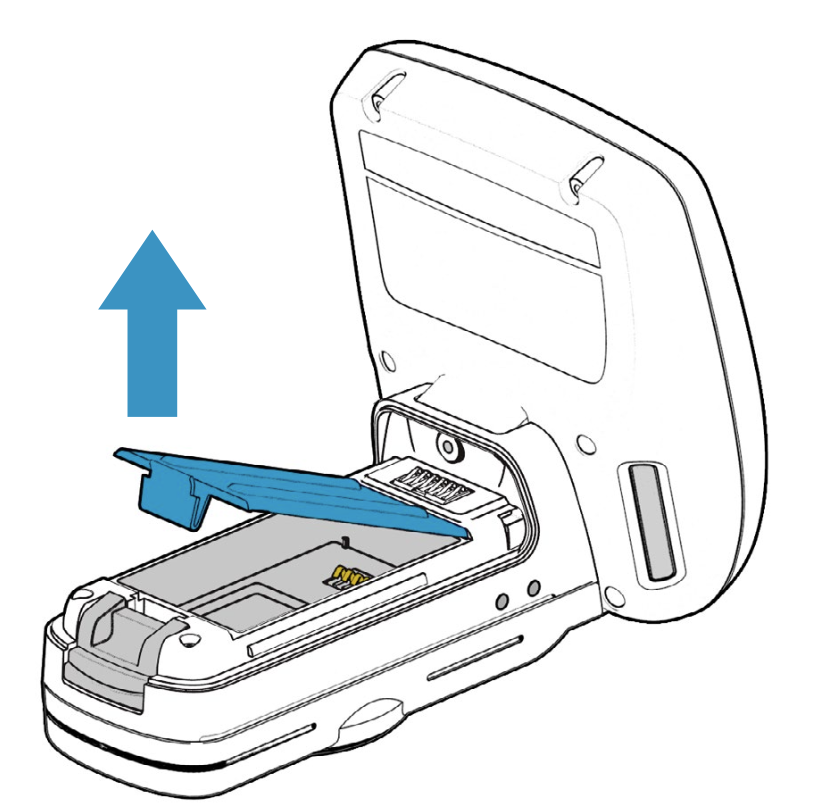
Then, remove the battery cover:
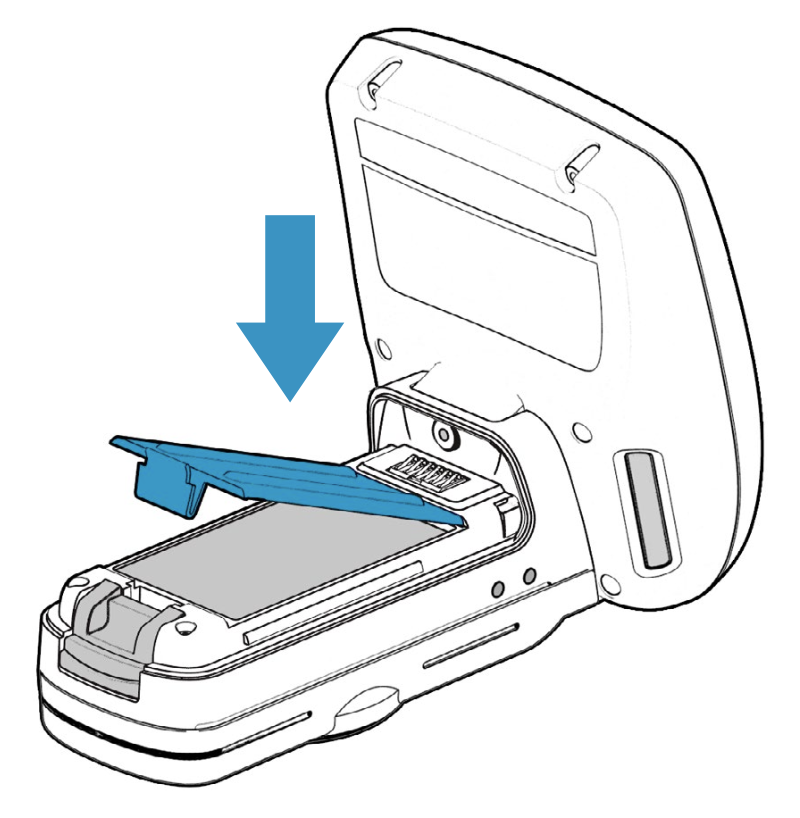
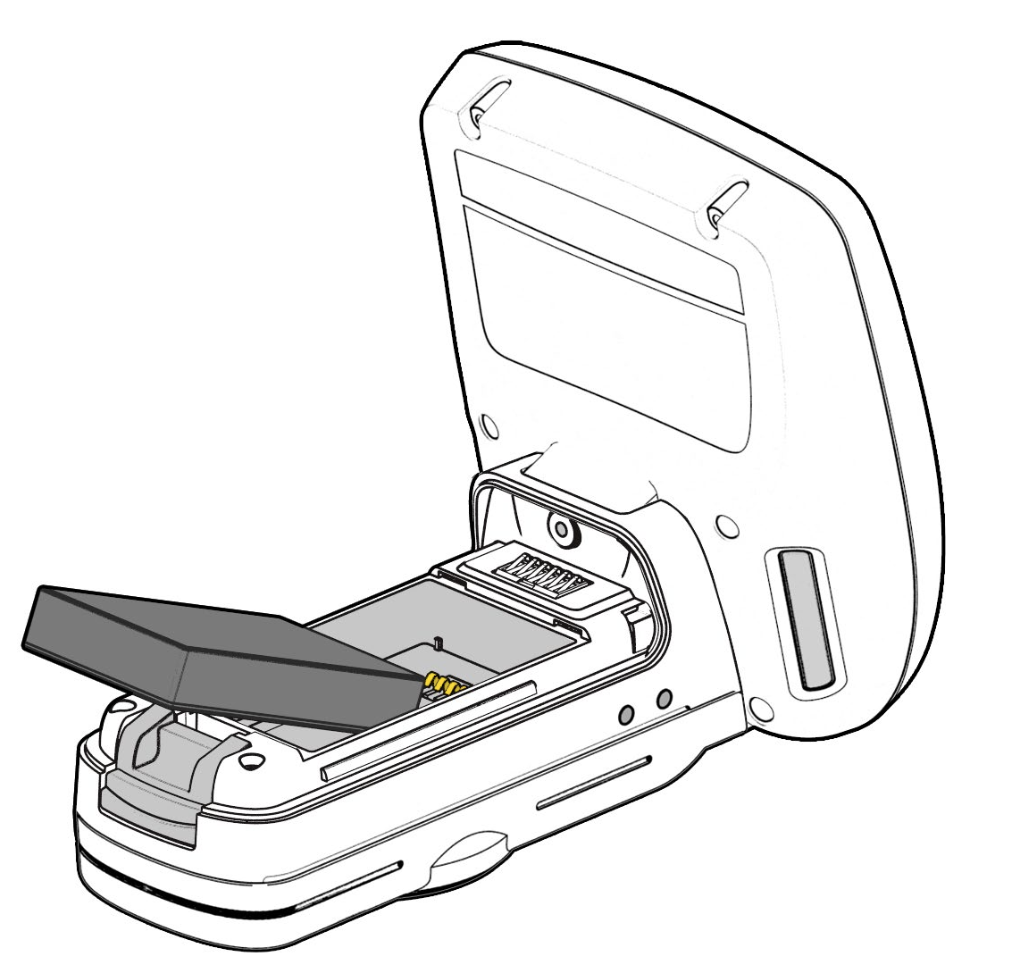
Place the battery in the reader, lining up the pins with the contacts:
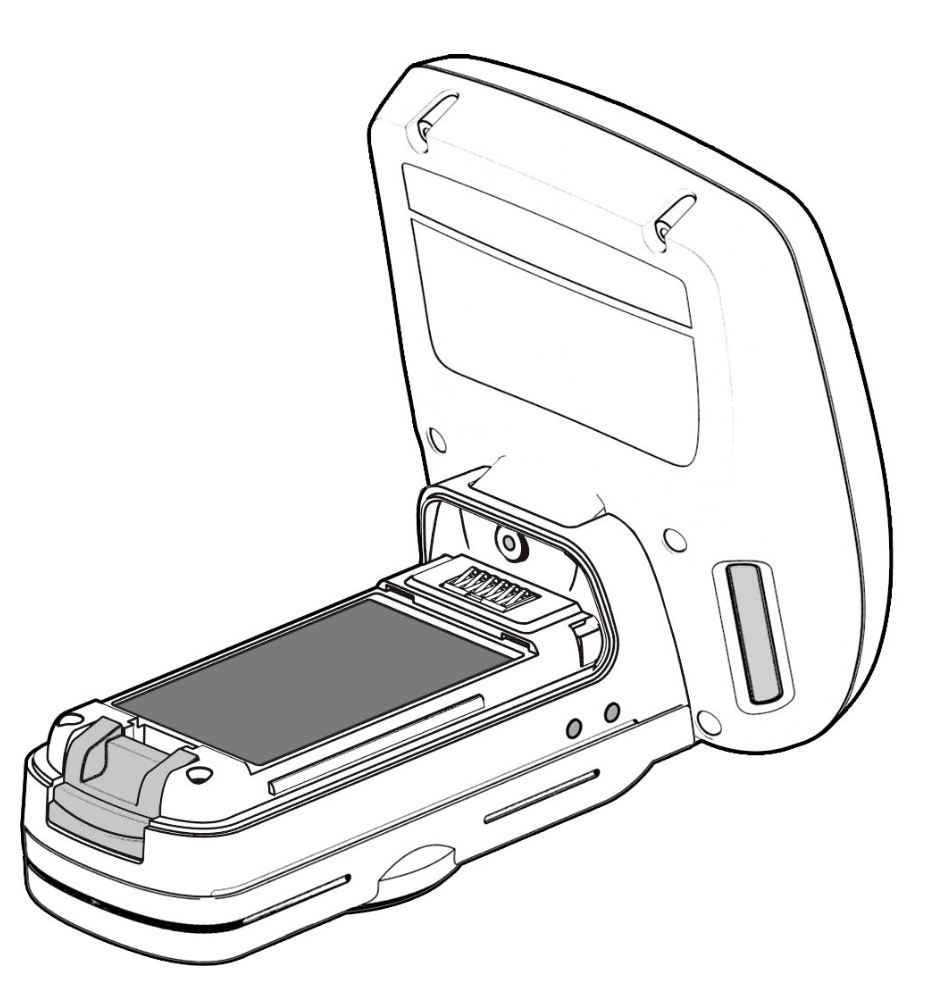
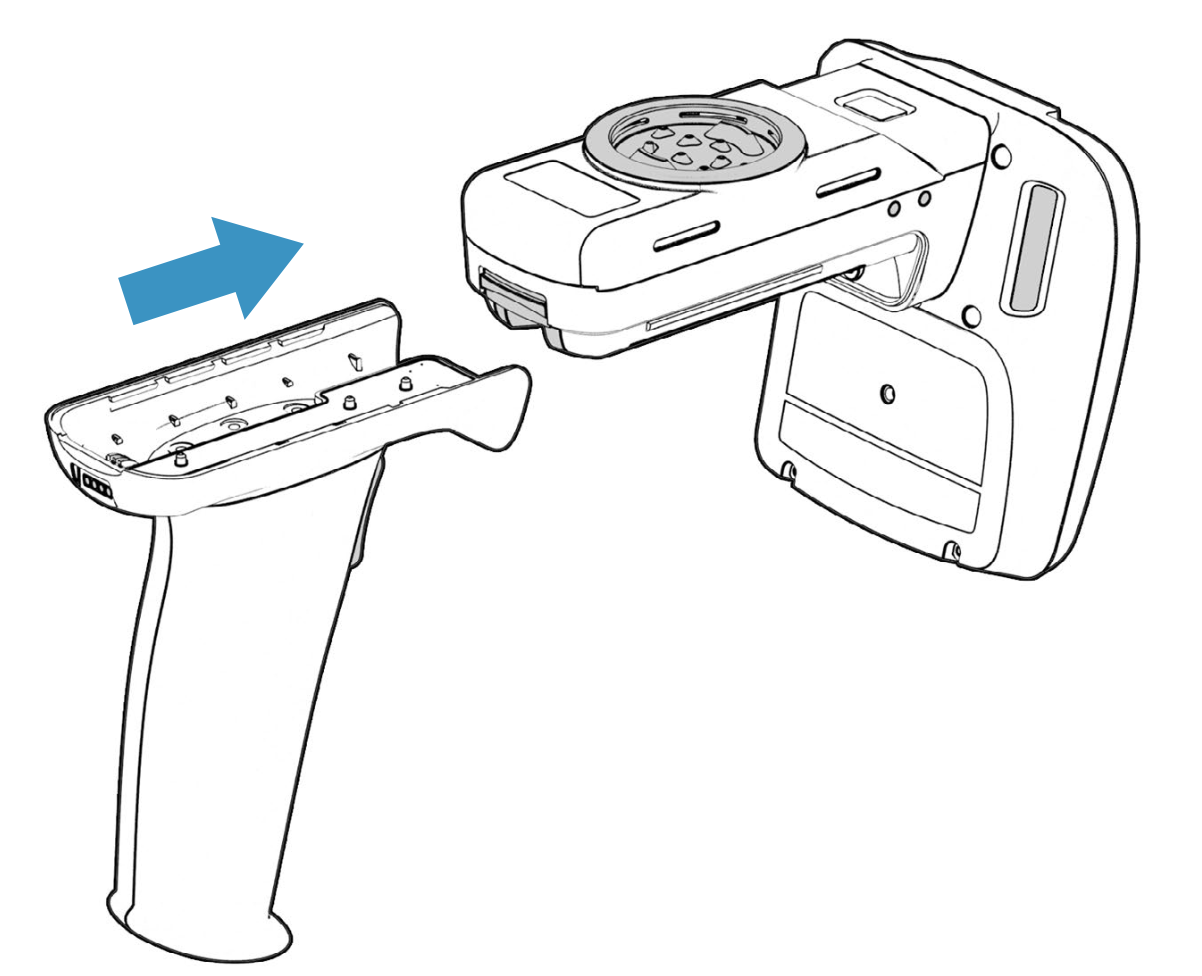
Last, replace the battery cover and the handle: