
Create an Audit from the Mobile App - Shopify
This article describes the process of creating an Audit on the Simple RFID mobile app
This feature is currently only available for customers using our Shopify integration. For all other customers, refer to the Audit & Compare article
For more information on the full Audit process, refer to this article
Create an Audit
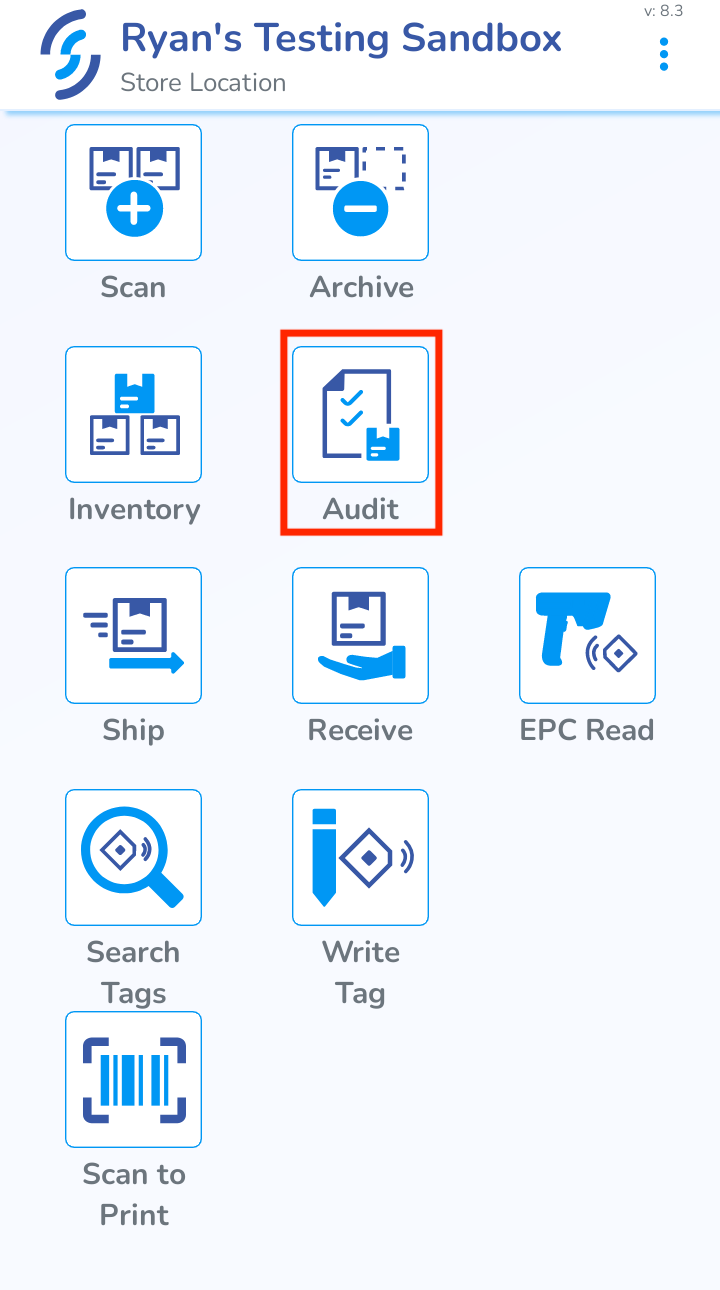
In the Simple RFID mobile app, navigate to the Audit page.
From here you will see all of the current Audits in Draft and Open. Tap the Create New Audit button on the bottom of the page.
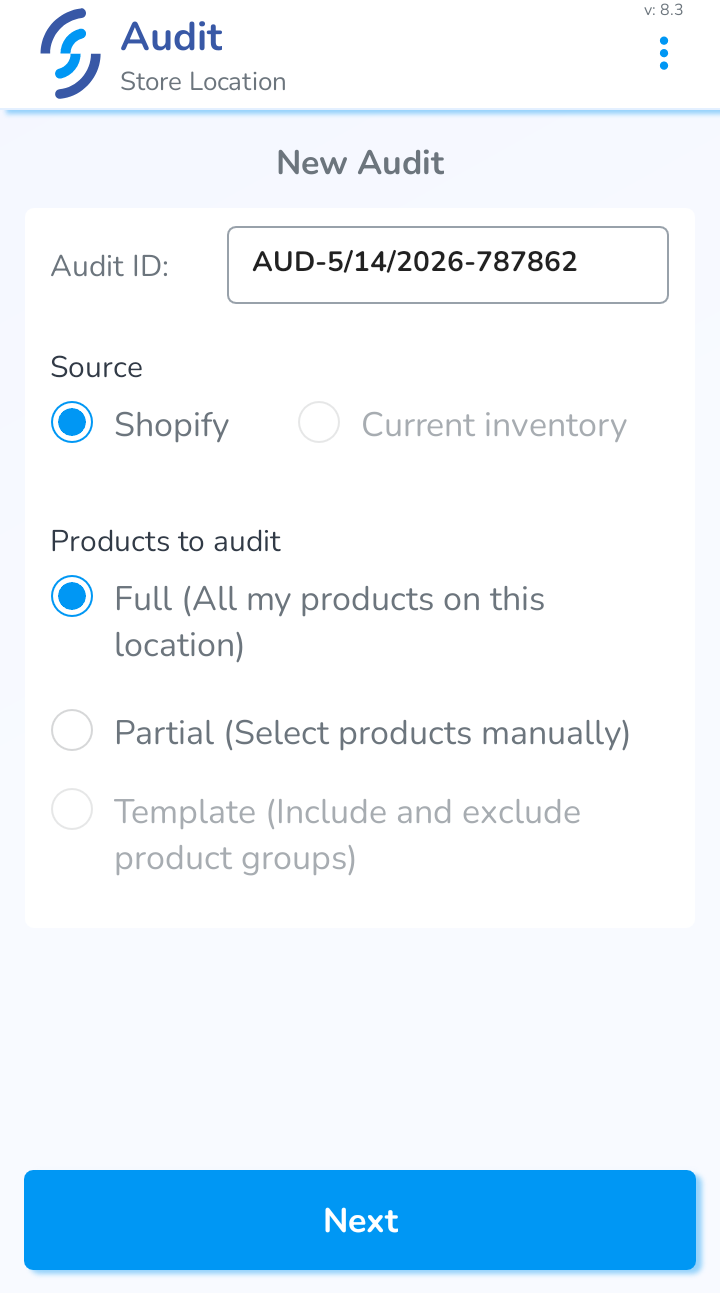
You can name the Audit, and choose either Full or Partial as the type. In a Partial Audit, you can search for products that you want to recount.
Templates are currently only available on the web version
Start Audit
When you select the Audit type, you will have a few options. You can change the Name, add Comments to the Audit, and either Save as Draft or Start Audit.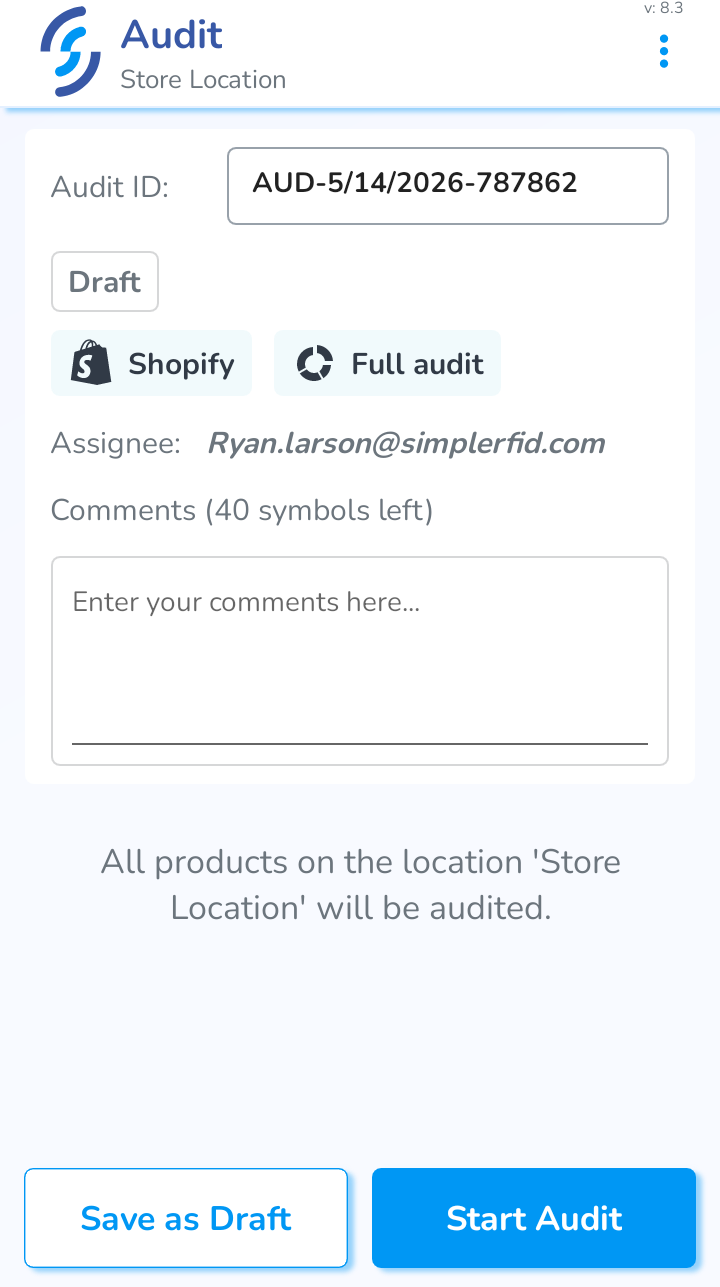
Save as Draft will save the Audit normally
Start Audit will go straight to the scanning portion.
This feature is useful if you want a quick way to start scanning an Audit.