# Setting Thresholds
The Calculate Reorder tab allows users to set thresholds for what they wish to have in stock, and allows them to set a par of how much they must restock.
##### ****Set Thresholds from Product profile****
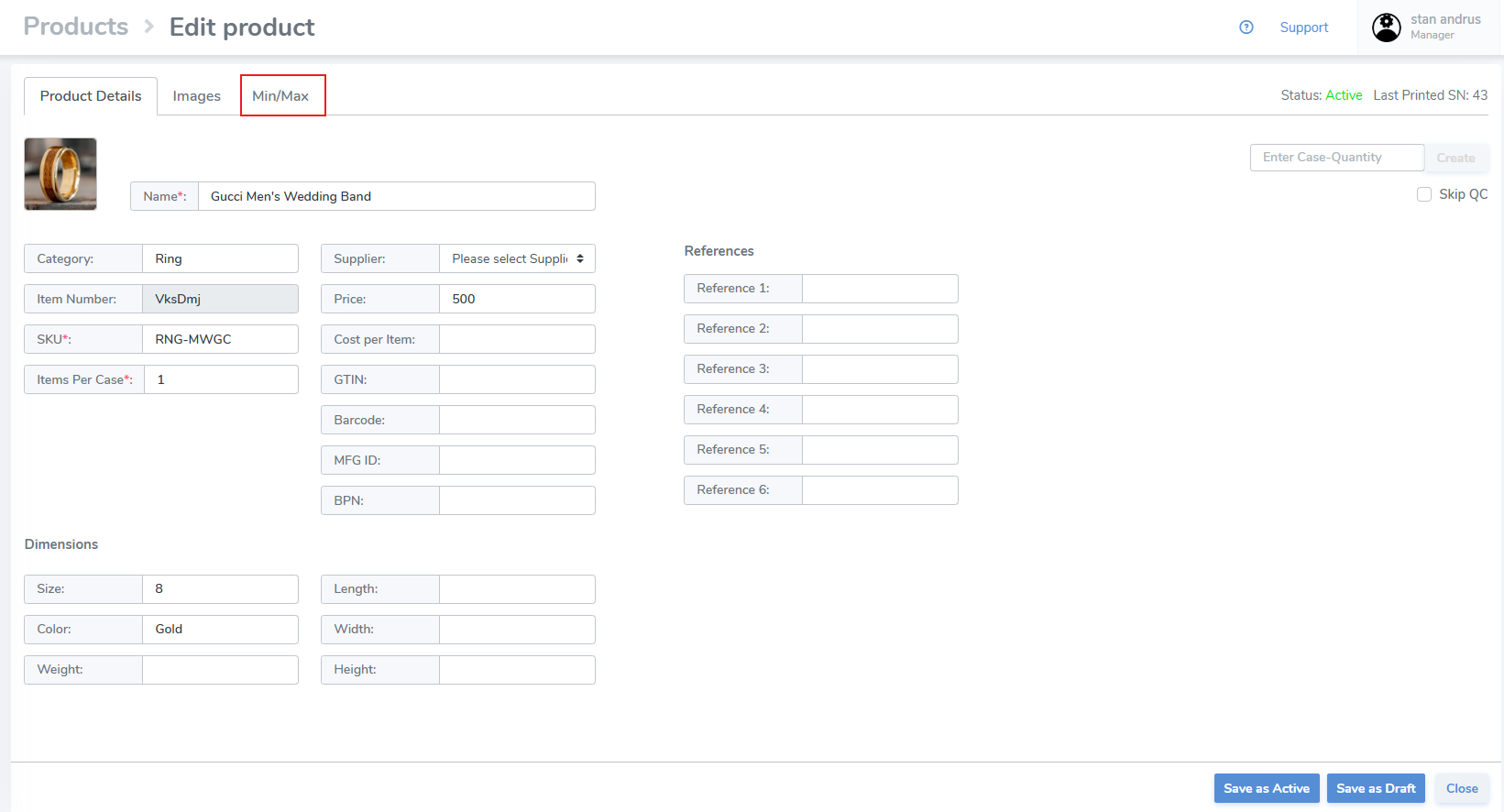
From the Products tab, search for the item you wish to set pars
Locate it and open it
[](https://kb.simplerfid.com/uploads/images/gallery/2025-05/oWAimage.png)
Click on the Min/Max tab
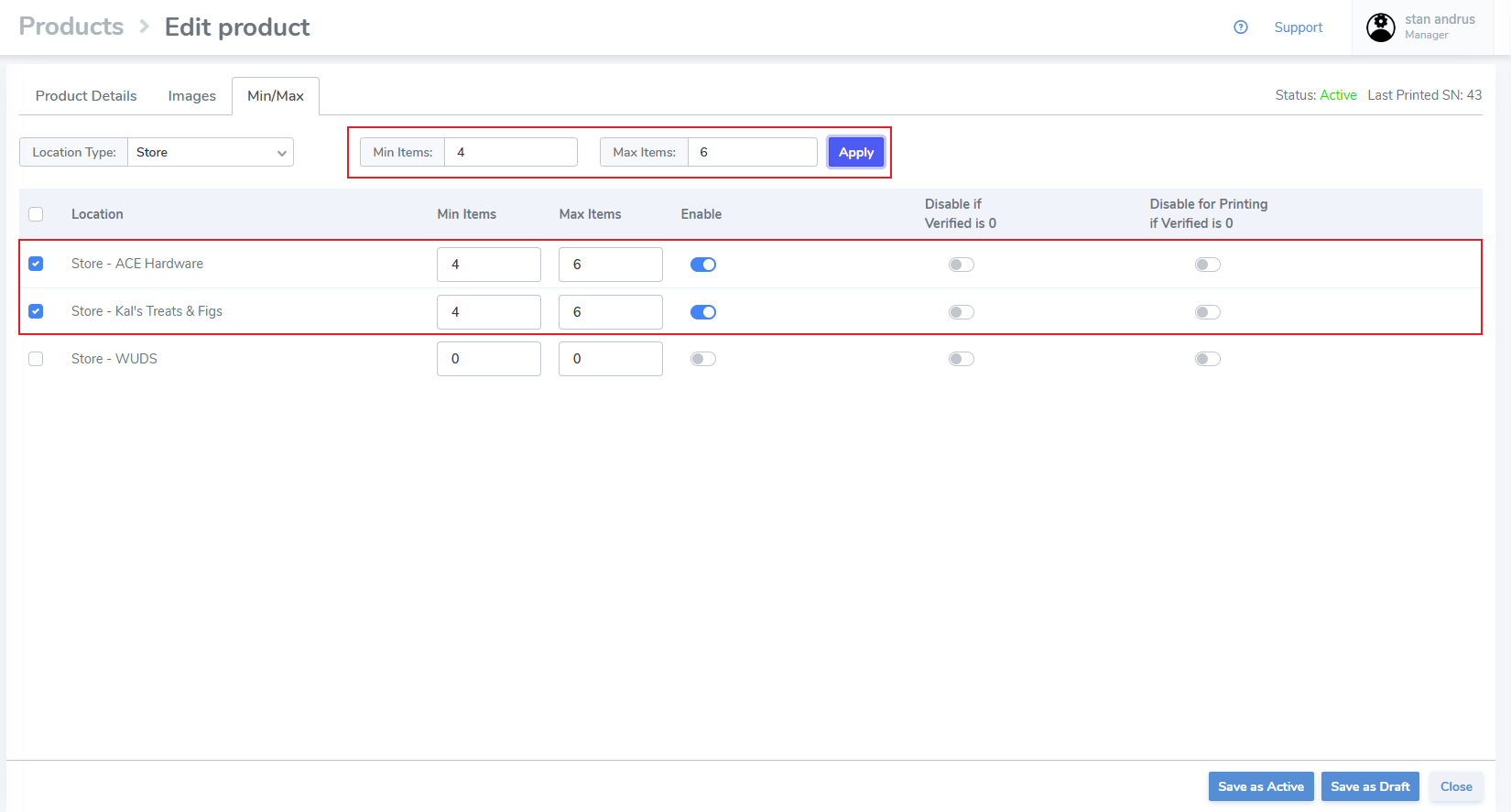
- Choose the Location Type for the location(s) you wish to set thresholds, or choose 'All' to include all entity types
- Click the checkboxes on the left
- At the top enter the Min and Max
- Click 'Apply'
- The quantities will be applied to the location(s) and will be 'enabled'
[](https://kb.simplerfid.com/uploads/images/gallery/2025-05/REuimage.png)
Settings to Disable if Verified is 0 and Disable for Printing if Verified is 0 will be explained in a later article.
- Click "Save as active"
##### ****Set from Calculate Reorder****
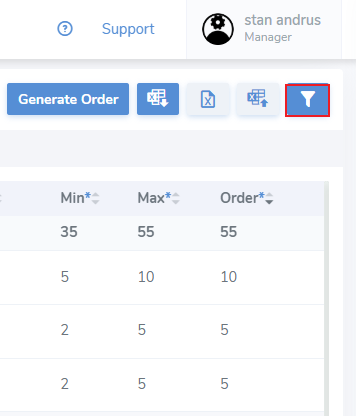
****To quickly identify items that have not been assigned a Min & Max click the filter icon****
[](https://kb.simplerfid.com/uploads/images/gallery/2025-05/KRzimage.png)
This will open the side filter menu
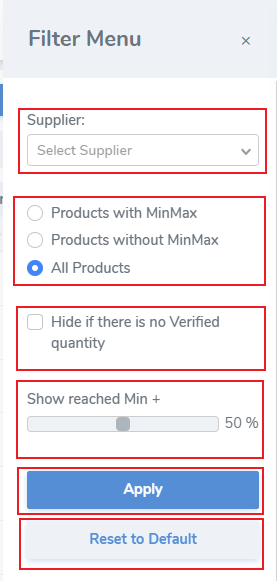
1\. Supplier - Set the supplier filter if products have been assigned a supplier to quickly filter them
2. Limit the items
[](https://kb.simplerfid.com/uploads/images/gallery/2025-05/Yt8image.png)
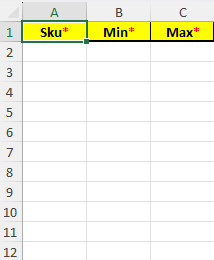
##### ****Template Uploader****
[](https://kb.simplerfid.com/uploads/images/gallery/2025-05/hJ6image.png)