These page views & controls exist for all three inventory statuses, Verified, Absent & Archived.
##### ****Inventory views**** 1\. Location selector: Allows for a Specific location, or All Locations view #### ****2. Inventory Statuses: (2A) Verified, (2B) Absent, and (2C) Archived**** 3\. Downloader: Option to download reports for any status in Excel or CSV 4\. Filters: Ability to customize views #### ****5. Products vs. Tags view**** It provides the user with two basic views; Product, which groups the tags into the related product, & Tags which displays each tag on its own row. ##### ****Products View**** Allows you to view inventory grouped by product (SKU). ##### ****Tags View**** A row for every item. [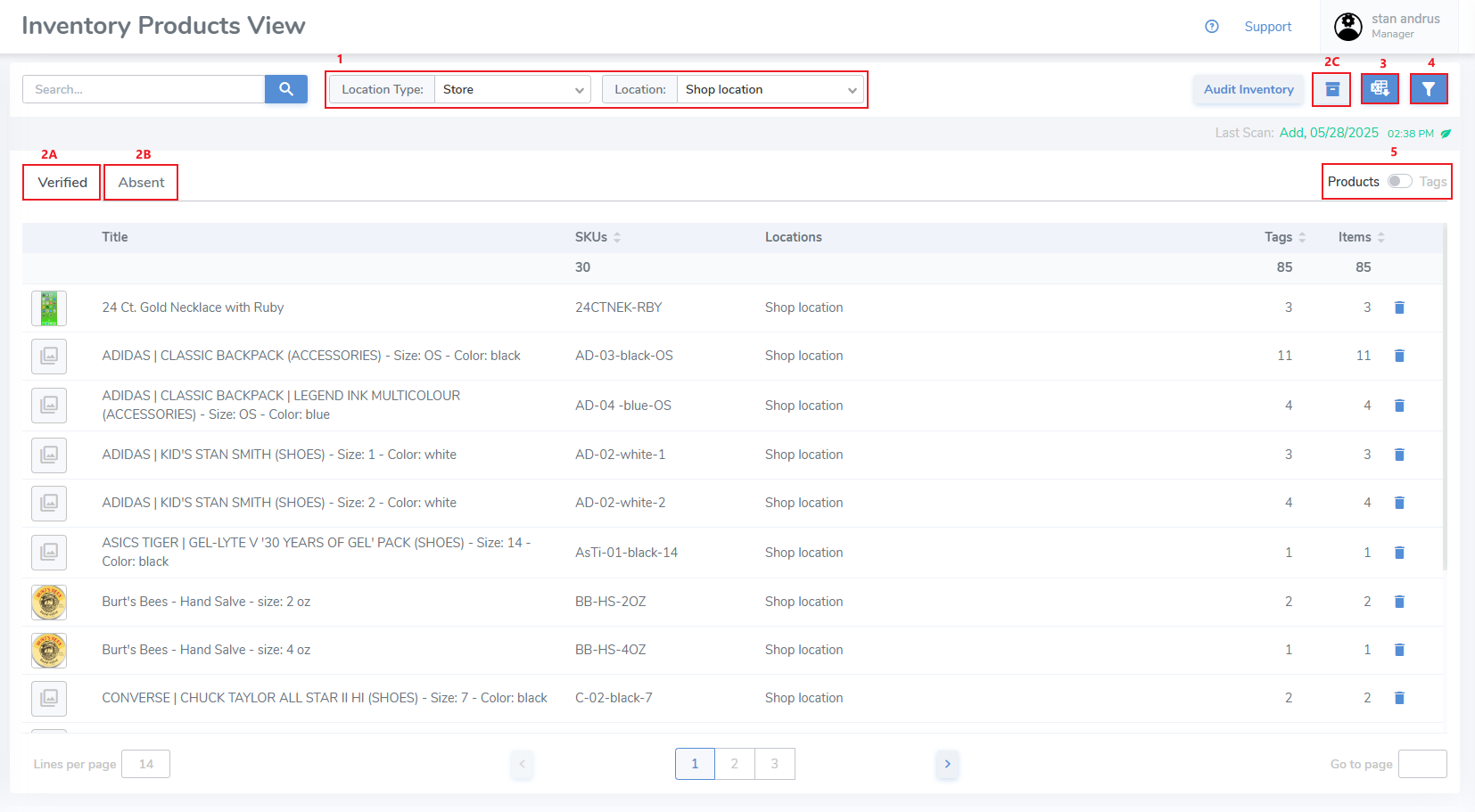](https://kb.simplerfid.com/uploads/images/gallery/2025-05/WNpimage.png) ##### [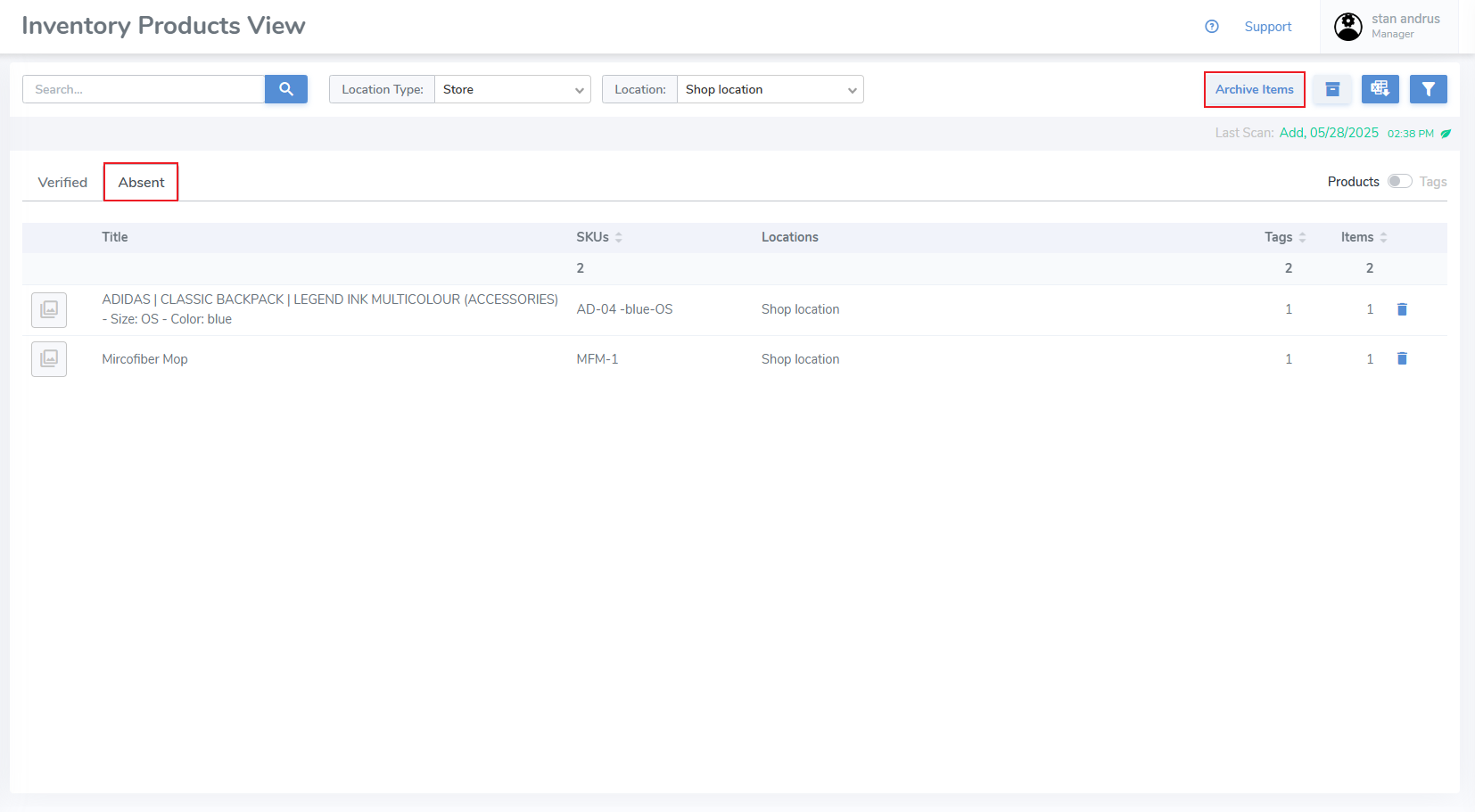](https://kb.simplerfid.com/uploads/images/gallery/2025-05/aMRimage.png) ##### ****Verified Filter**** Ability to filter inventory by supplier, the verified date, ability to display expired items, filter by age and expiration, and sort by [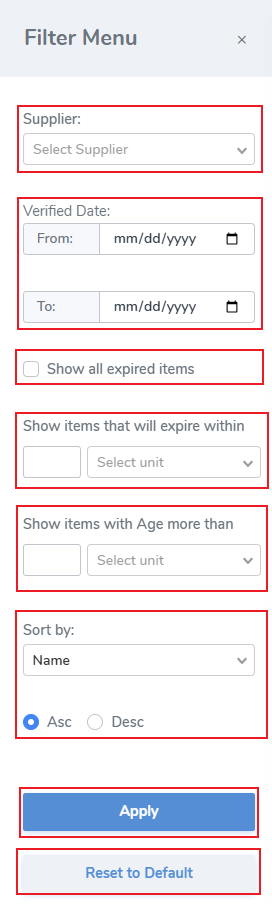](https://kb.simplerfid.com/uploads/images/gallery/2025-05/p8Qimage.png) ##### ****Absent Filter**** [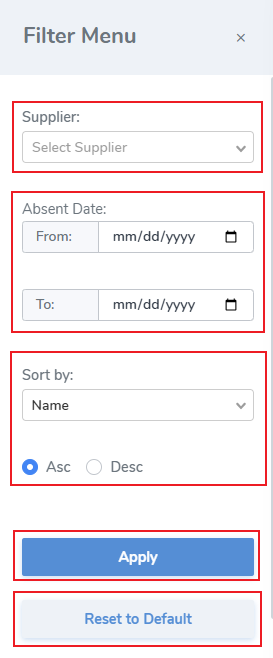](https://kb.simplerfid.com/uploads/images/gallery/2025-05/cSvimage.png)