# Deactivating User

<span style="white-space: pre-wrap;">To deactivate an account, go to the SimpleRFID web portal and click </span>****Users****<span style="white-space: pre-wrap;">. </span>  
[![image.png](https://kb.simplerfid.com/uploads/images/gallery/2026-05/scaled-1680-/Agqimage.png)](https://kb.simplerfid.com/uploads/images/gallery/2026-05/Agqimage.png)

<p class="callout warning"><span style="white-space: pre-wrap;">You need to have the </span>****Manager****<span style="white-space: pre-wrap;"> role in the SimpleRFID web portal.</span></p>

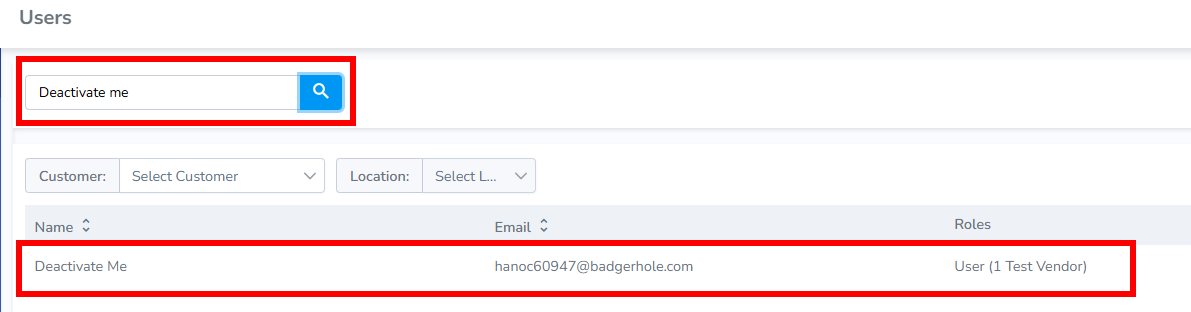
Find the account by typing the name in the search box. Click on the account that appears in the search results.  
[![image.png](https://kb.simplerfid.com/uploads/images/gallery/2026-05/scaled-1680-/9oOimage.png)](https://kb.simplerfid.com/uploads/images/gallery/2026-05/9oOimage.png)
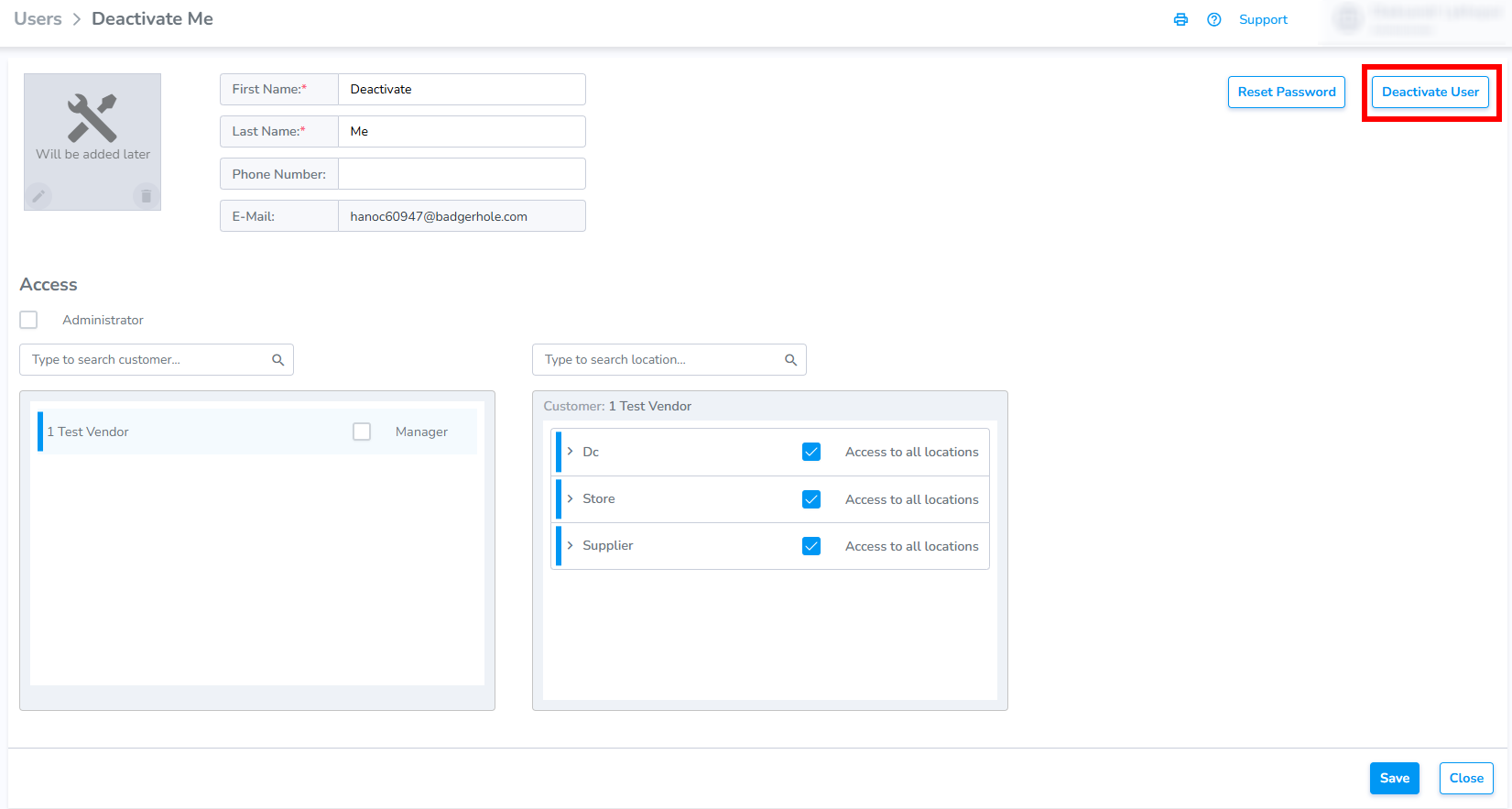
<span style="white-space: pre-wrap;">Click </span>****Deactivate user****.

[![image.png](https://kb.simplerfid.com/uploads/images/gallery/2026-05/scaled-1680-/baGimage.png)](https://kb.simplerfid.com/uploads/images/gallery/2026-05/baGimage.png)

Now, we can see that the account is deactivated.

[![image.png](https://kb.simplerfid.com/uploads/images/gallery/2026-05/scaled-1680-/f8aimage.png)](https://kb.simplerfid.com/uploads/images/gallery/2026-05/f8aimage.png)