Does your product contain any metallic or properties which may potentially affect the RF signal such as mylar bags, reflective packaging, or aluminum paint. If your product has any of these properties you may be required to use a specialty tag such as a flag or on-metal tag.
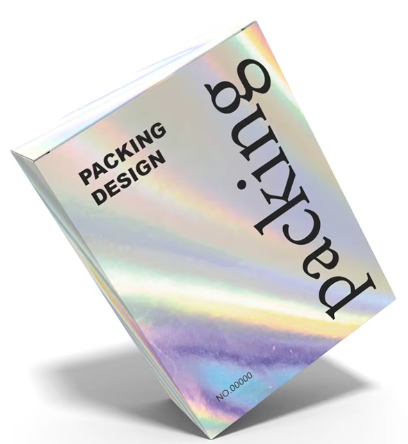
#### ****Test Tag On Product**** ****This is one of the most critical steps to the entire process, which can be overlooked by new users eager to get their inventory tagged. Beware that skipping over this first step can be that you have all of your product tagged--just won't scan.**** 1. Choose 1 product per packaging type. 2. Print 1 tag for each product of a different packaging type. 3. Apply the tag to the product. Consider the best placement (avoid the bottom of items, or in a location where they are blocked--such as hidden behind a metal keychain). 4. Ensure that it can be scanned when placed in position (such as on the display or shelf). 5. Clear the #### ****Audit first Product**** 1. Create Audit for that product with the On Hand count. 2. Since no labels will be applied to any items of that product, you can complete the audit to close it. 3. From the Resolution Center "Mismatch Tab" click on the product and send to Review. 4. Next you'll choose between two options: 5. Trust Partner - This accepts the count the partner system displays as the quantity to be printed. Choose this option if you are fairly confident in your existing on hand counts and want to generate the print job based on that number. 6. Manual Count - This option allows the user to pull the product and count it, then enter a different quantity. Choose this option if you feel a manual count is needed. 7. Print Labels 8. Apply labels to your products 9. Click "Re-audit" products and scan product. It should show 100% match. # Hard to Tag Packaging & Products A standard RFID sticker works brilliantly for most products, however due to packaging, material, or environment, some products must be tagged using specialty stickers. In this article we are going to explore some of the items that are problematic so that you know what to look out for in your inventory. We will then review the best way to tag these items. ##### ****Reflective / Holographic Packaging**** To enhance the presentation of products, manufacturers sometimes use reflective or holographic packaging or lettering. These items look incredible, however applying RFID labels to these items can be problematic. Reflective packaging contains metallic properties and applying an RFID sticker directly to these items will likely result in the product not scanning.Solution: To tag these items you'll likely need either an on-metal or flag label.
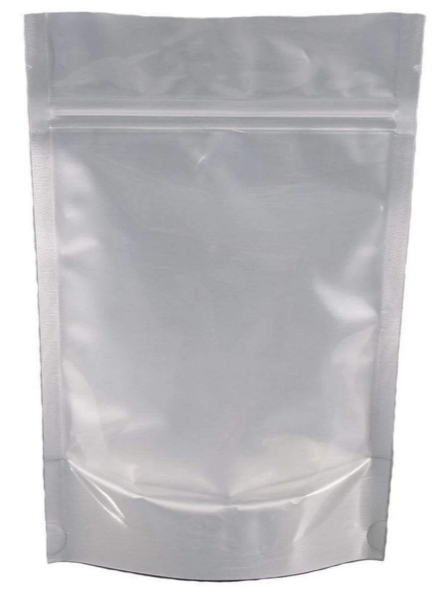
[](https://kb.simplerfid.com/uploads/images/gallery/2026-09/reflective-packaging.png) ##### ****Mylar Bags**** Mylar bags are used across many industries to keep things like food, herbs, or cannabis fresh. These bags may look like a standard poly bag, however they too often contain metallic properties which make tagging directly difficult if not impossible.Solution: To tag these items we suggest a flag or on-metal label.
[](https://kb.simplerfid.com/uploads/images/gallery/2026-09/mylar-bag.png) ##### ****Insulated Box Liner**** In some cases insulation may be added to boxes to keep items fresh. Keep in mind that tagging the outside of a cardboard box with an insulation inside my still scan, however if you have these tagged and stacked in your warehouse or store, the liners inside the boxes may be shielding the RF signal from reaching the boxes behind. Solution: [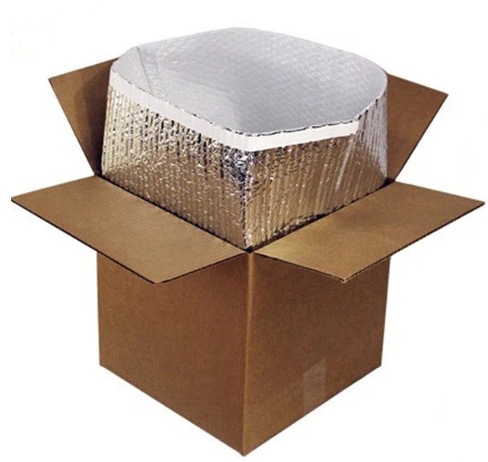](https://kb.simplerfid.com/uploads/images/gallery/2026-09/insulated-box-liner.png) ##### ****Health & Beauty Products**** [](https://kb.simplerfid.com/uploads/images/gallery/2026-09/bath-and-body.png) Many bath and body products (skin cream, shampoo, conditioner, body spray, deodorant, cologne, etc.) contain liquid properties.Solution: These items may require a flag or on-metal tag.
##### ****Dresses with Sequins**** [](https://kb.simplerfid.com/uploads/images/gallery/2026-09/dresses-with-sequins.png) If you sell clothing or dresses with sequins, you may need to organize the product so that the tags don't rest inside the dress. There are many other products that can cause interference and slow the scanning process. The key is to start slow and test.DO NOT: Print tags for an product and simply tag the items, then move onto the next product.
DO: Print and apply a single tag per packaging type. Ensure that the tag scans when applied.