Spreadsheet Compare Tool Pages
Instructions for comparing inventory against a spreadsheet including importing, auditing, and updating inventory in partner system.
Spreadsheet Compare Tool
The Spreadsheet Compare Tool is coming soon
If no integration is available, use the Spreadsheet Compare Tool to quickly compare RFID scans against a partner inventory to identify discrepancies, print stickers, and generate an inventory correction sheet to upload back into the partner system.
Export Inventory from Partner
Download the on hand inventory counts from your partner software. The sheet must contain the following two columns:
- Unique Identifier (SKU or Barcode)
- Quantity of Items
Save the file to your computer.
Spreadsheet Compare Tool
Open the spreadsheet compare tool and login. You will use the same username and password that you use to login to the web portal.
Setup
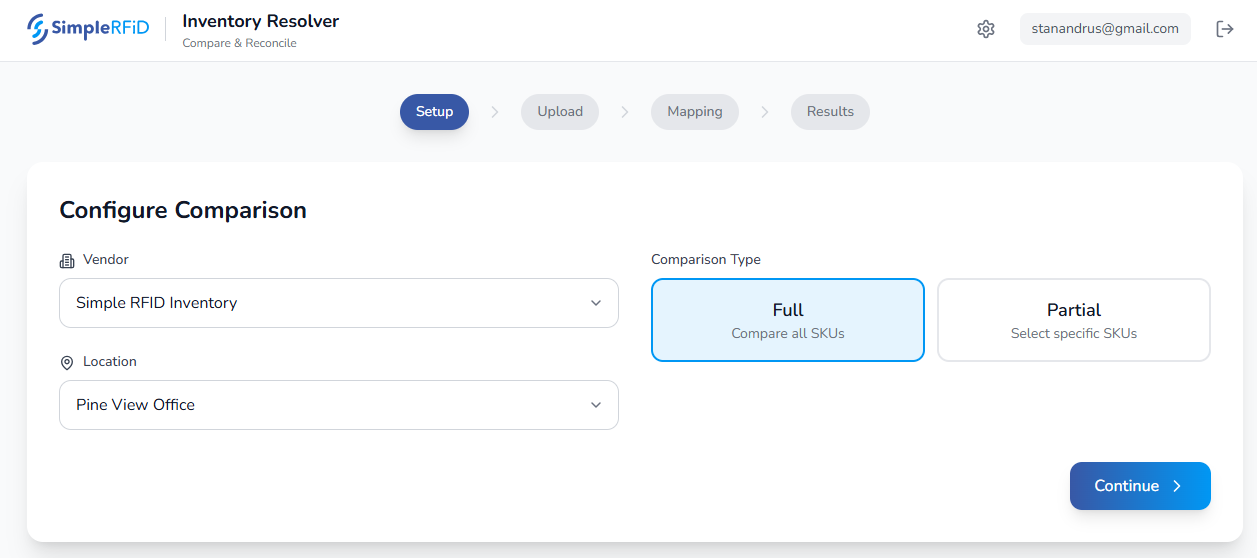
From the setup tab select the Vendor and Location you are auditing. If you only have one vendor account in Simple RFID the option will be preselected.
Choose Full or Partial to audit (this option will be removed and only the Full Audit option will be available)
Then click Continue
Upload
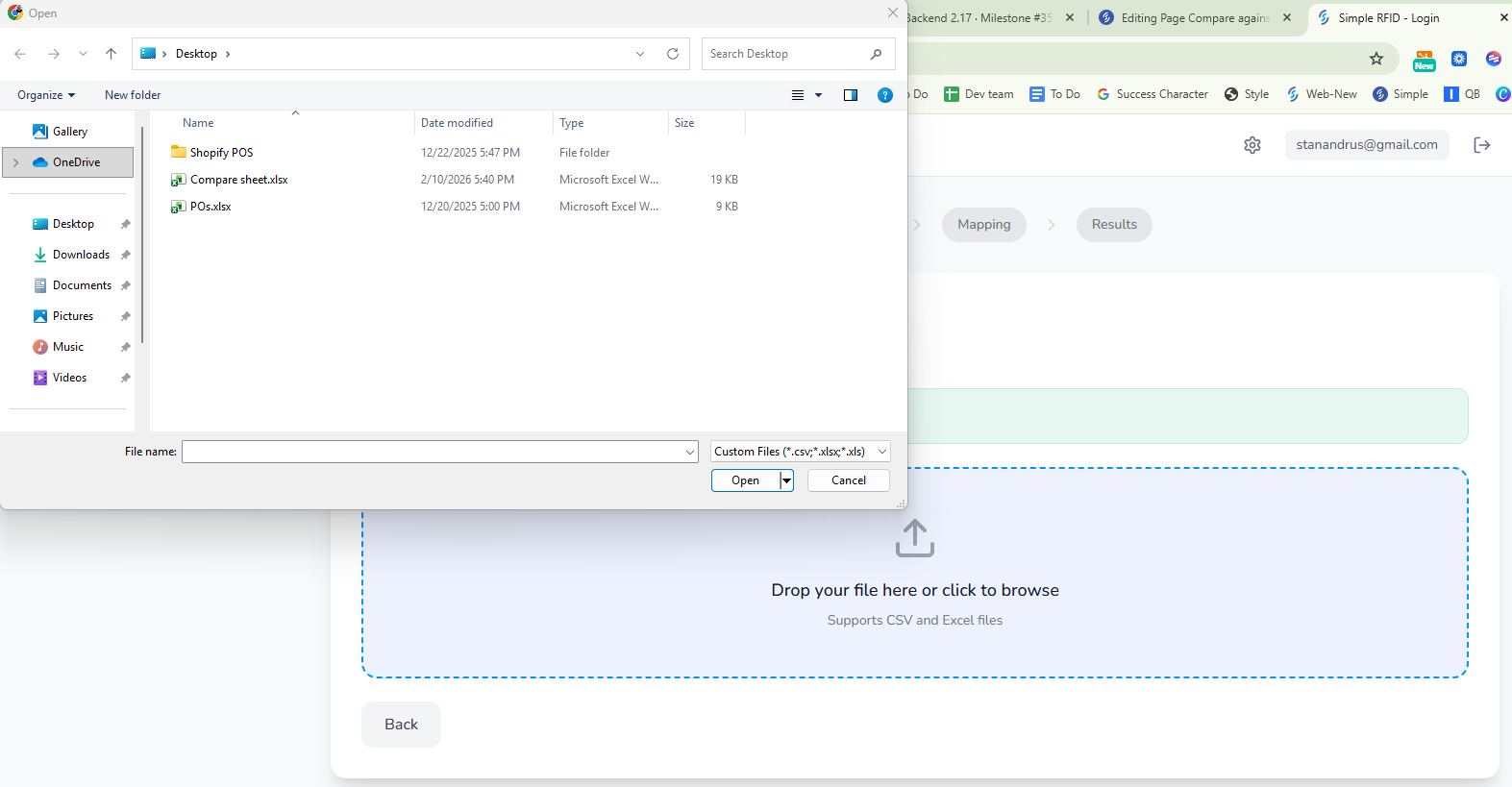
Click the browse window to locate the saved inventory file from the partner system.
Locate the file and double click it to load
Mapping
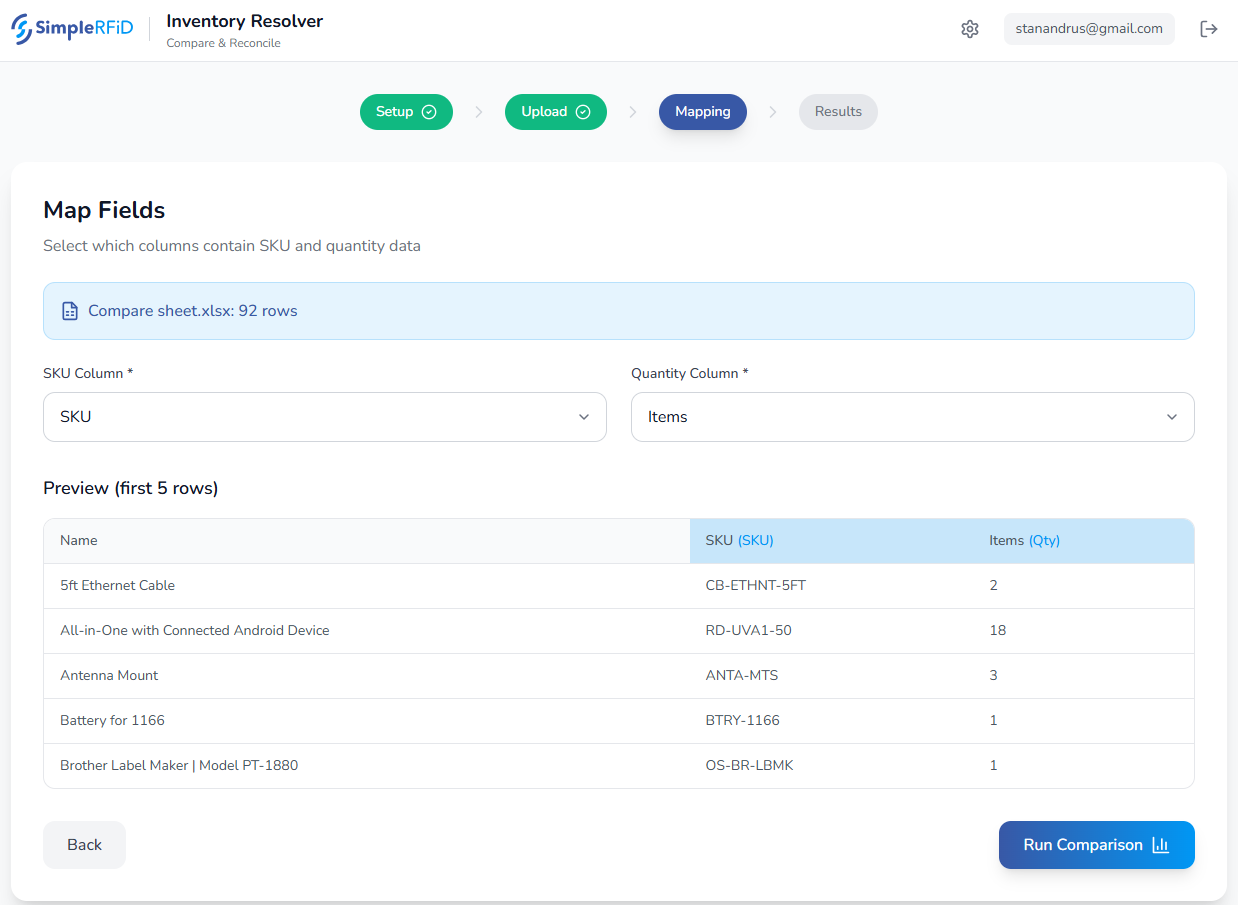
Choose the column mappings that correspond the the related fields. The (SKU) and (Qty) should map to SKU and Items.
Then click the "Run Comparison" button
Results
The page will then load with the Verified RFID counts vs. the uploaded partner on hand counts
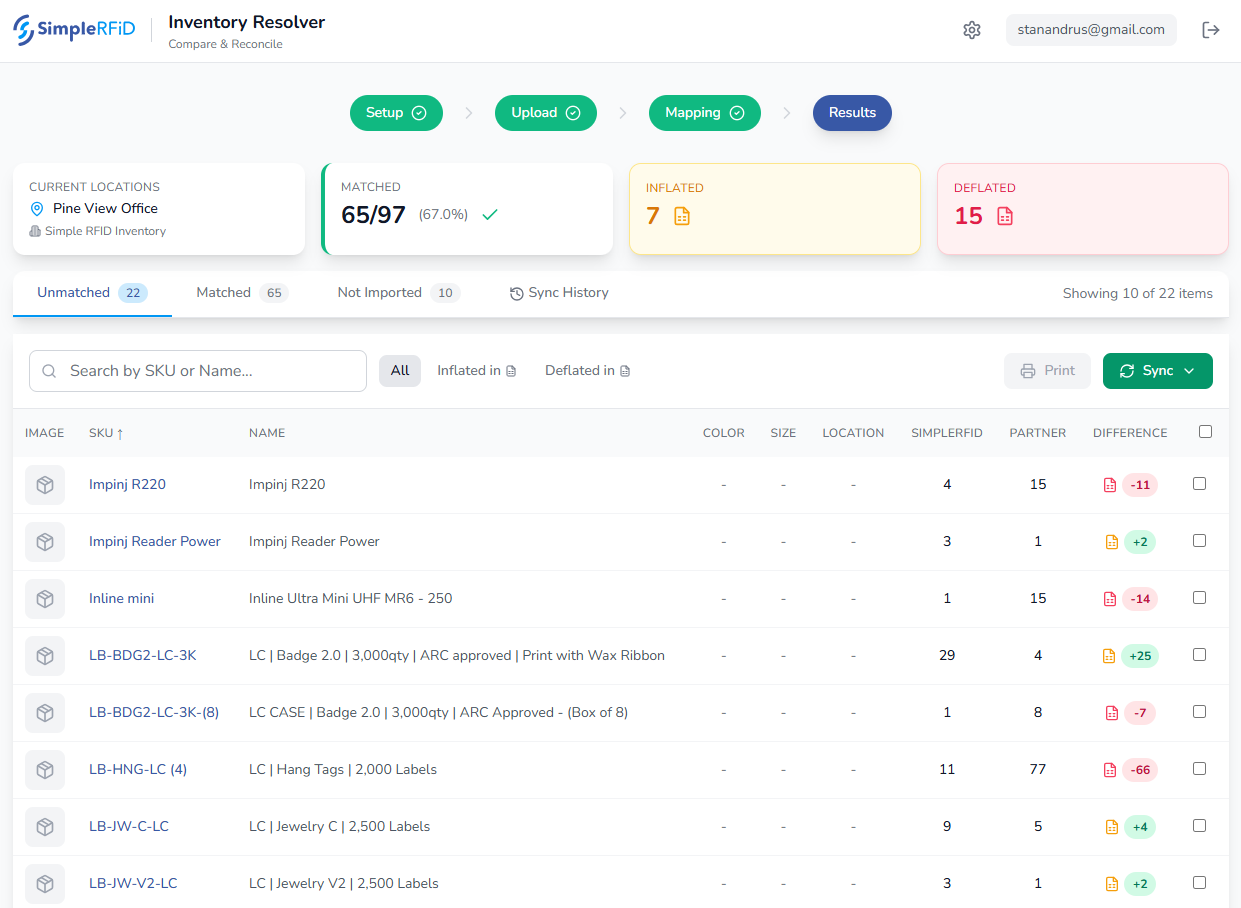
From the Results tab identify all items which appear as Unmatched.
Print Labels
Check each product to identify if all items are tagged. If items require tags to be printed:
- Click the checkbox on the far right
- Click Print to add them to a print job
- Choose the Printer & Label layout
- Confirm the details and click Print
Confirm that the RFID scans match the quantity in the SIMPLERFID column
Export Correction
One the RFID counts are confirmed to be accurate, click the items which require an inventory correction in the partner software
Click the Sync button to generate an updated sheet containing corrected quantities
Upload Corrections Into Partner Software
Use this sheet to upload back into your partner software
Auditing against Spreadsheets
Auditing is the process of counting items fresh from 0. Since items may have been removed or new items added, auditing ensures that the RFID count represents what is physically on hand. There are two ways to audit against a spreadsheet.
Partial Auditing
Use the Partial Audit option to adjust Simple RFID counts for a single item, or a small group of items,
Inventory Tab
- Open the web portal (portal.simplerfid.com).
- Click on the Inventory option from the left menu,
- Ensure that you have selected the location you are auditing.
Verified inventory tab
- Confirm that you are viewing the Verified tab. The Verified inventory tab represents your inventory.
- Use the Search window to locate the item(s) for which you wish to generate fresh counts
- Click on the "Trash can" icon located to the far right. Clicking the trash can for these items removes them from the Verified list, moving them to the Absent tab.
Mobile App
- Open the mobile App, and ensure that you are at the same location.
- Click on the Scan icon
- Scan the items which are being audited. They will appear as "New" items in the scan status
- Upload results
Spreadsheet Compare Tool
Return to the Compare Tool and refresh the "Simple RFID Results" so that the newly audited counts appear.
Complete Audit
Reset the Entire Inventory to establish fresh counts for all items. This can be done from the Mobile App or the Web Portal.
Reset from Mobile App
- Click the Scan option.
- Click the Audit button
- Accept the prompt
OR
Reset from Web Portal
- Click the Inventory option in the left menu
- Confirm that you are on the Verified tab
- Click the Audit Inventory button
Perform Inventory Scan
- Open the Mobile App
- Click the Scan option
- Click "Start a new scan session"
- Scan all inventory
- Upload results
Spreadsheet Compare Tool
Return to the Compare Tool and refresh the "Simple RFID Results" so that the newly audited counts appear.