If you are using a 3rd party source to audit, this article walks through the final step in the process--updating the partner system via spreadsheet import.
### Partner Corrections Now that you have reviewed your mismatched products, generated RFID tasks, and identified products which require an inventory correction you can export a spreadsheet with the corrections for upload into your third party source. #### Including Corrections in Exported Sheet Generate a spreadsheet containing corrections in two ways: - Click on the checkboxes on the right, then click Export Corrections to include specific records - Click the drop-down arrow, then click "Export all" to include all records in the export [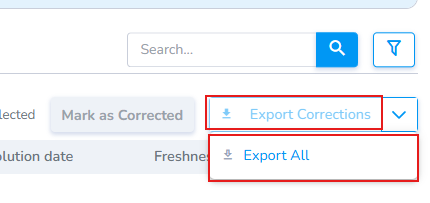](https://kb.simplerfid.com/uploads/images/gallery/2026-07/Gorimage.png) - Inventory corrections are generated as a spreadsheet. - Sheet is exported,, then upload into partner system. [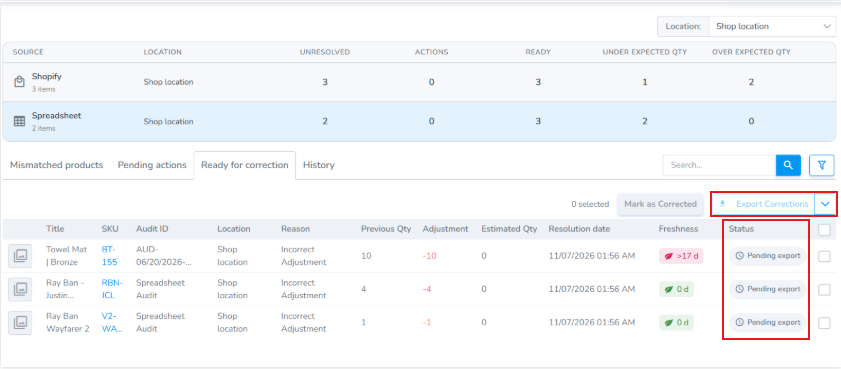](https://kb.simplerfid.com/uploads/images/gallery/2026-07/5OMimage.png) #### Product Correction Export - Take the correction sheet and upload it into your partner system [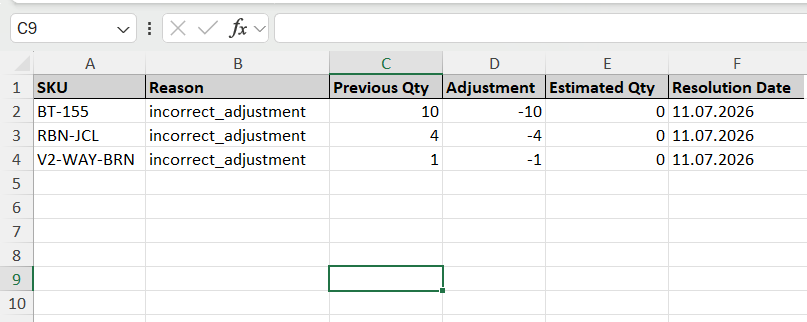](https://kb.simplerfid.com/uploads/images/gallery/2026-07/Bb6image.png) #### Mark as Corrected Once partner system has been updated the user "Mark(s) as Corrected" to indicate that the partner system has been updated. [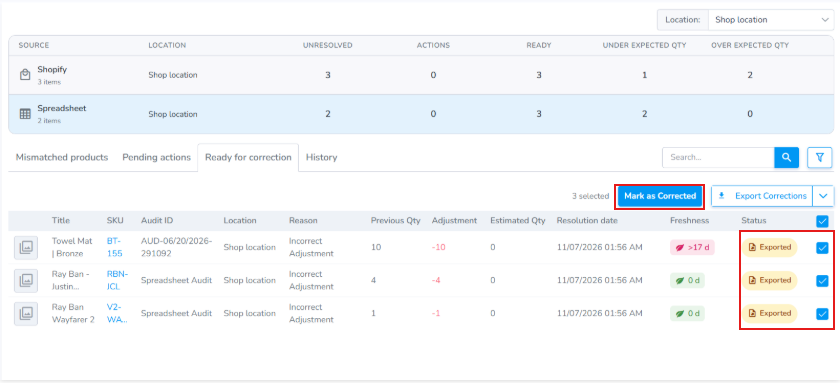](https://kb.simplerfid.com/uploads/images/gallery/2026-07/lZLimage.png) #### History tab Click on the History tab to view the products which have been updated. They will be marked as "Corrected." [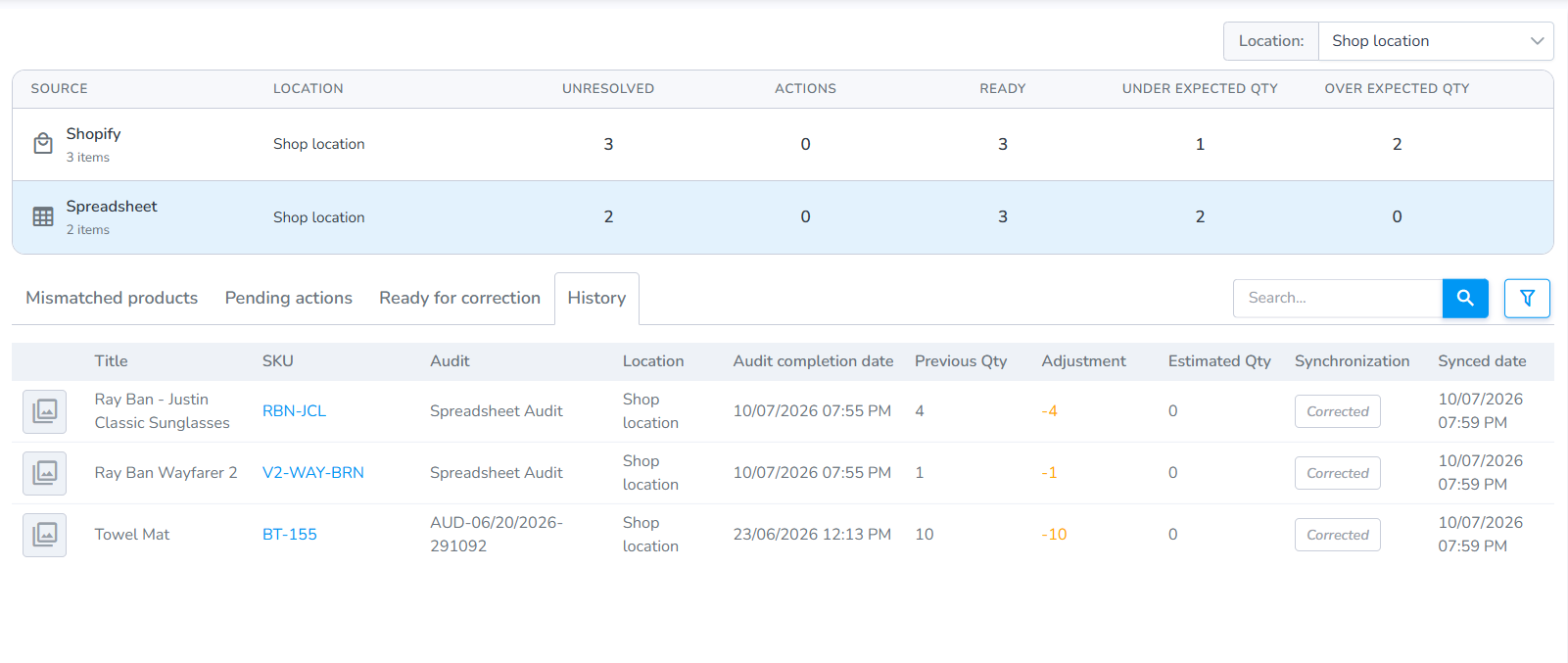](https://kb.simplerfid.com/uploads/images/gallery/2026-07/ETnimage.png) ####