# Account Settings

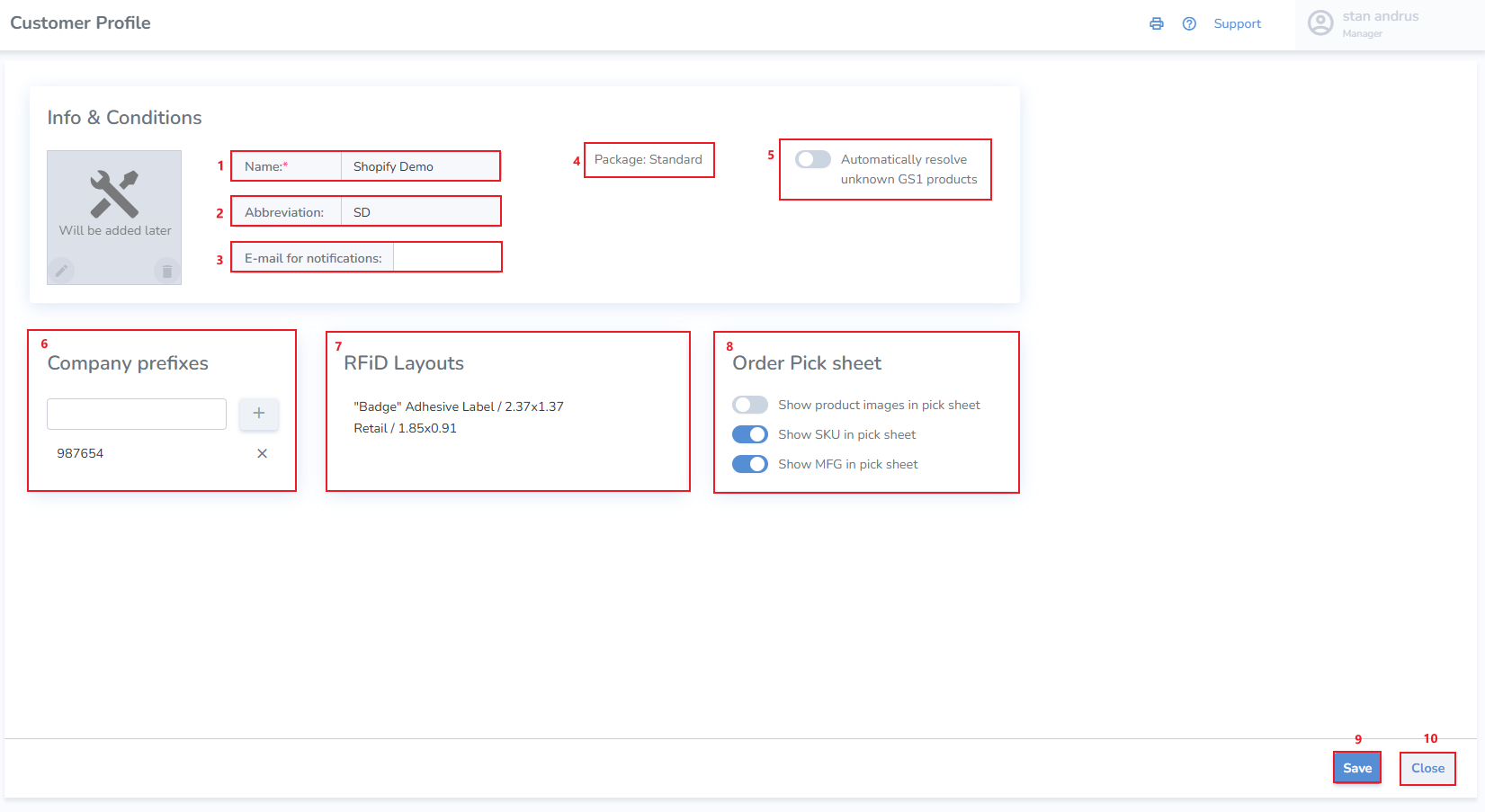
This page provides an overview of the account including:

1. Account Name
2. <span style="white-space: pre-wrap;">Abbreviation - This </span><u>must be a two letter abbreviation.</u><span style="white-space: pre-wrap;"> Example 'DM'</span>
3. Email address where you wish to have general notifications sent
4. 'Package' indicates the your plan such as "Trial" or "Standard"
5. Brand Magic - Automatically resolve unknown GS1 products. Scanned unknown tags are converted it into a Draft products
6. Company Prefixes - Enter a company prefix to print and scan tags using the SGTIN schema
7. <span style="white-space: pre-wrap;">RFID Layouts - These are the label sizes which are available in your </span>[Label Designer](https://kb.simplerfid.com/books/software-web-portal/page/label-layouts-label-designer)<span style="white-space: pre-wrap;"></span>
8. Order Pick Sheet - These are controls for the order pick sheet to add or hide elements
9. <span style="white-space: pre-wrap;">Apparel Magic </span>
10. Tokens
11. Shopify Settings
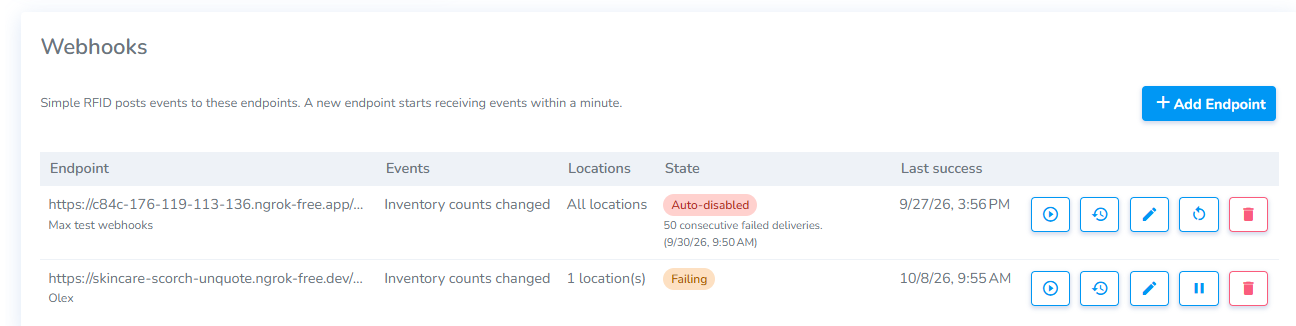
12. <span style="white-space: pre-wrap;">Webhooks - </span>
13. Save - saves changes
14. Cancel - cancels operation and navigates away from the Customer Profile page

<p class="callout warning">If you don't see your label size available in the RFID Layouts list, please request that it be added via our support</p>

[![image.png](https://kb.simplerfid.com/uploads/images/gallery/2025-05/scaled-1680-/PVZimage.png)](https://kb.simplerfid.com/uploads/images/gallery/2025-05/PVZimage.png)

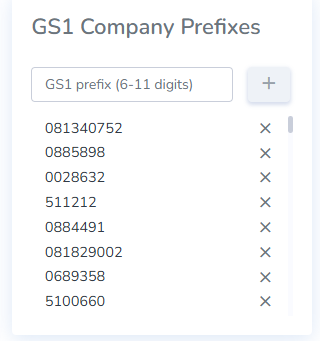
****GS1 Company Prefixes****

[![image.png](https://kb.simplerfid.com/uploads/images/gallery/2026-10/scaled-1680-/Agximage.png)](https://kb.simplerfid.com/uploads/images/gallery/2026-10/Agximage.png)
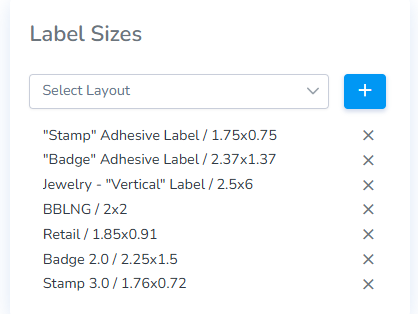
#### ****Label Sizes****

****Add new label sizes to be used by the Label Designer.****

[![image.png](https://kb.simplerfid.com/uploads/images/gallery/2026-10/scaled-1680-/5MIimage.png)](https://kb.simplerfid.com/uploads/images/gallery/2026-10/5MIimage.png)
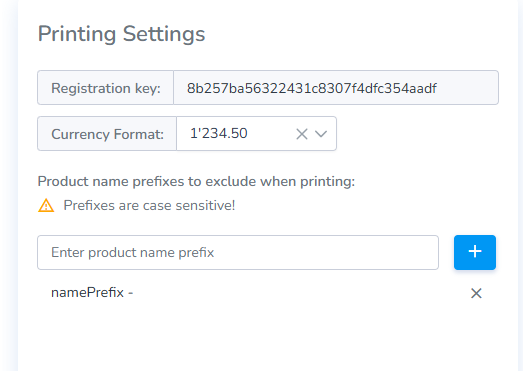
#### ****Printing Settings****

****Registration key - The printing settings section contains your Registration key. This key is used to connect your printer to your account.****

****Currency Format - This section provides the ability to set your currency format.****

****Product name prefixes to exclude when printing - This section allows for eliminating designated products to be hidden from view.****

[![image.png](https://kb.simplerfid.com/uploads/images/gallery/2026-10/scaled-1680-/SMeimage.png)](https://kb.simplerfid.com/uploads/images/gallery/2026-10/SMeimage.png)
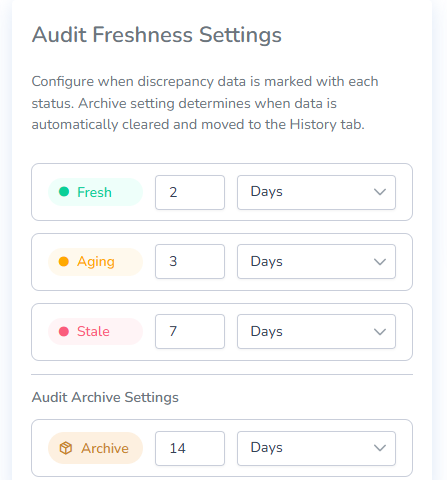
#### ****Audit Freshness Settings****

****These settings allow users to set the parameters of what constitutes Fresh, Aging, Stale, as well as Archived.****

[![image.png](https://kb.simplerfid.com/uploads/images/gallery/2026-10/scaled-1680-/1c3image.png)](https://kb.simplerfid.com/uploads/images/gallery/2026-10/1c3image.png)
---

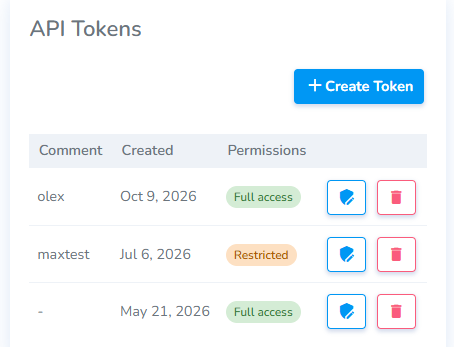
#### ****API Tokens****

[![image.png](https://kb.simplerfid.com/uploads/images/gallery/2026-10/scaled-1680-/C4simage.png)](https://kb.simplerfid.com/uploads/images/gallery/2026-10/C4simage.png)
---

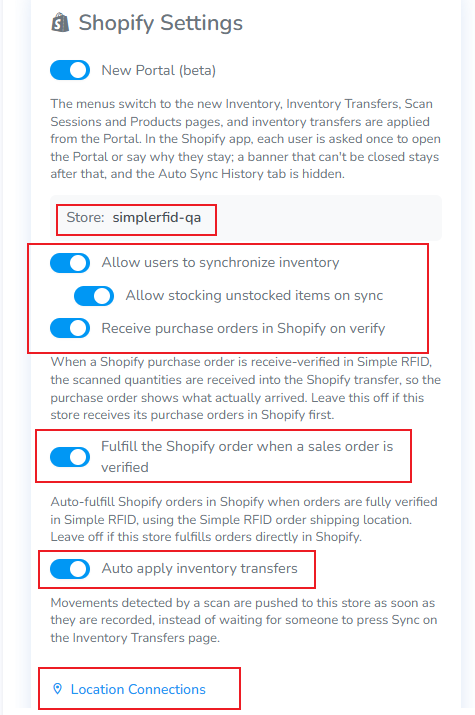
#### ****Shopify Settings****

[![image.png](https://kb.simplerfid.com/uploads/images/gallery/2026-10/scaled-1680-/zVGimage.png)](https://kb.simplerfid.com/uploads/images/gallery/2026-10/zVGimage.png)
---

##### ****Webhooks****

[![image.png](https://kb.simplerfid.com/uploads/images/gallery/2026-10/scaled-1680-/ceUimage.png)](https://kb.simplerfid.com/uploads/images/gallery/2026-10/ceUimage.png)