Scan Summary & Statuses
The grid identifies what items the scanner captures & groups the totals by status
There are two views to scan items: Basic, & Advanced. Enable Advanced tag counting mode in the Application Settings
Summary Screen
Active Statuses
Inactive Statuses
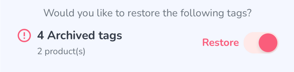
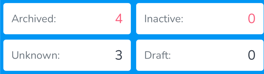
- Archived - This displays all Archived items scanned.
- Inactive - Products which are moved to Inactive on the Products tab of the web portal
- Unknown - Tags which do not correspond with any Products
- Draft - Items in Draft status. *Unknown items are automatically created as Draft Products if "Brand Magic" is enabled from the Web Portal
Items can be moved to Archived via Archive Scans, & verifying Sales Orders
Basic
Basic is designed for instances where, due to the volume of inventory, the app performance is negatively impacted
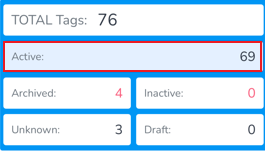
As well when uploading

Advanced
Advanced displays all Active statuses separately, providing more granular visibility into what is being scanned.
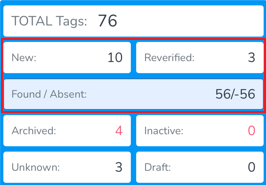
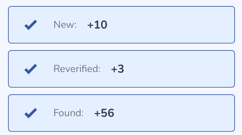
Which allows the option for separate uploading
Inactive Statuses & Restoring Archived
Inactive statuses are included in both Basic & Advanced scans, however only if the items are captured in the scan
From the Upload screen, Archived tags can be restored by moving the switcher to 'Restore'