Processes: Using Existing RFID Tags
Steps for using existing tags applied by the manufacturer. There are two approaches, tracking the UPC number for each product and using it to associate tags, or scanning tags to identify the products.
Using the UPC Number (or official GTIN) as barcode
The best way to map your products to your RFID tags.
UPC mapping to Barcode
If you have the UPC for each product in your database you can get started quickly by simply scanning the tags.
This is ideal since the RFID's encoding identify the same data, eliminating the process of associating or searching for tags
Make sure that the key field is set to Barcode (unless your SKU is the same value).
Associating Tags by Searching & Brand Magic
If you don't know the GTIN of the tags in your inventory you can still use the system to assist you in identifying these items and associating them with your product listings.
Enable Brand Magic to Identify Products
Brand Magic is a feature which attempts to identify product details for GS1 compliant products by looking up the product's GTIN and retrieving details automatically building a draft product.
Steps:
Go to the Customer Profile page via the Admin menu
Enable the setting entitled "Automatically resolve unknown GS1 products"
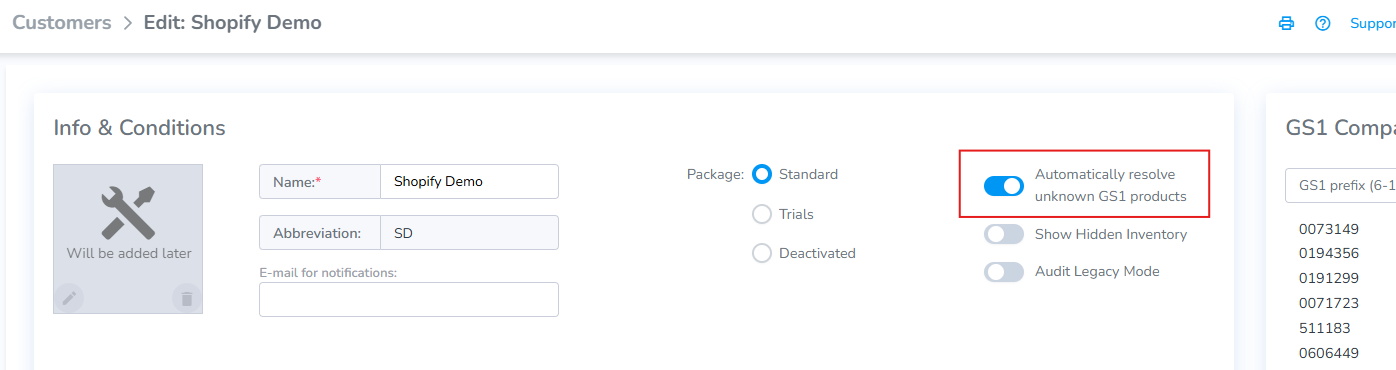
Brand Magic enabled
Once enabled the Products tab contains two additional tabs: Draft and Unknown.
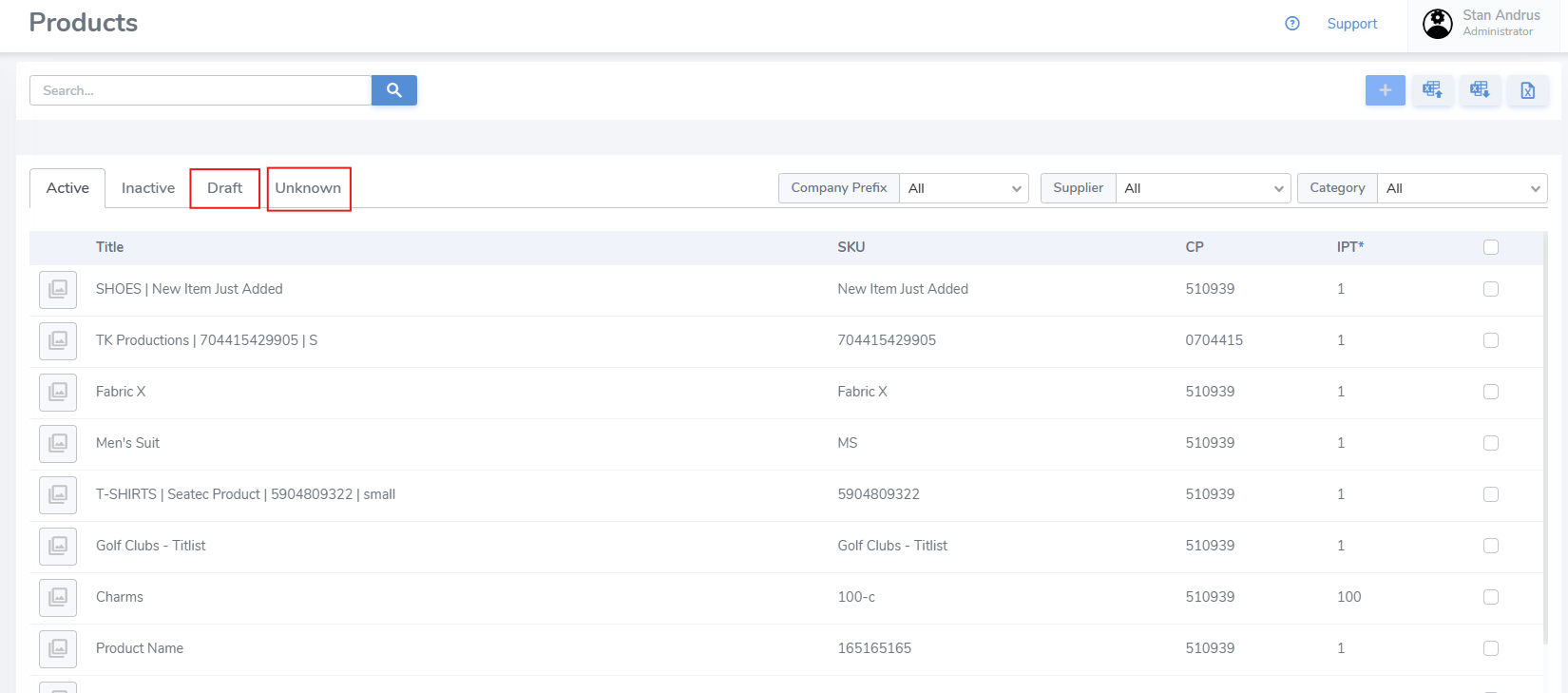
Unknown Tab
The Unknown tab displays all GTINs which have been captured but not associated with the customer's SKU. It identifies the:
- GTIN
- Company Prefix
- Item Reference
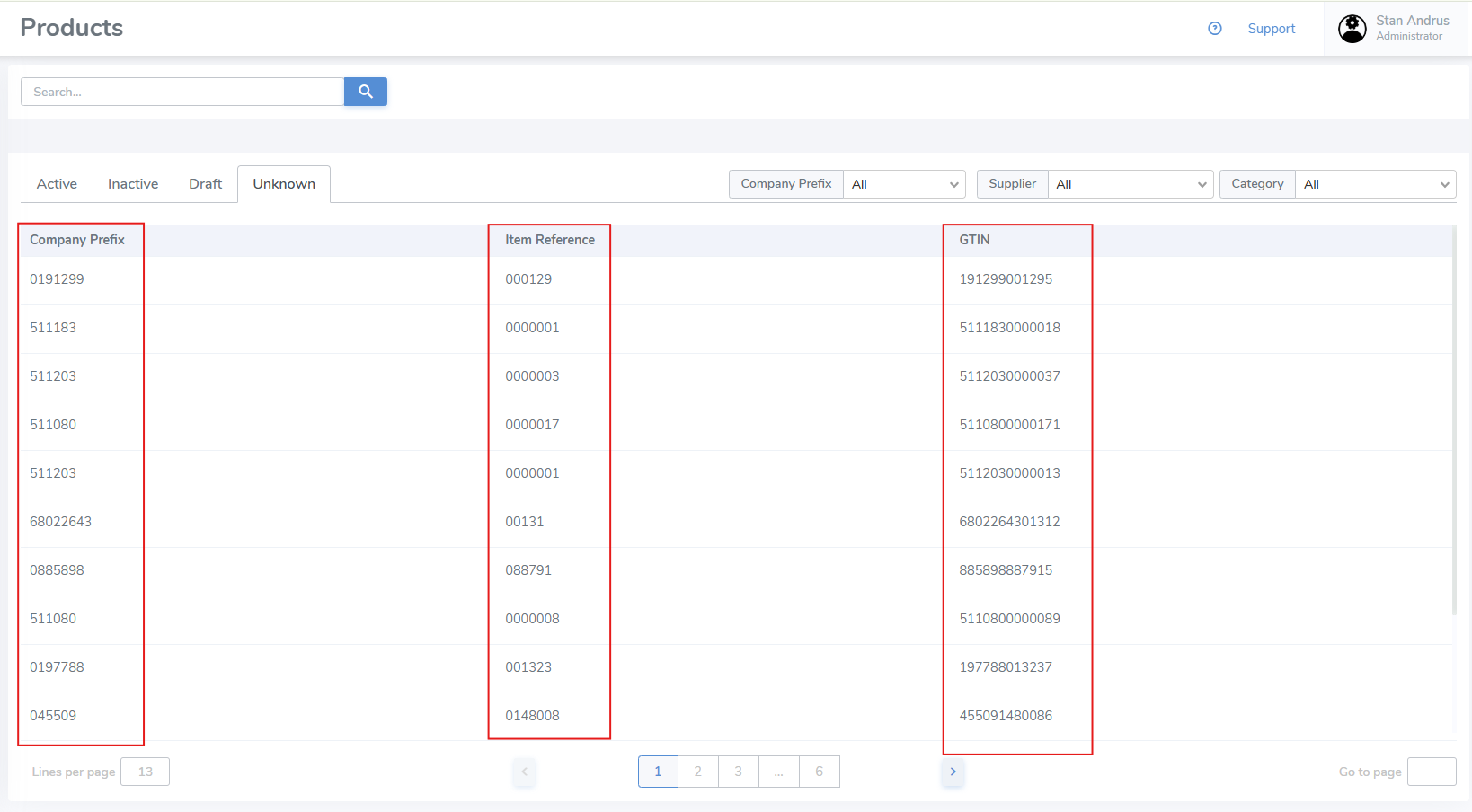
Draft Tab
If the p