****ATTENTION:**** We suggest ****first**** performing the [calibration from the website](https://kb.simplerfid.com/books/calibrate-printer/page/calibrate-from-the-web-portal). If the calibration fails, then follow these steps.
### Step 1: Media Calibration First, make sure media is properly loaded, the printer cover is closed, and printer power is ON. To perform a Media Calibration, press and hold PAUSE + CANCEL buttons for two seconds. [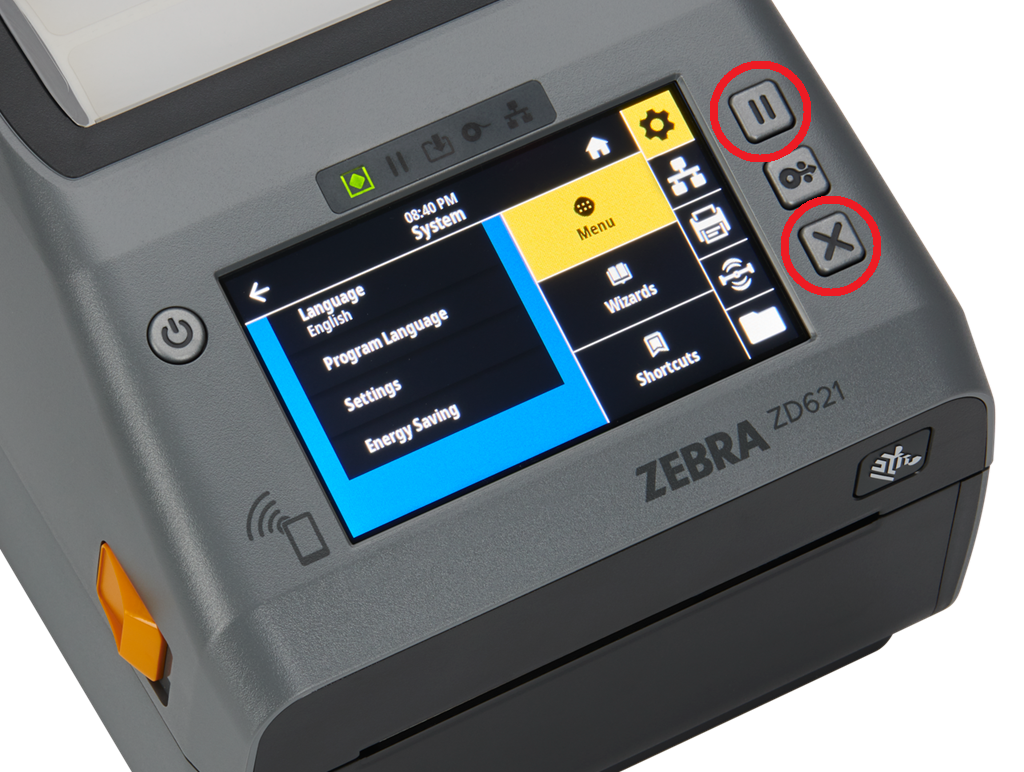](https://kb.simplerfid.com/uploads/images/gallery/2025-05/JmQimage.png) ### Step 2: RFID Calibration From the printer's Home screen, press the ****Menu**** button: [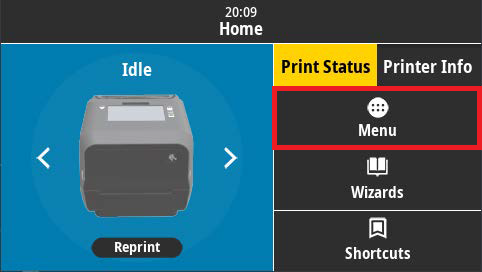](https://kb.simplerfid.com/uploads/images/gallery/2025-05/R9ahome-screen.png) Next, tap the ****RFID icon**** on the right side of the screen, then tap the ****RFID**** menu option: [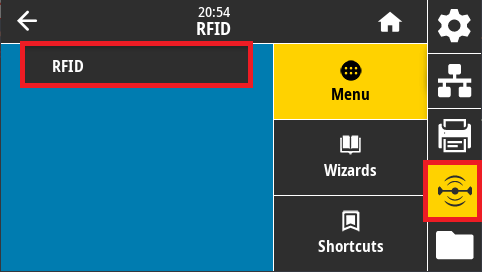](https://kb.simplerfid.com/uploads/images/gallery/2025-05/jTRrfid-menu.png) Tap ****RFID Calibrate****: [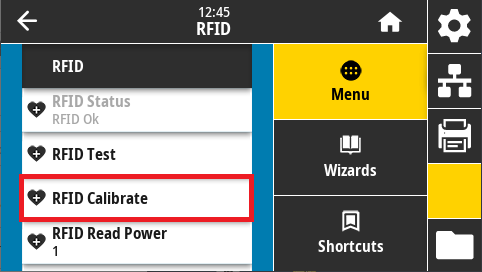](https://kb.simplerfid.com/uploads/images/gallery/2025-05/1Xjrfid-menu-options.png) Last, tap ****Start Calibration**** to perform the RFID calibration: [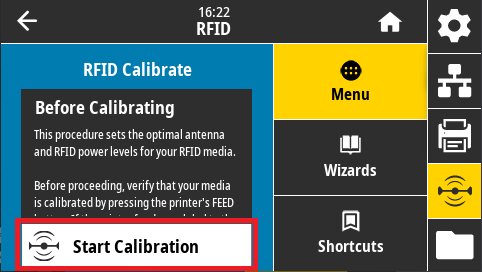](https://kb.simplerfid.com/uploads/images/gallery/2025-05/9BFstart-rfid-calibration.png)