# Zebra ZD500R: Reset to Factory Defaults
Turn off the printer using the switch on the back.
[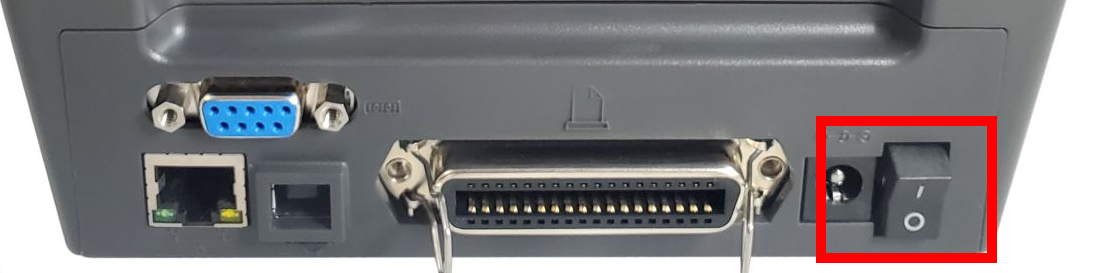](https://kb.simplerfid.com/uploads/images/gallery/2026-05/sZoimage.png)
Press and hold FEED + PAUSE while turning on the printer.
[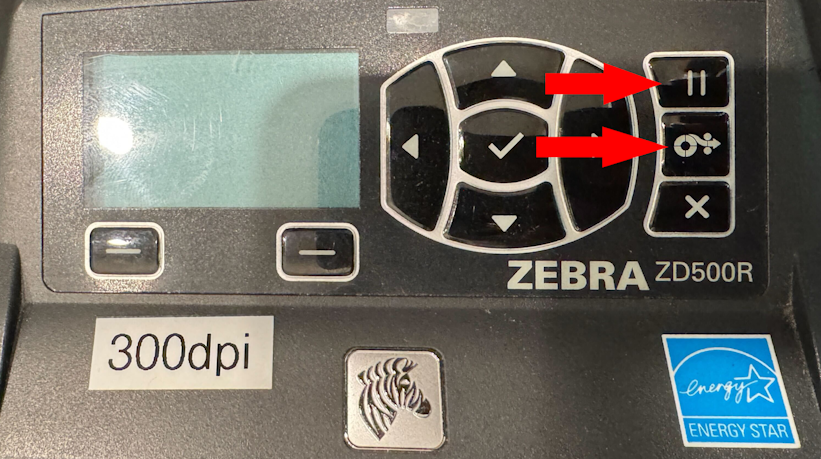](https://kb.simplerfid.com/uploads/images/gallery/2026-05/Byzimage.png)
Continue holding FEED + PAUSE until the first control panel light turns off.
The printer configuration is now reset to the factory default values.