# Unpause your printer
Printers will not print or calibrate if they're paused. Depending on the model of your printer, you'll see different indicators if the printer is paused.
### How to tell if your printer is paused
##### ****T800****: "OFFLINE" in top-right corner
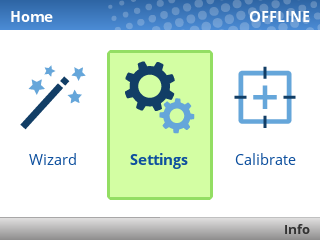
The OFFLINE text means the printer is paused. Unpause it using the green pause button ****\[ I I \]**** below the screen. If prompted to save settings, choose ****Save Permanently in Active Config****. You should then see ****ONLINE**** in the top-right corner of the screen, meaning the printer is ready.
##### ****ZD621R****: Pause indicator above screen

If the PAUSE light is lit up yellow, the printer is paused. Unpause it using the Pause button ****\[ I I \]**** to the right of the screen.
##### ****ZD500R****: PRINTER PAUSED message flashing on screen
If the printer's screen flashes PRINTER PAUSED, unpause it using the Pause button ****\[ I I \]**** to the right of the screen.