# Printronix T800 - Calibrate from the Printer's Interface
{{@3}}
### Possible Scenario: "Open Media Bay, Peel off Label"
If you see an message on the printer like the following, you need to perform an extra step to complete the RFID calibration. This is common for smaller labels, such as Mini:
[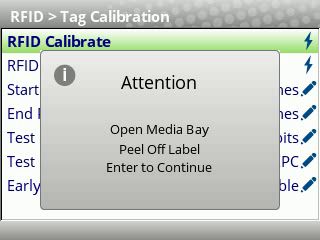](https://kb.simplerfid.com/uploads/images/gallery/2025-05/vlcsnap-2025-05-15-08h49m24s643.png) [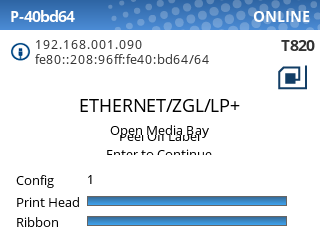](https://kb.simplerfid.com/uploads/images/gallery/2025-05/eOaimage.png)
In this case, you will need to do the following:
1. Open the printer
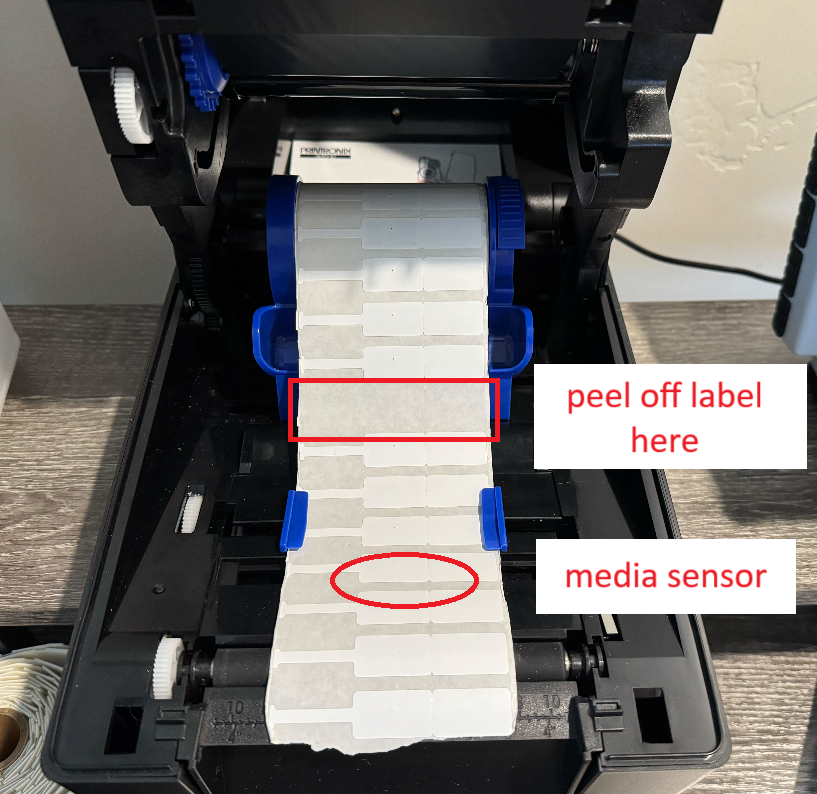
2. Peel off a label from the backing, somewhere behind the media sensor:
[](https://kb.simplerfid.com/uploads/images/gallery/2025-05/SnXimage.png)
3. Close the printer
4. Press ****Enter**** to continue the calibration.
Now, the printer will feed labels until it reaches the empty space, then complete the last step of the RFID calibration.