# Printronix: Job in Process
Printronix printers often state "Job in Process" (often misread as "Job in Progress") on their screen, as shown below:
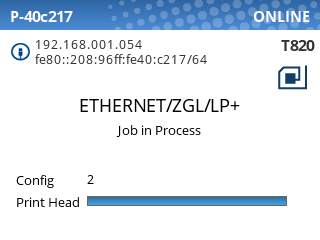
This message indicates that the printer is processing data from the host. ****Since this includes periodic status checks and other information, the Job in Process message does not necessarily mean that a print job is in progress.**** If the printer is idle (not currently printing), then you should be able to submit new print jobs without any issues.
If you are unable to print, the most common cause is that the printer is offline. Follow the steps in this article to troubleshoot: [Printer Offline](https://kb.simplerfid.com/books/printing-issues/page/printer-offline "Printer Offline")