# Printronix: Check Firmware Version

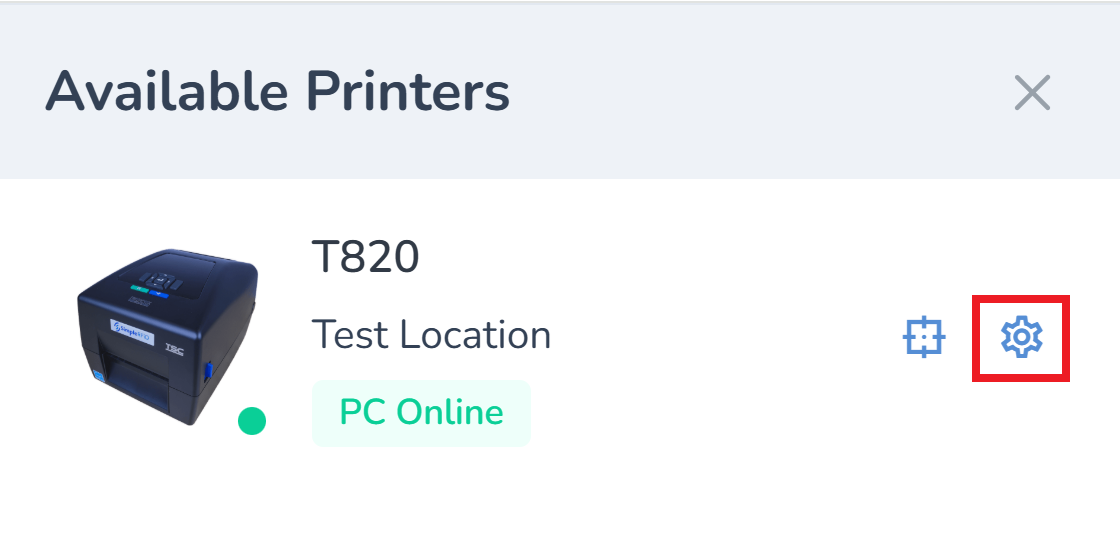
<span style="white-space: pre-wrap;">From the </span>[web portal](https://portal.simplerfid.com/)<span style="white-space: pre-wrap;">, click the </span>****Available Printers**** menu.

![image.png](https://kb.simplerfid.com/uploads/images/gallery/2025-07/scaled-1680-/Bpcimage.png)

<span style="white-space: pre-wrap;">Locate your printer, then click the </span>****Settings****<span style="white-space: pre-wrap;"> icon.</span>

![image.png](https://kb.simplerfid.com/uploads/images/gallery/2025-07/scaled-1680-/K8Timage.png)

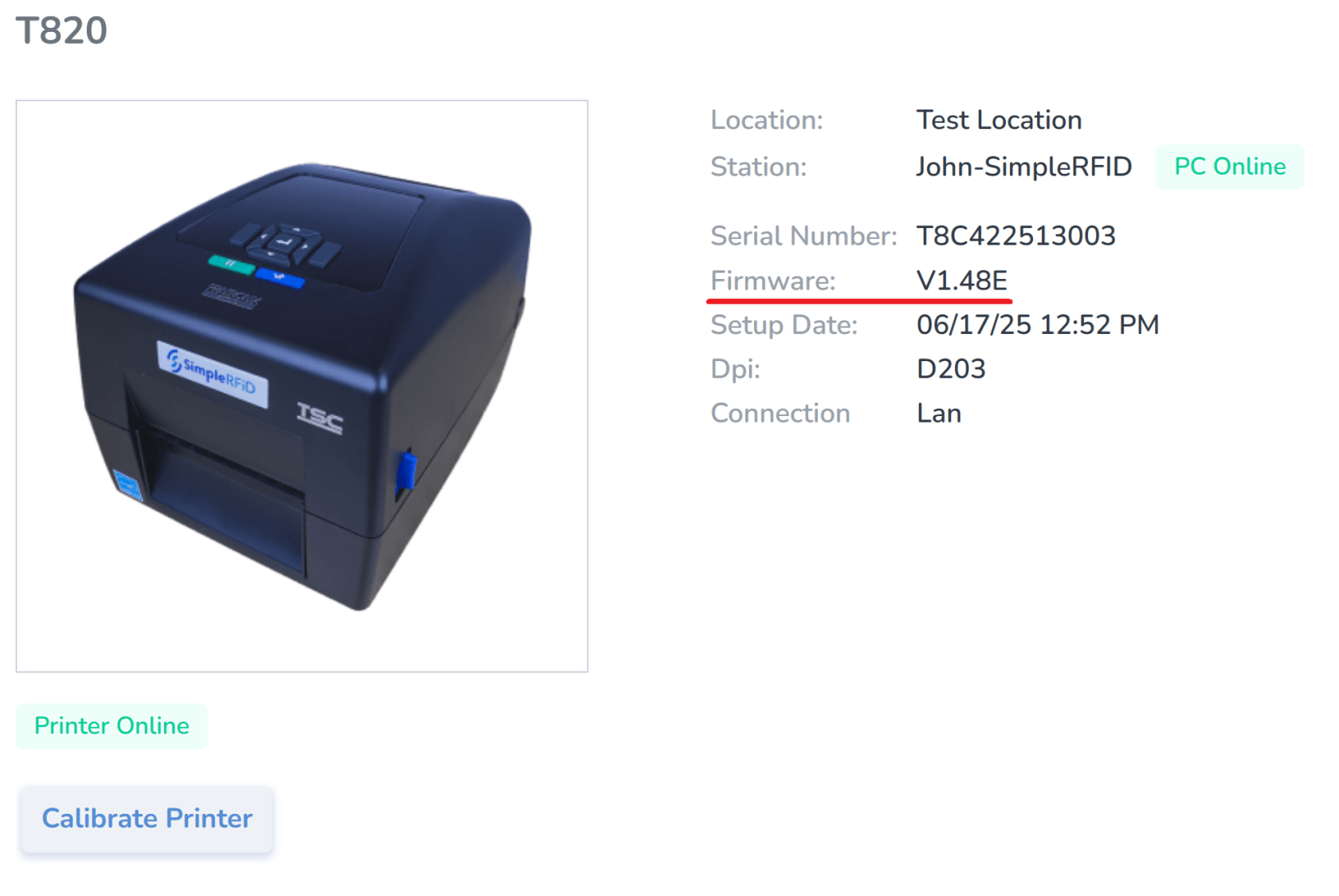
<span style="white-space: pre-wrap;">Check the value for the </span>****Firmware****<span style="white-space: pre-wrap;"> property.</span>

![image.png](https://kb.simplerfid.com/uploads/images/gallery/2025-07/scaled-1680-/pqfimage.png)

At the time of writing, these are the latest firmware versions:

- <span style="white-space: pre-wrap;">T800 (T820, T830): </span>****V1.48E****
- <span style="white-space: pre-wrap;">T4000 (T4204): </span>****V1.46H****
- <span style="white-space: pre-wrap;">T6000e (T6304, T6604): </span>****V1.42E****

<span style="white-space: pre-wrap;">To update your printer, follow this guide: </span>[****Printronix: Update Firmware****](https://kb.simplerfid.com/books/printers/page/printronix-update-firmware-via-webpage "Printronix: Update Firmware")