# Zebra ZT411
# Load Labels & Ribbon into Zebra ZT411R
[Watch this video](https://www.google.com/search?q=load+media+into+ZT411R+printer+zebra&rlz=1C1RXQR_enUS1050US1050&oq=load+media+into+ZT411R+printer+zebra&gs_lcrp=EgZjaHJvbWUyBggAEEUYOdIBCTEwNTE5ajBqN6gCALACAA&sourceid=chrome&ie=UTF-8#fpstate=ive&vld=cid:4f0ec10b,vid:qgcdmejldps,st:3)
# Zebra ZT411 - Adjust Print Darkness
To adjust the print darkness on your ZT411 printer, take the following steps:
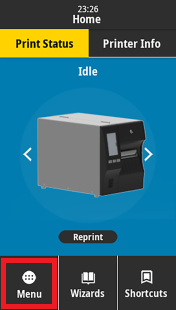
1. On the home screen of the printer, tap the **Menu** button
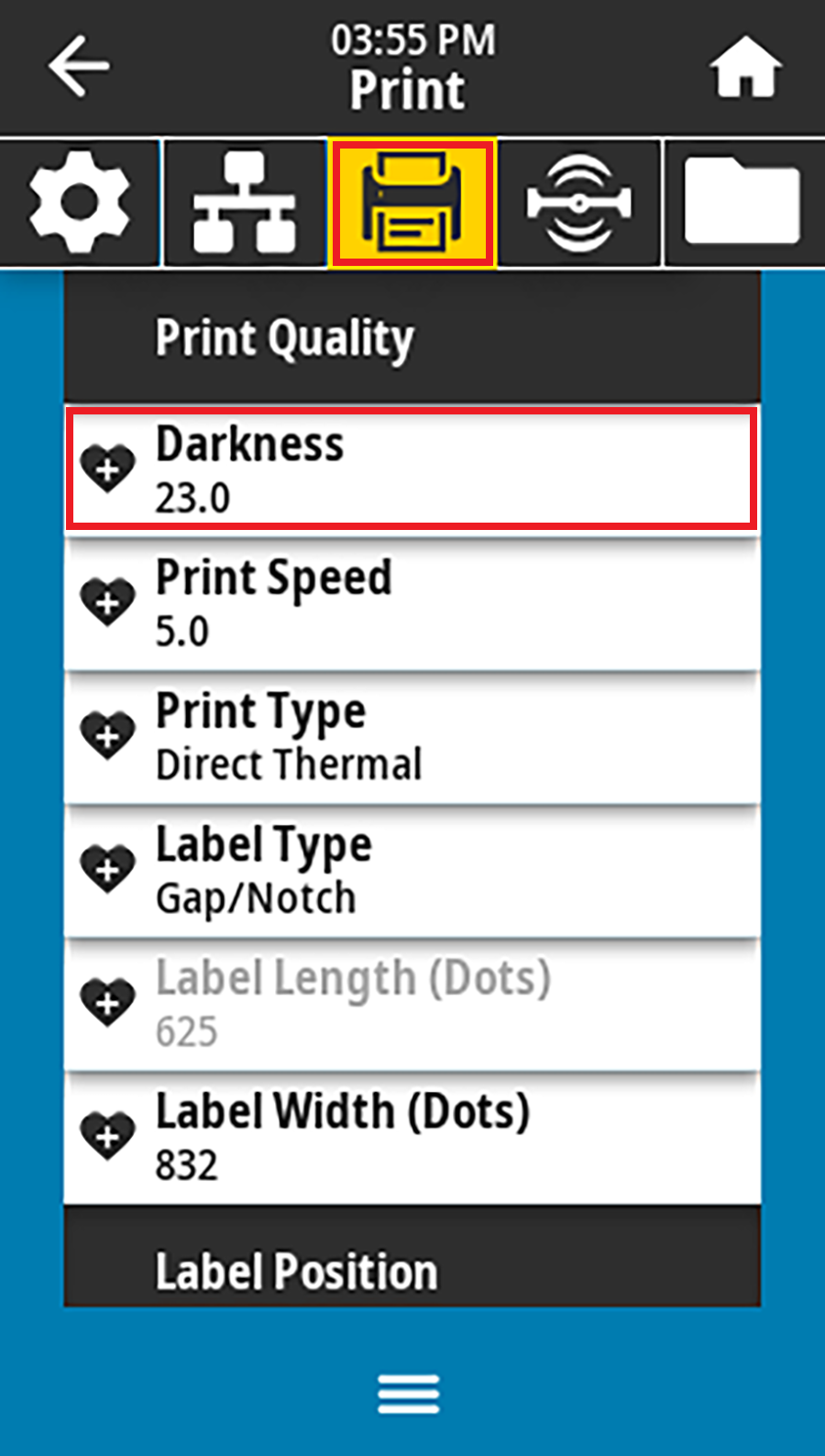
2. Tap the **Print** icon, then **Print Quality**, then select the **Darkness** option
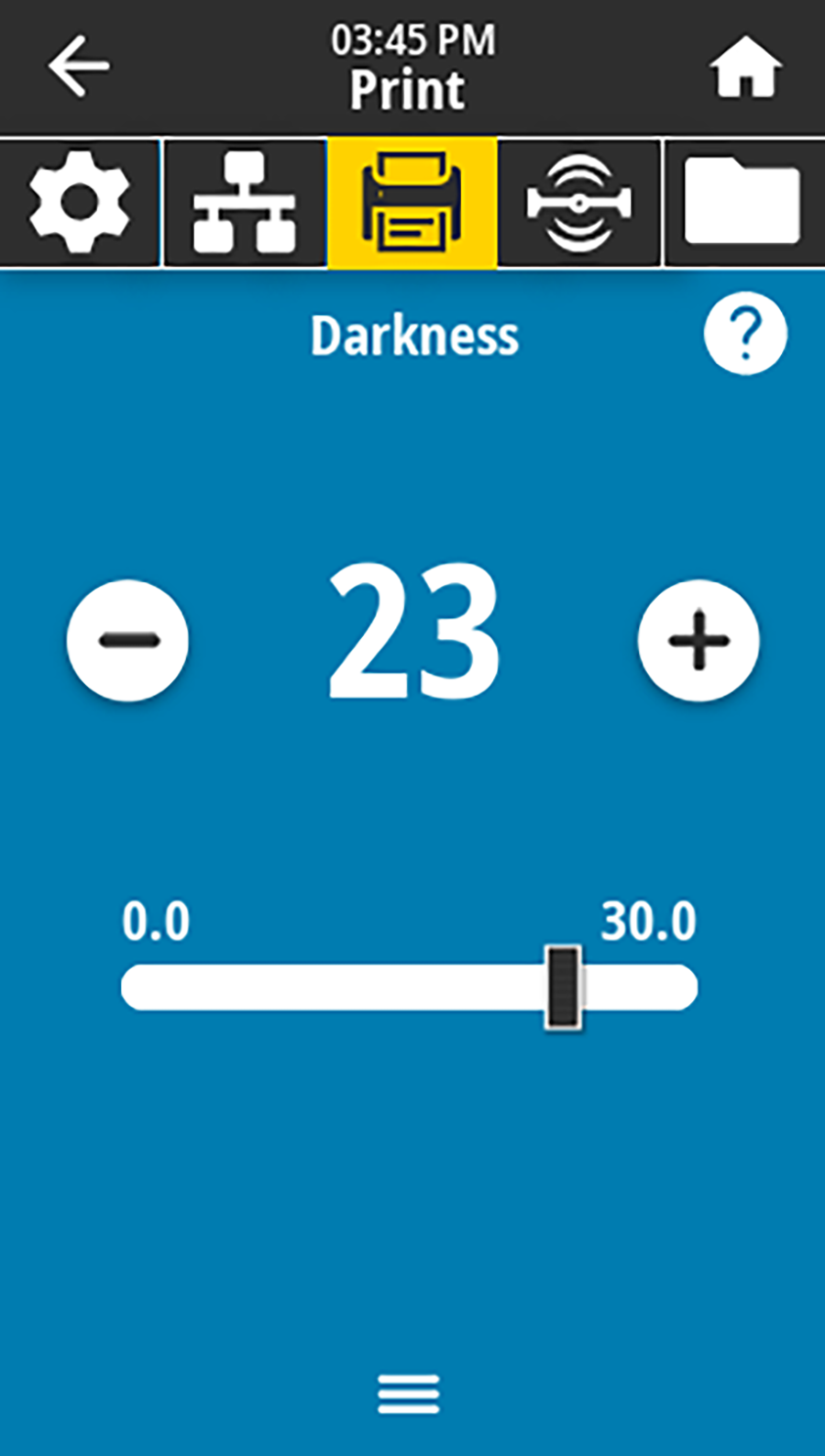
3. Adjust the darkness setting using the slider or **+** and **-** buttons.
- The darkness setting ranges from 0 to **30**.
- For **wax ribbon**, the recommended darkness setting is **10-15**.
- For **resin ribbon**, the recommended darkness setting is **25-30**.
4. After adjusting the darkness, tap the **Home** button at the top-right of the screen to return to the home screen.
# ZT411R RFID Calibration
****ATTENTION:**** We suggest ****first**** performing the [calibration from the website](https://kb.simplerfid.com/books/calibrate-printer/page/calibrate-from-the-web-portal). If the calibration fails, then follow these steps.
If the web calibration fails, please watch the video below to calibrate the RFID directly from the printer.