# Printronix T800
# Printronix T800 - Calibrate from the Printer's Interface
{{@3}}
### Possible Scenario: "Open Media Bay, Peel off Label"
If you see an message on the printer like the following, you need to perform an extra step to complete the RFID calibration. This is common for smaller labels, such as Mini:
[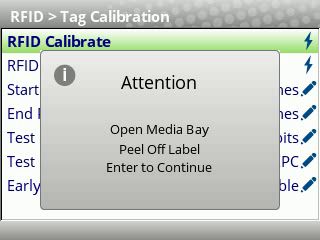](https://kb.simplerfid.com/uploads/images/gallery/2025-05/vlcsnap-2025-05-15-08h49m24s643.png)[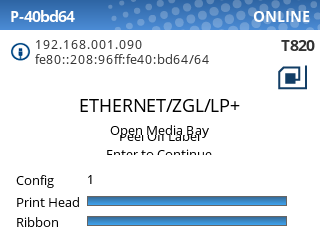](https://kb.simplerfid.com/uploads/images/gallery/2025-05/eOaimage.png)
In this case, you will need to do the following:
1. Open the printer
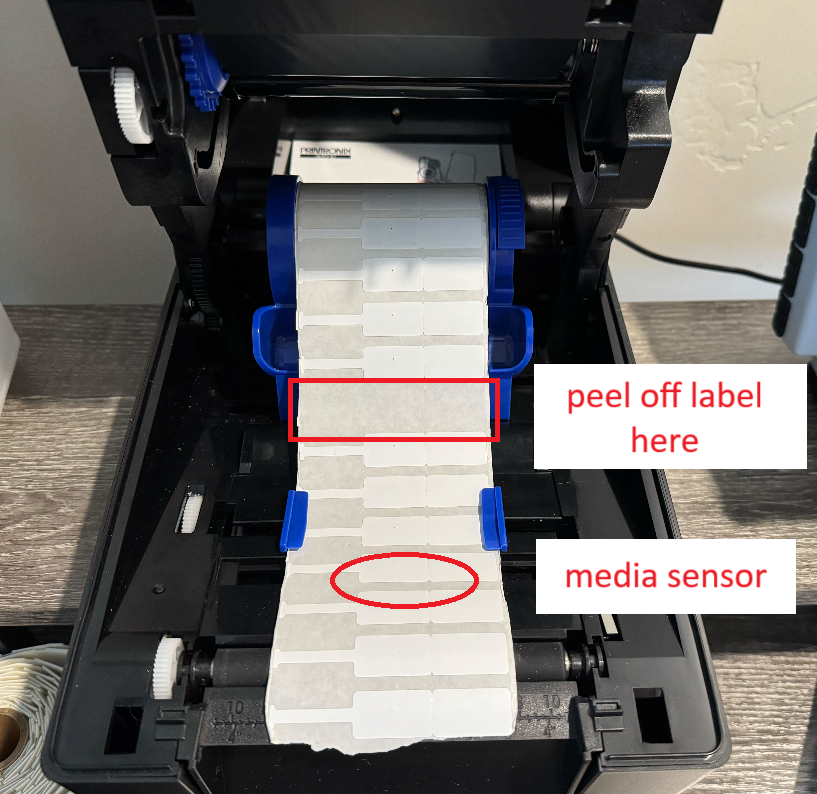
2. Peel off a label from the backing, somewhere behind the media sensor:
[](https://kb.simplerfid.com/uploads/images/gallery/2025-05/SnXimage.png)
3. Close the printer
4. Press ****Enter**** to continue the calibration.
Now, the printer will feed labels until it reaches the empty space, then complete the last step of the RFID calibration.
# Printronix T800 | Common Error Messages
##### This article describes common error messages and solutions when using a Printronix T800 printer.
### ****RFID UNCALIBRATED Wrong Form Length****
##### The RFID sensor is not calibrated. You will need to do an [RFID Calibrate](https://kb.simplerfid.com/link/75#bkmrk-step-2%3A-rfid-calibra).
### ****ENTER SWITCH LOCKED****
##### Press the up and down arrow at the same time once. Wait a few seconds until the screen shows "ENTER SWITCH UNLOCKED". Continue as normal. The enter switch will lock every time you turn off the printer.
### ****RFID MAX RETRY****
# Load Media & Ribbon into your Printronix T800 Series printer
# How do I know if my printer is ready to print?
You'll know the printer is ready to print when it says "ONLINE" in the top-right corner of its screen, and it's showing online on the web portal as well. If either of these conditions aren't met, you can usually resolve it by checking the [Printer Offline](https://kb.simplerfid.com/books/printing-issues/page/printer-offline) troubleshooting steps.