# What Needs to Be Plugged Into a Printronix Printer?

## 1. Power Connection (Required)

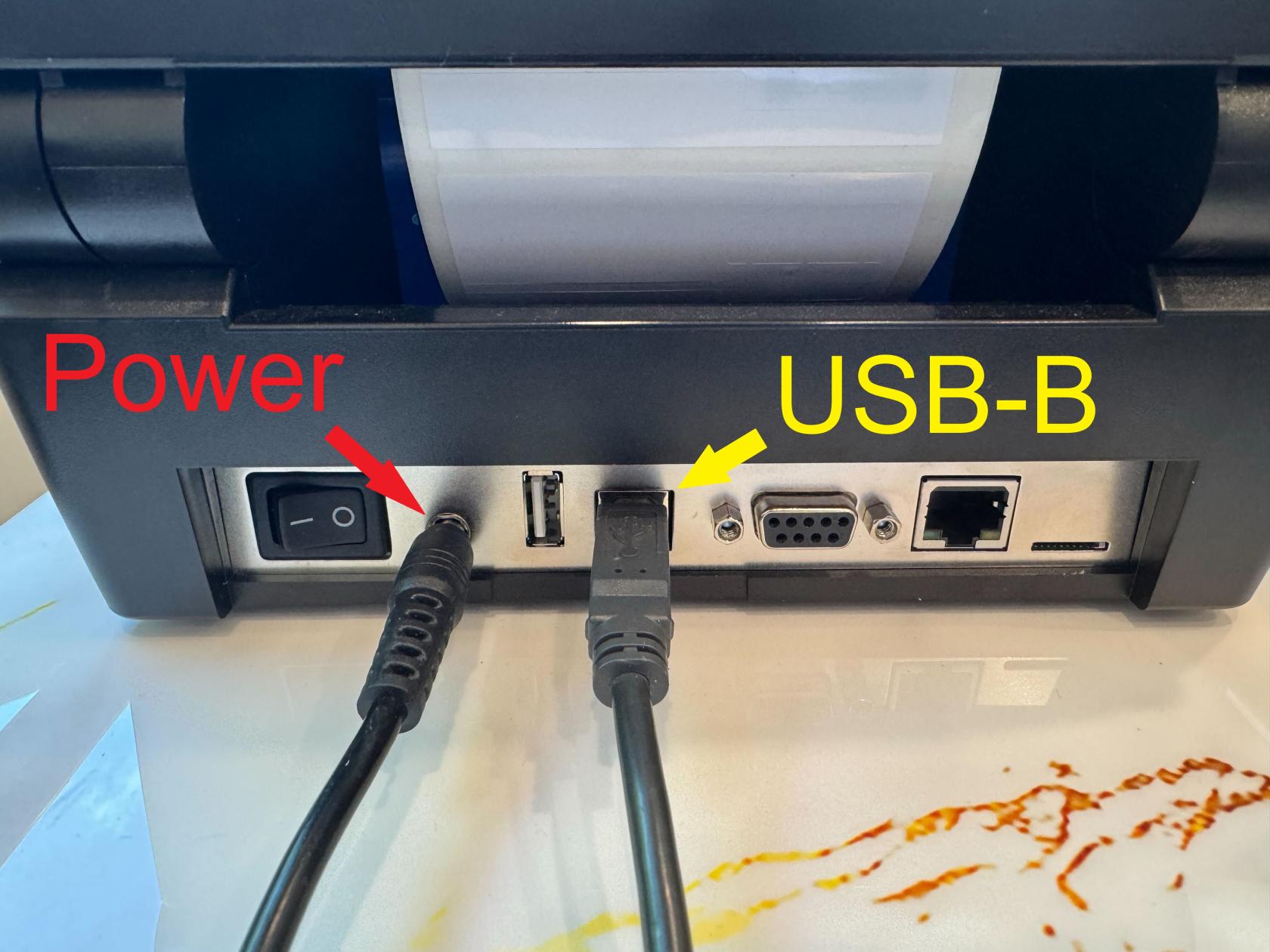
<span style="white-space: pre-wrap;">The first and most critical connection is the </span>****power supply****.

- <span style="white-space: pre-wrap;">The T800 uses an </span>****AC power cord****<span style="white-space: pre-wrap;"> connected to a standard electrical outlet.</span>
- The power cable plugs into the back of the printer.
- Once connected, the printer can be turned on using the power switch.

Without power, none of the other connections matter—the printer will not initialize or respond.

[![IMG_4421.jpg](https://kb.simplerfid.com/uploads/images/gallery/2026-03/scaled-1680-/KPzimg-4421.jpg)](https://kb.simplerfid.com/uploads/images/gallery/2026-03/KPzimg-4421.jpg)

---

## 2. Media and Ribbon (Required for Printing)

Although not “cables,” these are essential physical components:

- ****Label roll (media)****<span style="white-space: pre-wrap;"> – the material the printer prints on</span>
- ****Thermal ribbon (for thermal transfer models)****<span style="white-space: pre-wrap;"> – required for certain print types</span>

These are loaded inside the printer. Without them, the printer may power on but cannot produce labels.

<p class="callout info"><span style="white-space: pre-wrap;">If you need help with loading media you can visit this article: </span>[https://kb.simplerfid.com/books/printer-set-up/page/printer-setup-instructions](https://kb.simplerfid.com/books/printer-set-up/page/printer-setup-instructions)</p>

## 3. Data / Communication Cables

To send print jobs, the printer must be connected to a computer or network. The T800 supports several connection types:

<p class="callout warning">Simple RFID recommends using an Ethernet (LAN) connection for the best stability. USB connections can be used, but Ethernet will provide a more reliable connection.</p>

### Ethernet (LAN) Connection (Most Common)

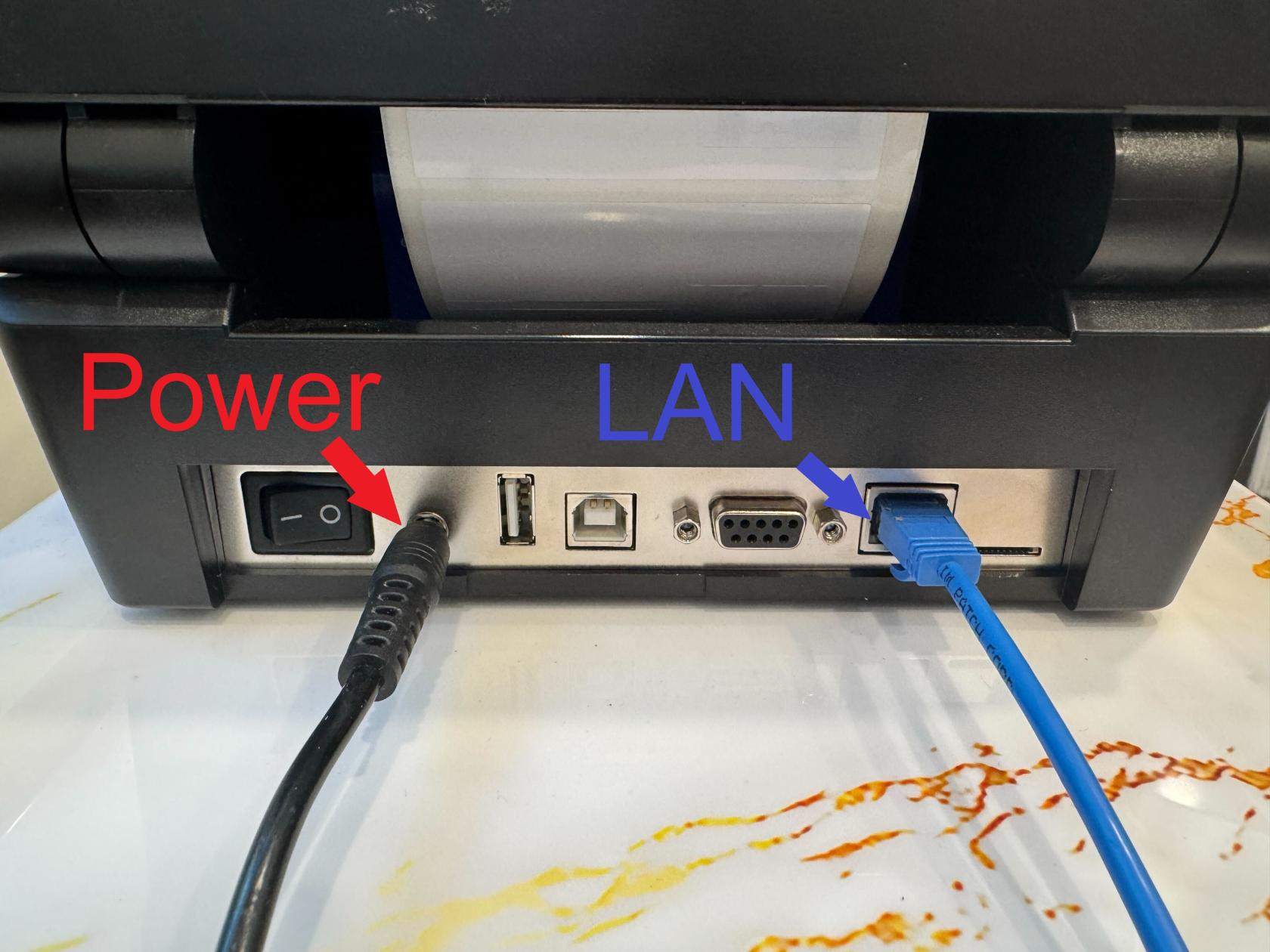
- <span style="white-space: pre-wrap;">Uses an </span>****RJ-45 Ethernet cable****
- Connects the printer to a router, switch, or network wall port
- Allows multiple users to access the printer over a network

<span style="white-space: pre-wrap;">This is one of the most widely used setups in warehouses and offices. The printer supports </span>****10/100 Ethernet LAN connectivity****

[![IMG_4422.jpg](https://kb.simplerfid.com/uploads/images/gallery/2026-03/scaled-1680-/oKHimg-4422.jpg)](https://kb.simplerfid.com/uploads/images/gallery/2026-03/oKHimg-4422.jpg)
<p class="callout danger"><span style="white-space: pre-wrap;">Printer will not work if the connection interface is set up incorrectly in the printer settings! Follow this </span>[article](https://kb.simplerfid.com/books/printers/page/printronix-change-interface)<span style="white-space: pre-wrap;"> to configure the interface properly.</span></p>

### USB Connection

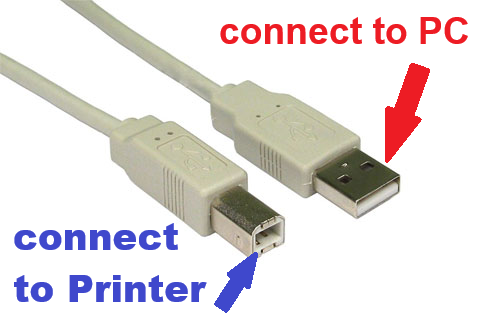
- <span style="white-space: pre-wrap;">Uses a </span>****USB Type-B cable****<span style="white-space: pre-wrap;"> (printer port) to a computer</span>
- <span style="white-space: pre-wrap;">Plug one end </span>****USB-B****<span style="white-space: pre-wrap;"> into the printer and the other </span>****USB-A****<span style="white-space: pre-wrap;"> into a PC</span>
- Ideal for direct, single-computer setups

The T800 includes USB as a standard interface

[![usb a to usb b.png](https://kb.simplerfid.com/uploads/images/gallery/2026-04/scaled-1680-/usb-a-to-usb-b.png)](https://kb.simplerfid.com/uploads/images/gallery/2026-04/scaled-1680-/usb-a-to-usb-b.png)
[![IMG_4424.jpg](https://kb.simplerfid.com/uploads/images/gallery/2026-03/scaled-1680-/img-4424.jpg)](https://kb.simplerfid.com/uploads/images/gallery/2026-03/img-4424.jpg)