What Needs to Be Plugged Into a Printronix Printer?
1. Power Connection (Required)
The first and most critical connection is the power supply.
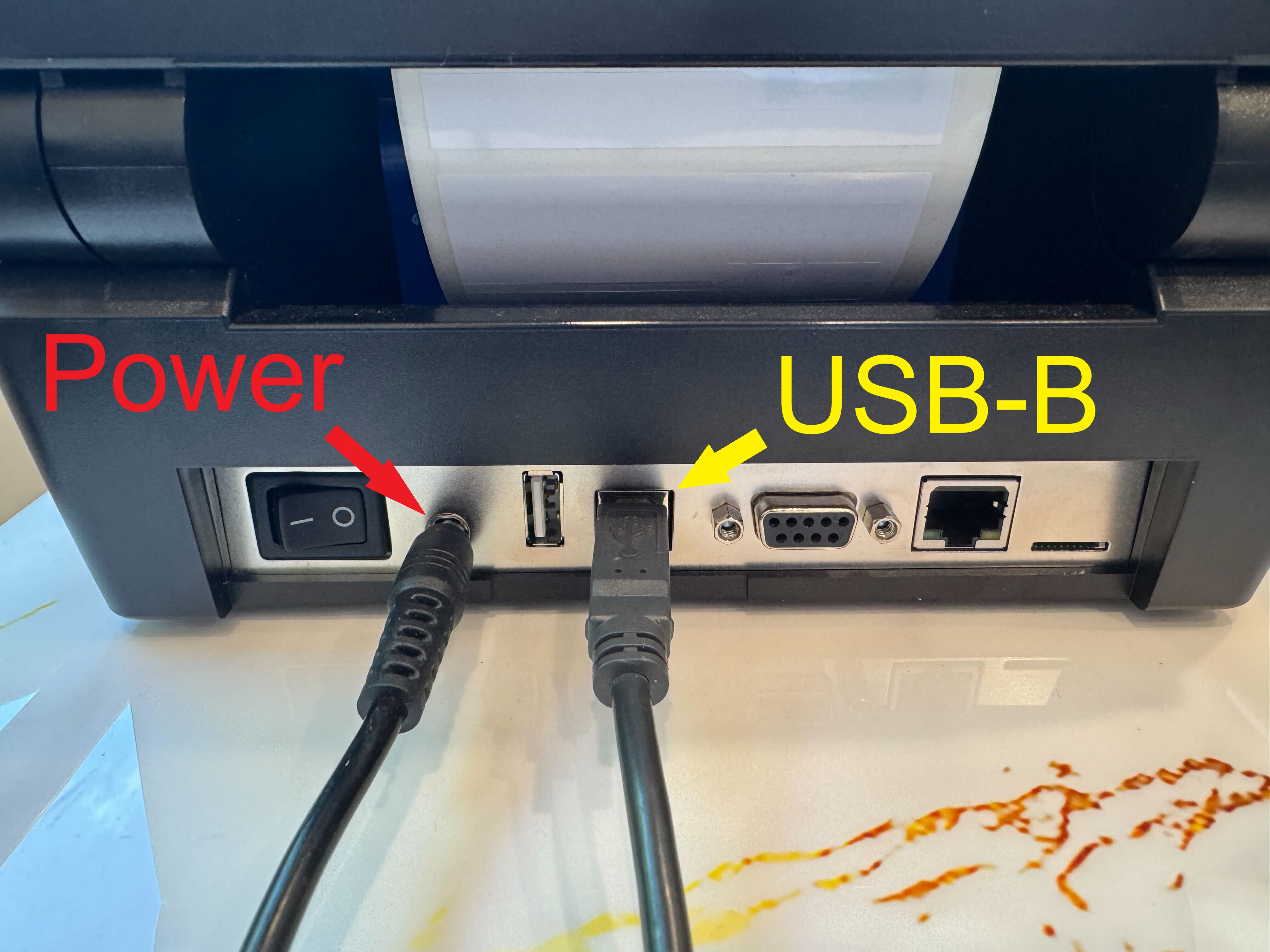
- The T800 uses an AC power cord connected to a standard electrical outlet.
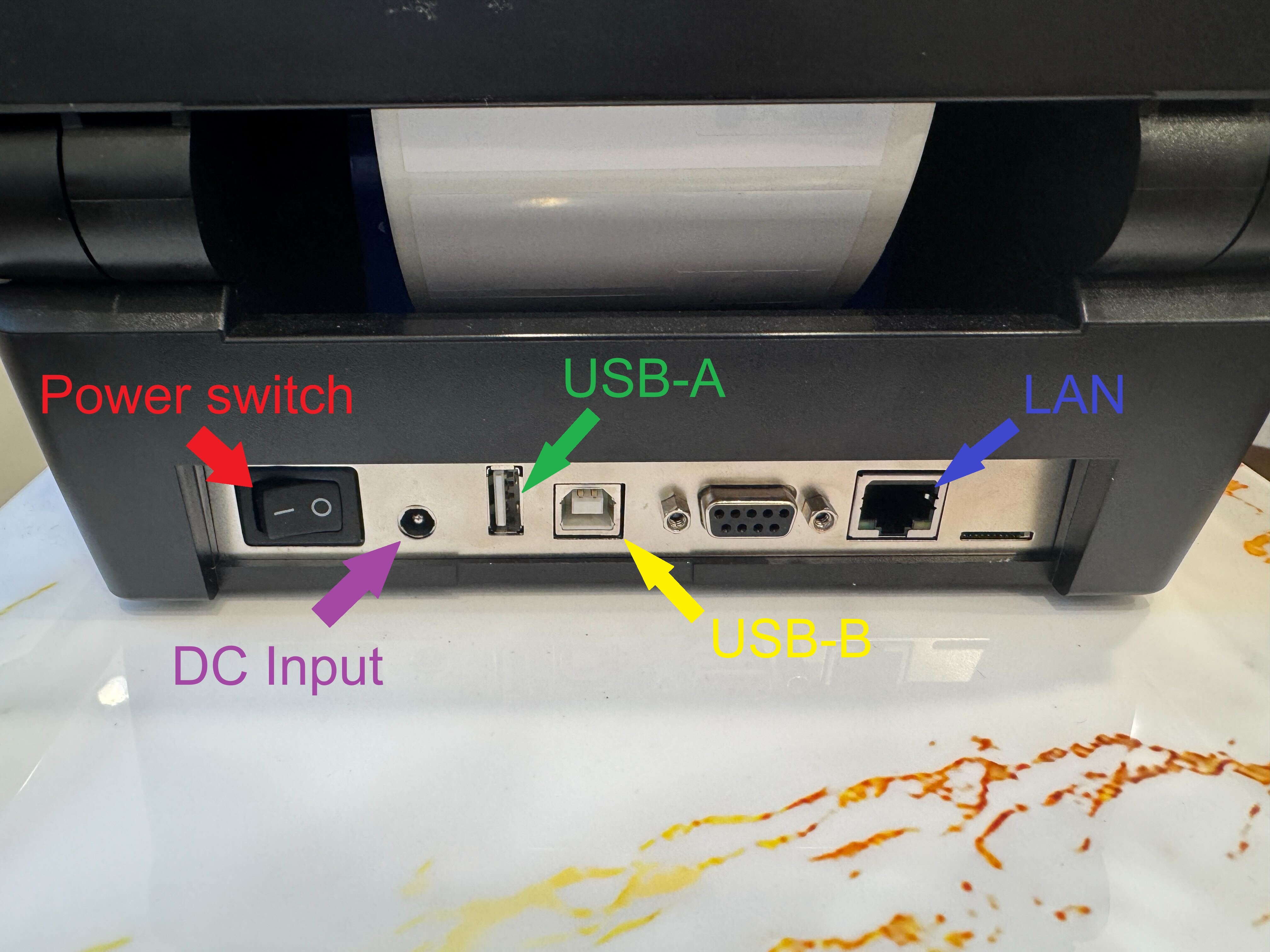
- The power cable plugs into the back of the printer.
- Once connected, the printer can be turned on using the power switch.
Without power, none of the other connections matter—the printer will not initialize or respond.
2. Media and Ribbon (Required for Printing)
Although not “cables,” these are essential physical components:
- Label roll (media) – the material the printer prints on
- Thermal ribbon (for thermal transfer models) – required for certain print types
These are loaded inside the printer. Without them, the printer may power on but cannot produce labels.
If you need help with loading media you can visit this article: https://kb.simplerfid.com/books/printer-set-up/page/printer-setup-instructions
3. Data / Communication Cables
To send print jobs, the printer must be connected to a computer or network. The T800 supports several connection types:
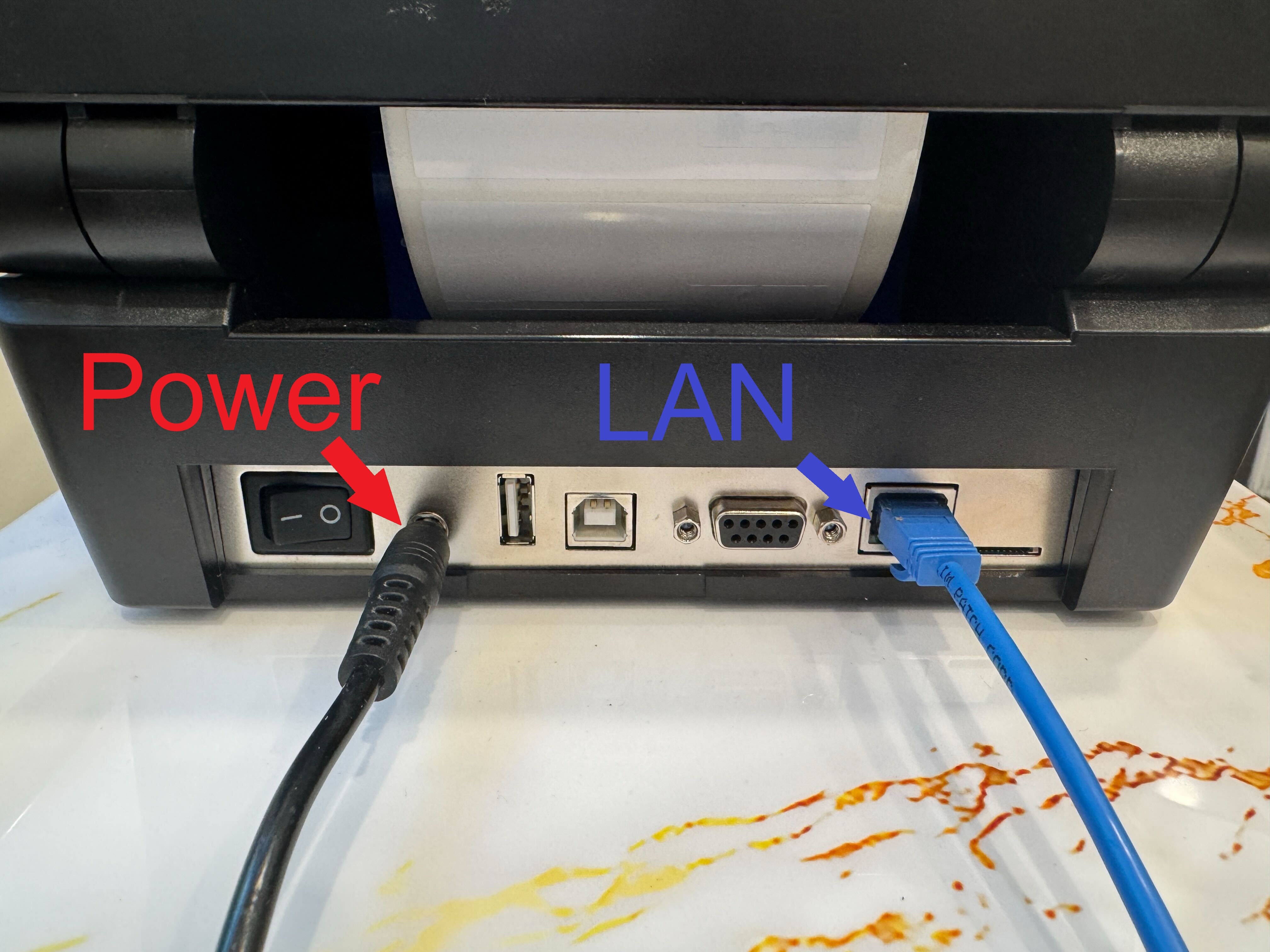
Simple RFID recommends using an Ethernet (LAN) connection for the best stability. USB connections can be used, but Ethernet will provide a more reliable connection.
Ethernet (LAN) Connection (Most Common)
- Uses an RJ-45 Ethernet cable
- Connects the printer to a router, switch, or network wall port
- Allows multiple users to access the printer over a network
This is one of the most widely used setups in warehouses and offices. The printer supports 10/100 Ethernet LAN connectivity
Printer will not work if the connection interface is set up incorrectly in the printer settings! Follow this article to configure the interface properly.
USB Connection
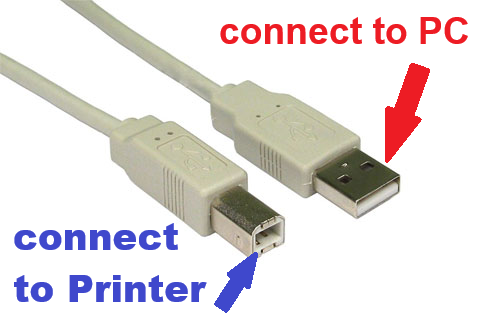
- Uses a USB Type-B cable (printer port) to a computer
- Plug one end USB-B into the printer and the other USB-A into a PC
- Ideal for direct, single-computer setups
The T800 includes USB as a standard interface