# Log In & Log Out

How to log in and log out

Launch the app on your Android or iOS device

[![image.png](https://kb.simplerfid.com/uploads/images/gallery/2025-05/scaled-1680-/3Cpimage.png)](https://kb.simplerfid.com/uploads/images/gallery/2025-05/3Cpimage.png)

##### ****Log in****

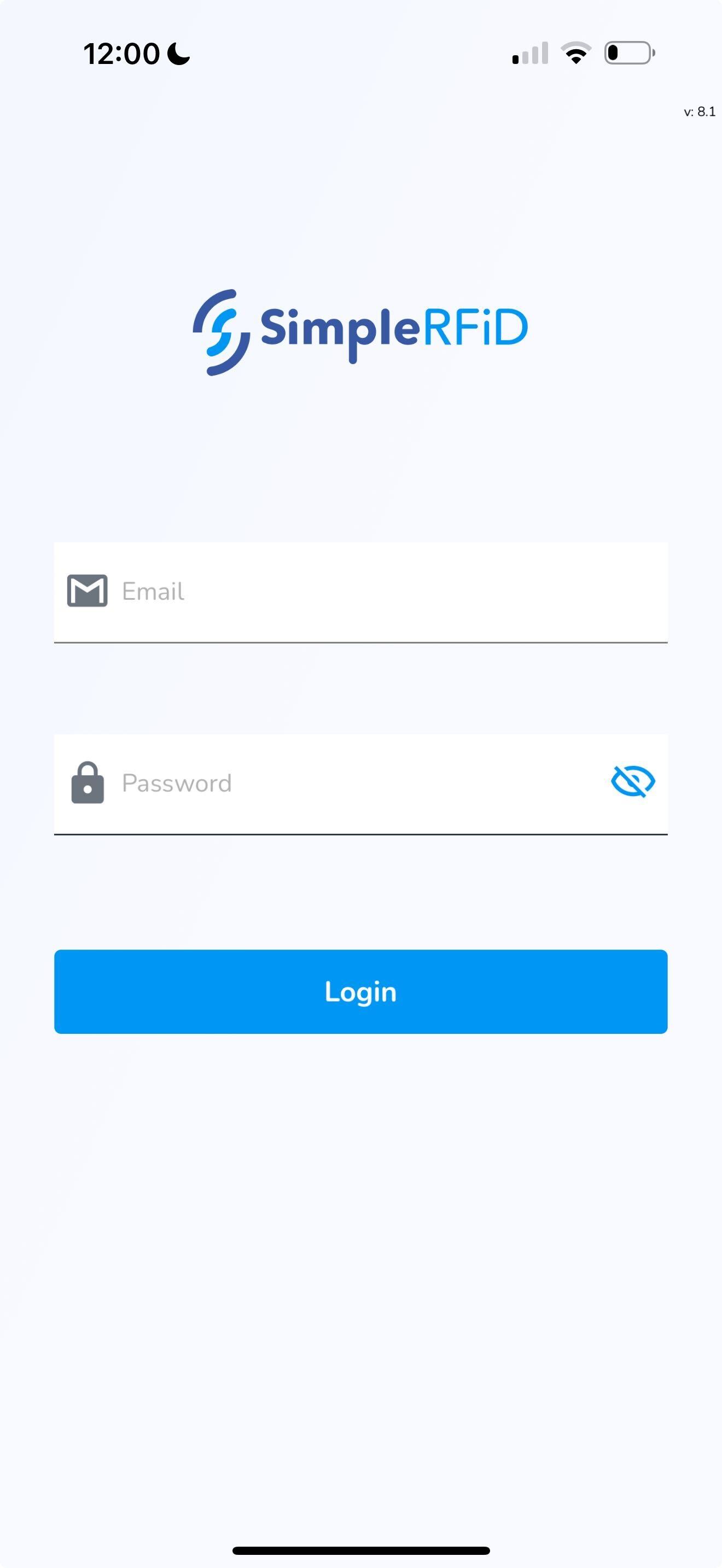
<span style="white-space: pre-wrap;">This opens the login screen. Enter your username &amp; password. </span>

<p class="callout info">Note: This will be the same username &amp; password you use to log into the web portal</p>

[![File (12).jpg](https://kb.simplerfid.com/uploads/images/gallery/2025-05/scaled-1680-/file-12.jpg)](https://kb.simplerfid.com/uploads/images/gallery/2025-05/scaled-1680-/file-12.jpg)

<span style="white-space: pre-wrap;">Click </span>****Login****

This will open the Home screen

##### ****Log out****

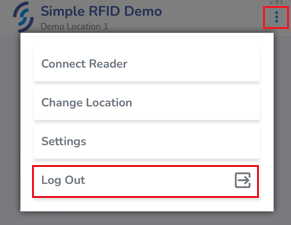
To log out click on the ellipsis in the top right corner of the screen

<span style="white-space: pre-wrap;">Click </span>****Log Out****

[![image.png](https://kb.simplerfid.com/uploads/images/gallery/2025-05/scaled-1680-/3pEimage.png)](https://kb.simplerfid.com/uploads/images/gallery/2025-05/3pEimage.png)