Create Transfer by Scanning from the Mobile
Create from Mobile
Create a transfer order by scanning items
Transfer Orders can be created from the web or the mobile app, however creating them from the mobile is disabled by default. To enable, navigate to the Application Settings in the Ship section
At the bottom of the Ship menu click the 'Create new transfer' button to create

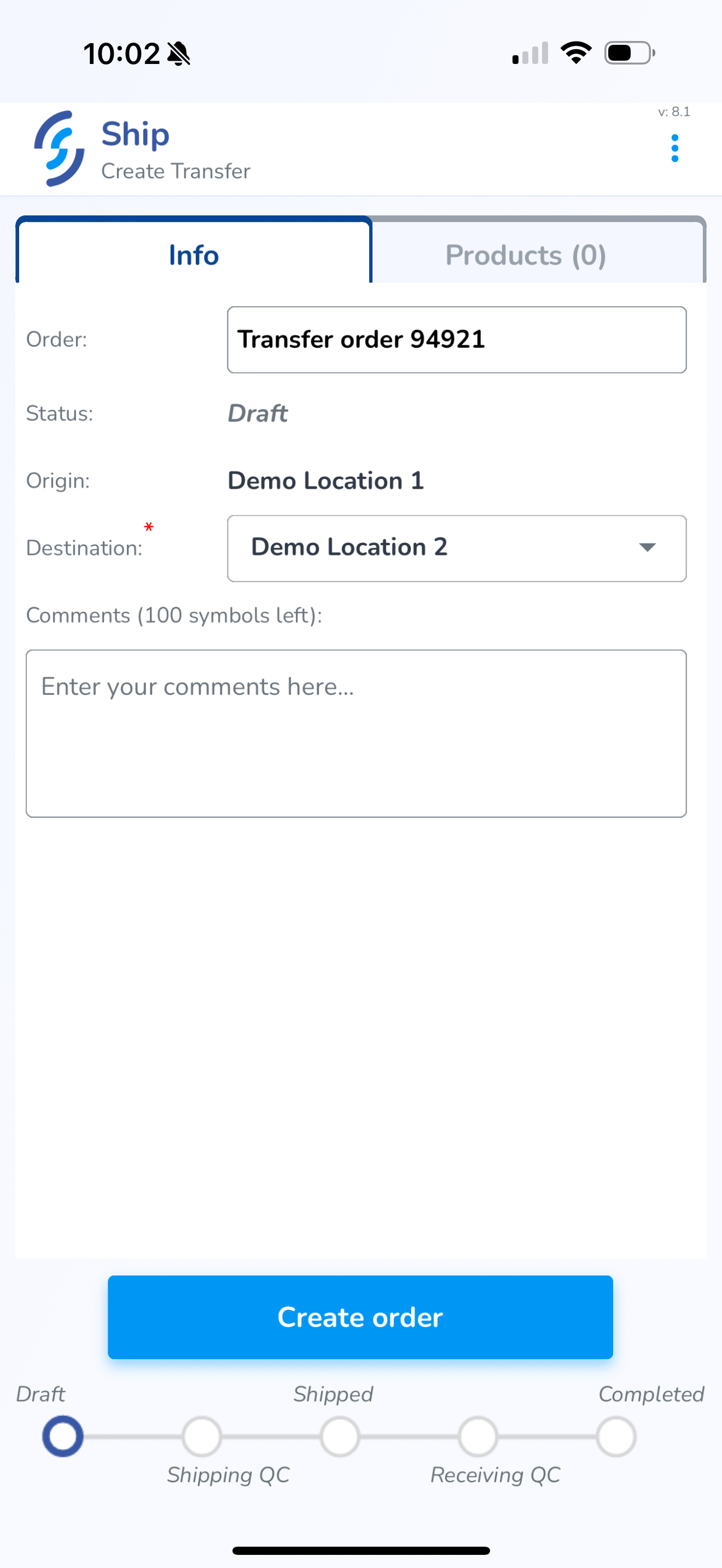
Info
- Choose the location you are sending the transfer
- Enter any notes you wish to include in the Comments section
Products
Click on the Products tab
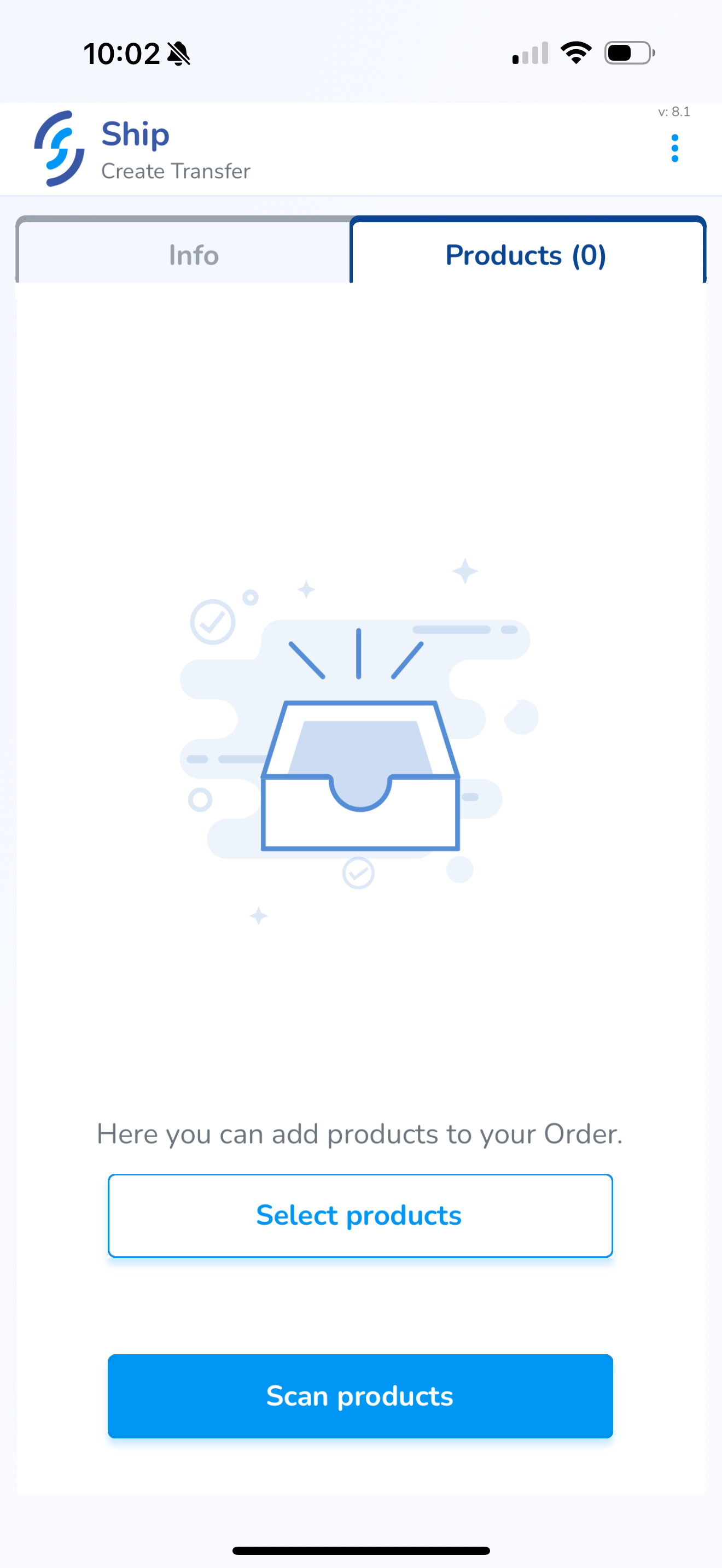
Scan Products
Click Scan Products
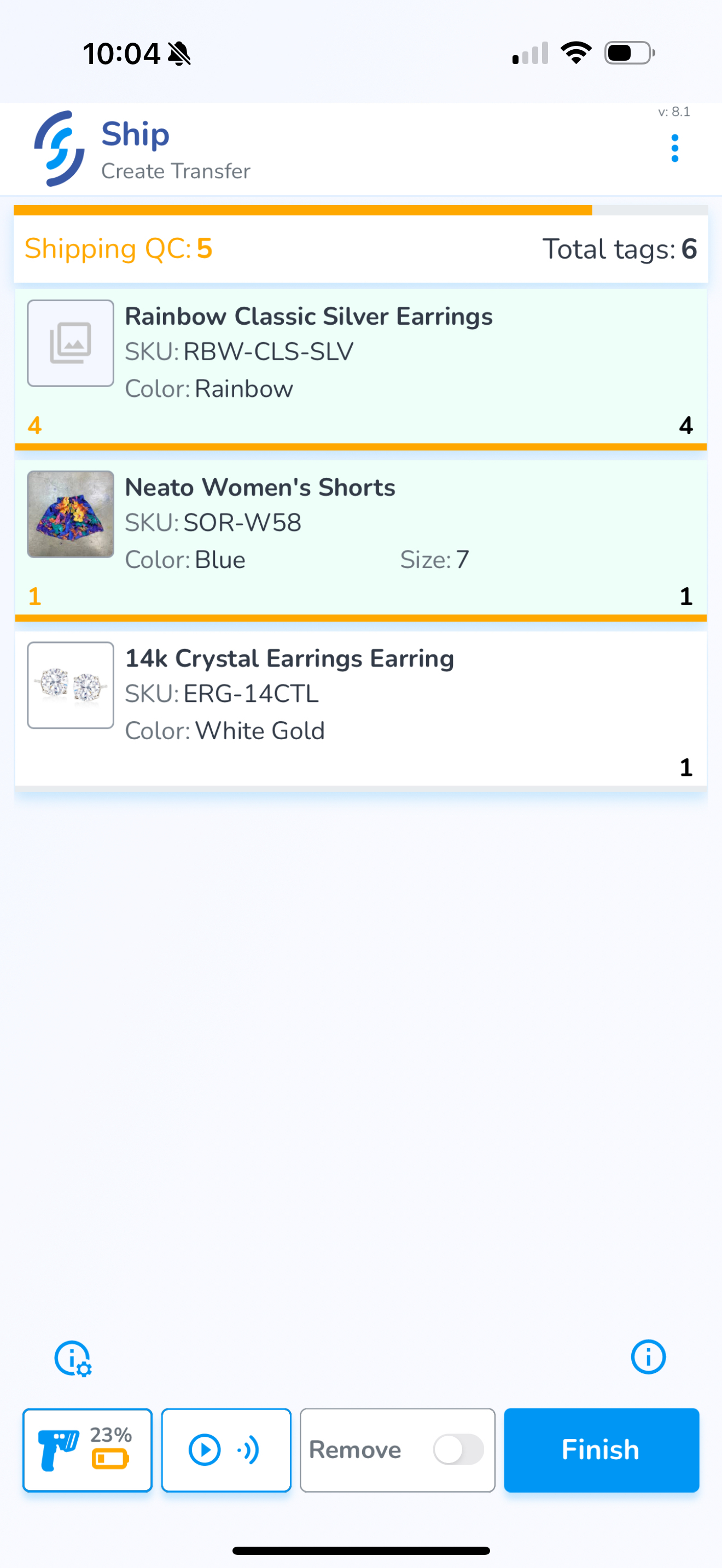
Adding items via the Scan method adds items & quantities scanned to the order