This setting only applies if you have more than 1 account created in Simple RFID.
If you have more than one Customer account created in Simple RFID, that you are assigned to from the mobile, it will appear in the ellipsis menu in the top right Click ****Change Customer**** [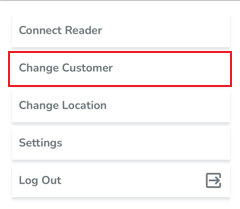](https://kb.simplerfid.com/uploads/images/gallery/2025-05/HERimage.png) Choose Customer from the list [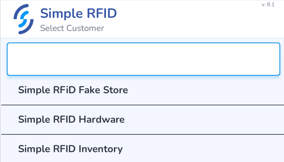](https://kb.simplerfid.com/uploads/images/gallery/2025-05/Bhkimage.png)