If you see this (401) error, please try logging in again using your email and password. If you still encounter this error, your computer's system time is probably set incorrectly.
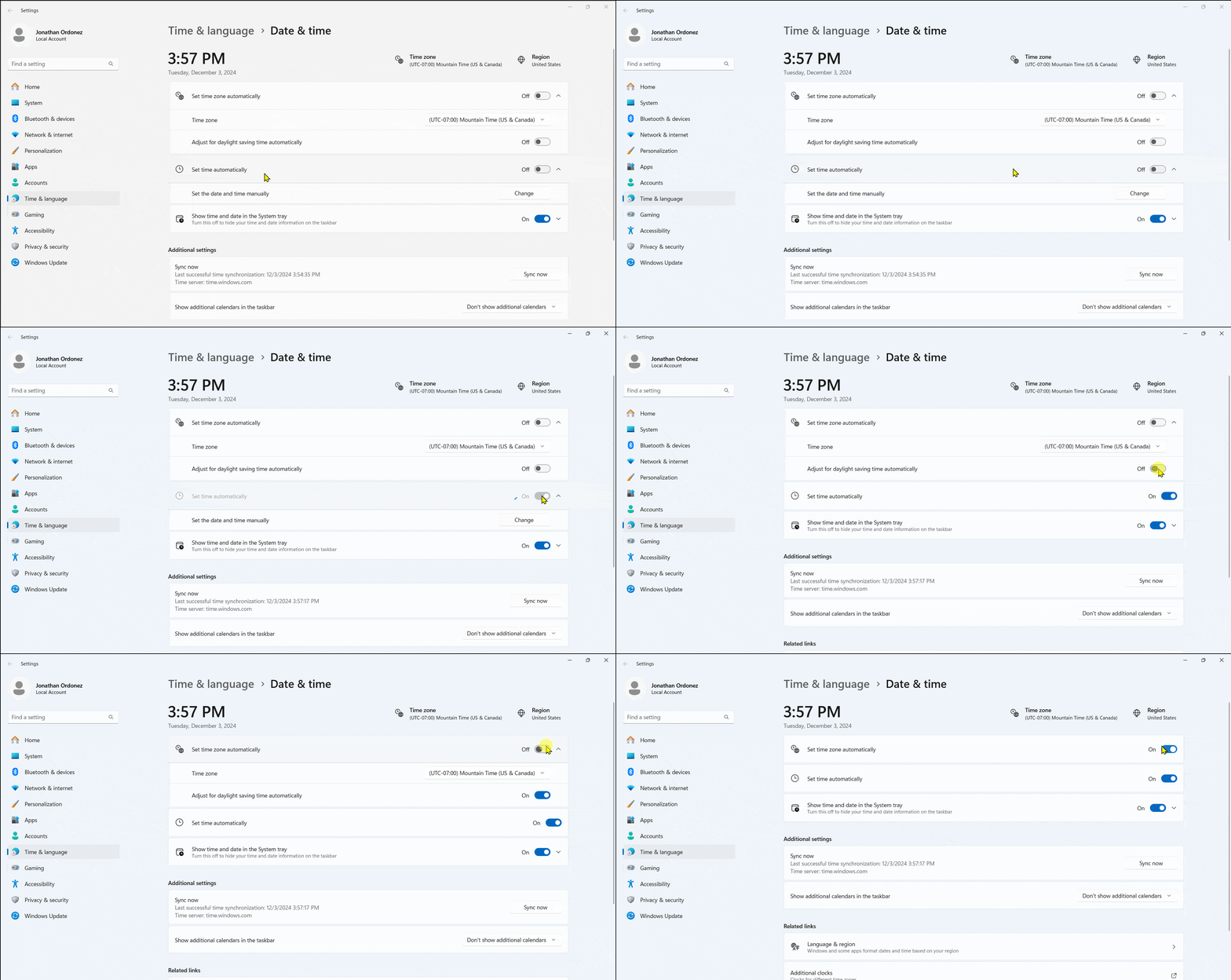
Follow these instructions to set your time: ##### ****Windows 11**** 1. Navigate to Settings > Time & language > Date & time. 1. You can quickly access this by right clicking on the clock in the bottom right of your taskbar and selecting 'Adjust date and time'. 2. Underneath the 'Additional settings' section, click on 'Sync now' 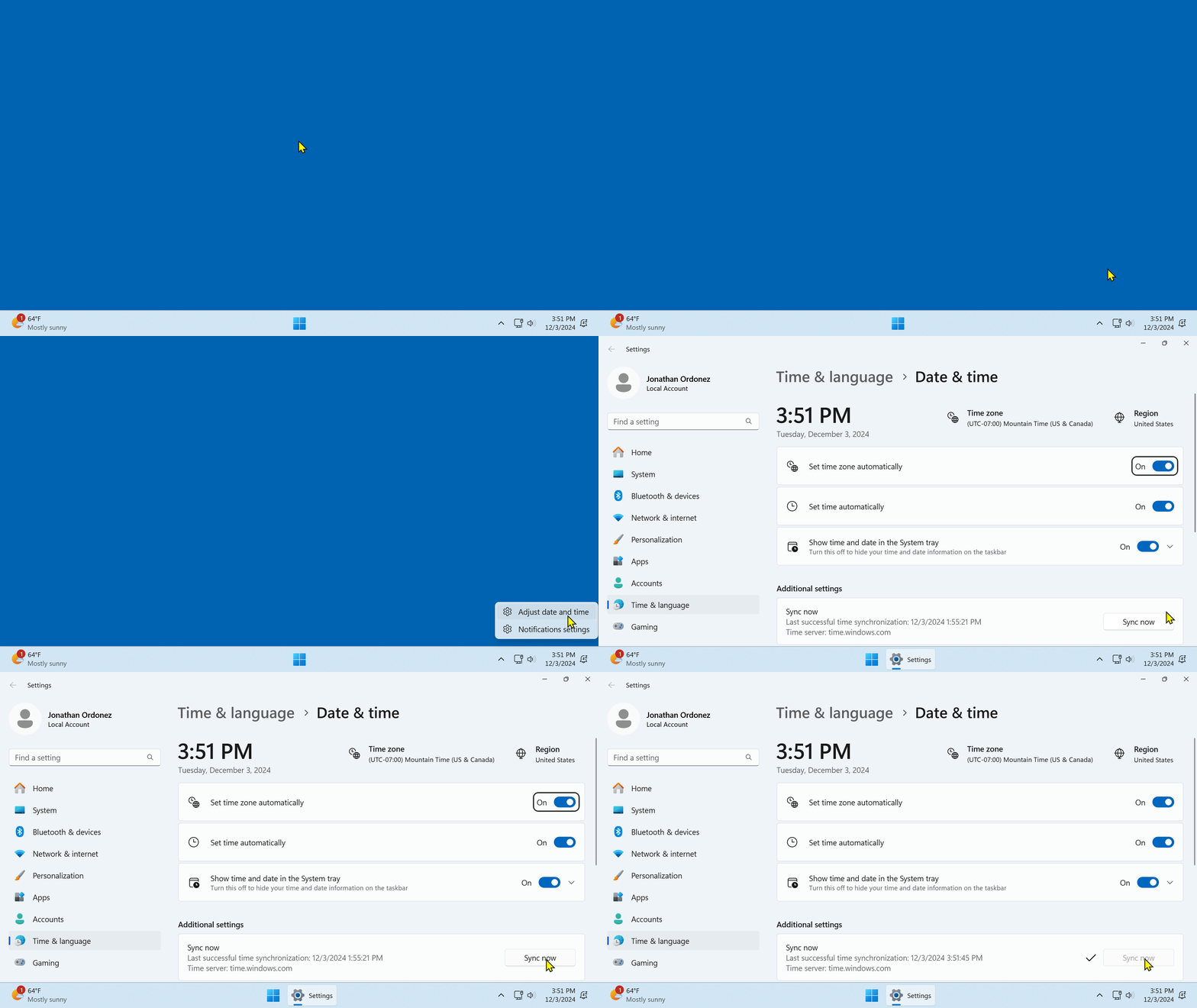 Optional **(Recommended)** 1\. If not already checked, turn on the toggles for 'Set time zone automatically' and 'Set time automatically' near the top of the window