# Shopify: Import orders
### Importing orders from Shopify to Simple RFID
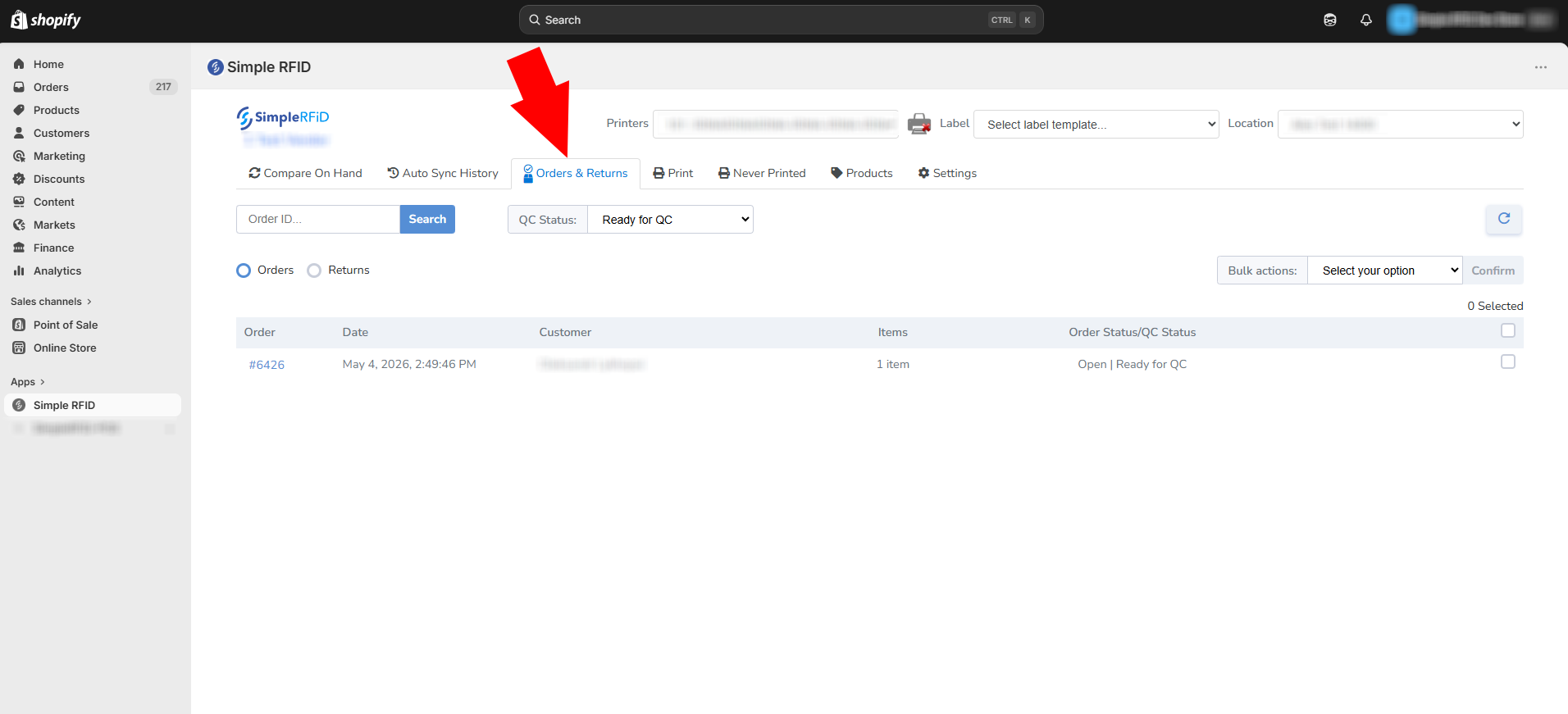
After creating an order, go to Simple RFID app on Shopify and click ****Orders & Returns****.
[](https://kb.simplerfid.com/uploads/images/gallery/2026-05/pujimage.png)
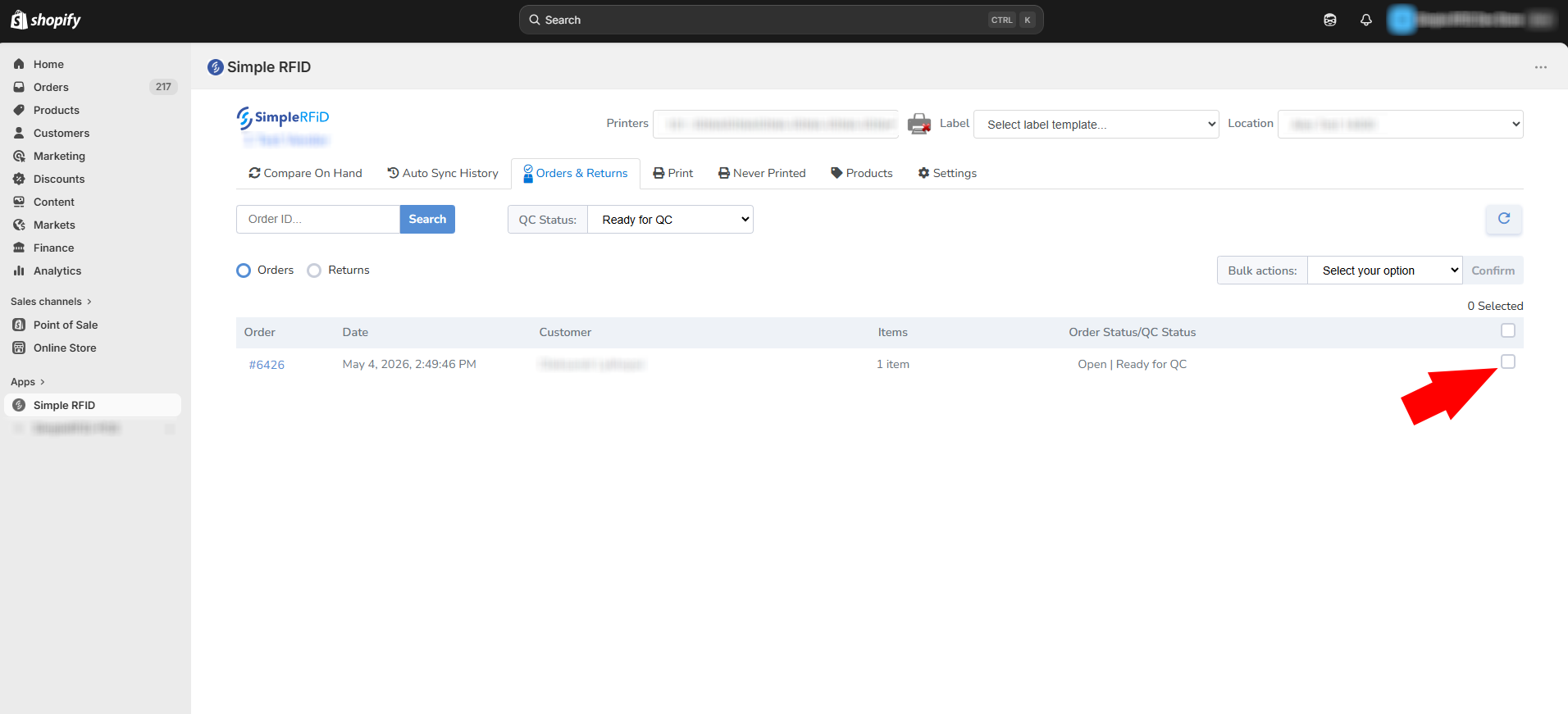
Select orders that need to be imported.
[](https://kb.simplerfid.com/uploads/images/gallery/2026-05/2kDimage.png)
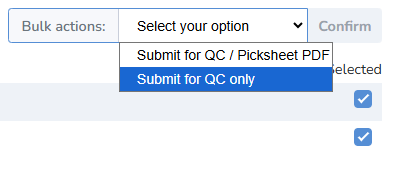
Select "Bulk Action" that is more suitable for your import process.
****Submit for QC / Picksheet PDF**** will create a spreadsheet file that lists all the products included in the order.
[](https://kb.simplerfid.com/uploads/images/gallery/2026-05/uR2image.png)
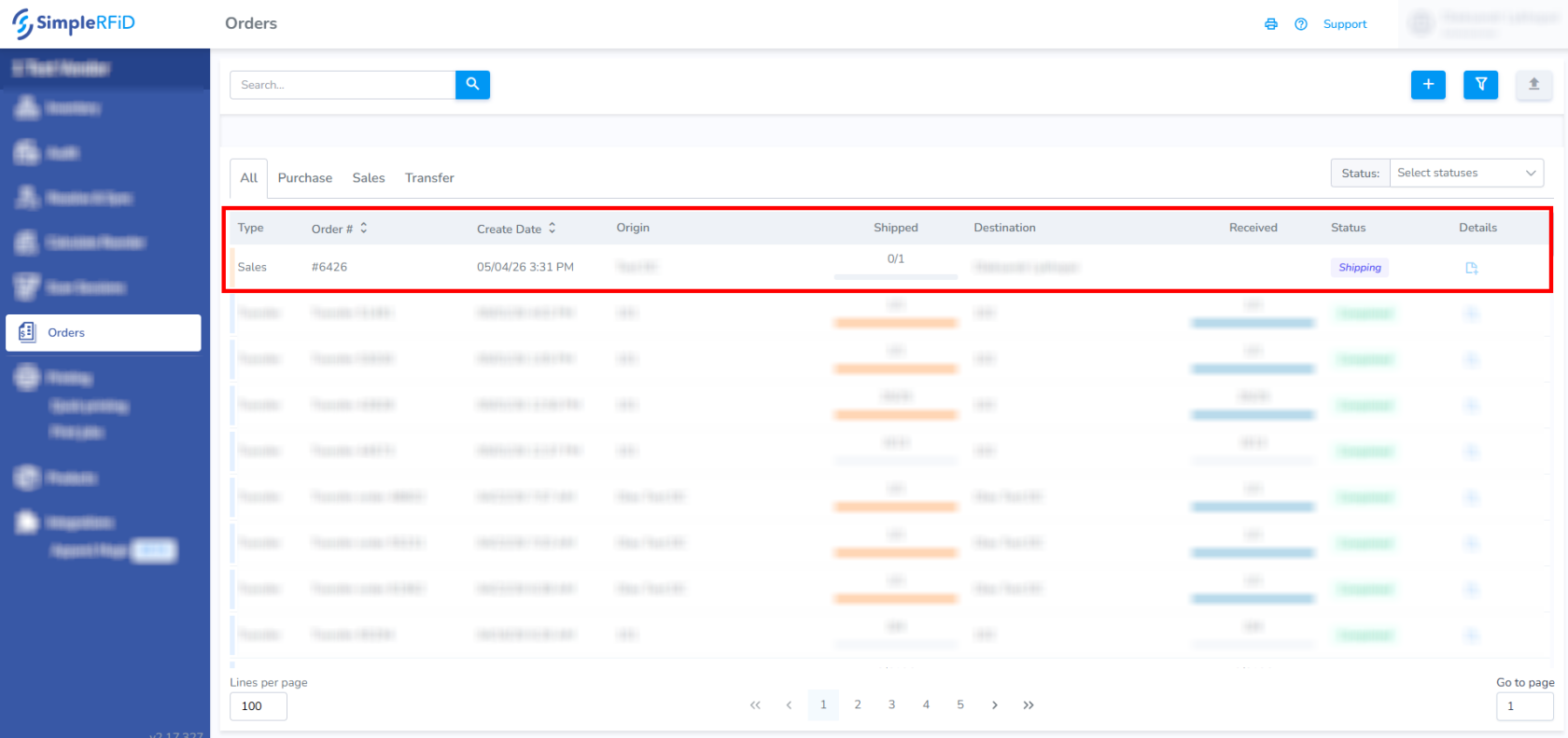
Go to the [web portal](https://portal.simplerfid.com/) to see the new order under ****Orders**** tab.
[](https://kb.simplerfid.com/uploads/images/gallery/2026-05/VuVimage.png)