Zebra: ZD500R: Reset to Factory Defaults
Turn off the printer using the switch on the back.
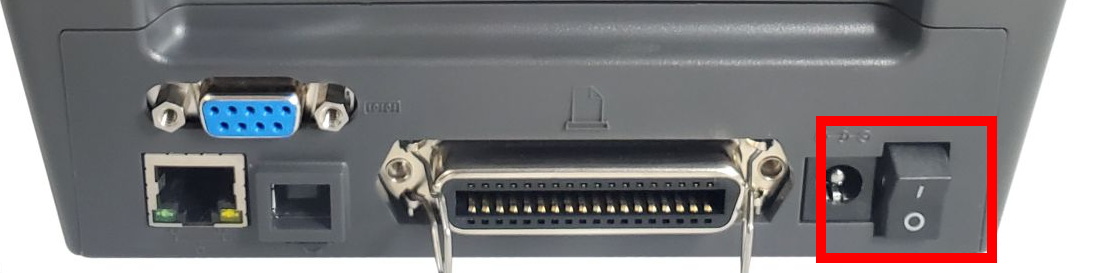
Press and hold FEED + PAUSE while turning on the printer.
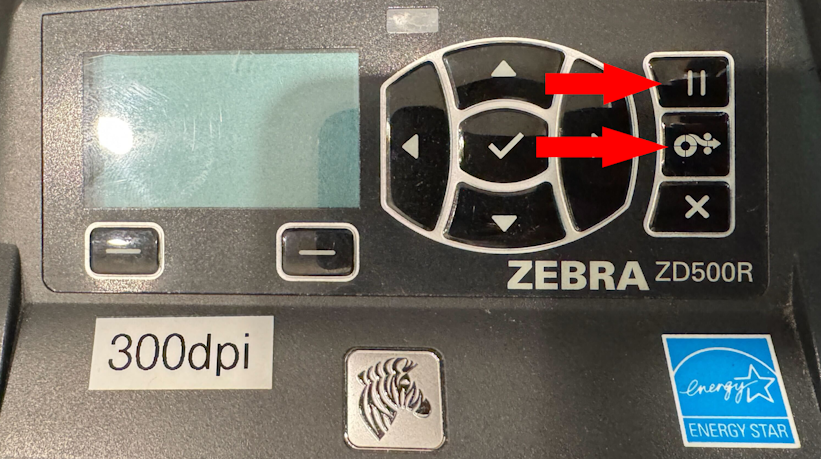
Continue holding FEED + PAUSE until the first control panel light turns off.
The printer configuration is now reset to the factory default values.