TSL 2128P - Setup
Battery Installation
Your reader may have shipped with the battery already installed.
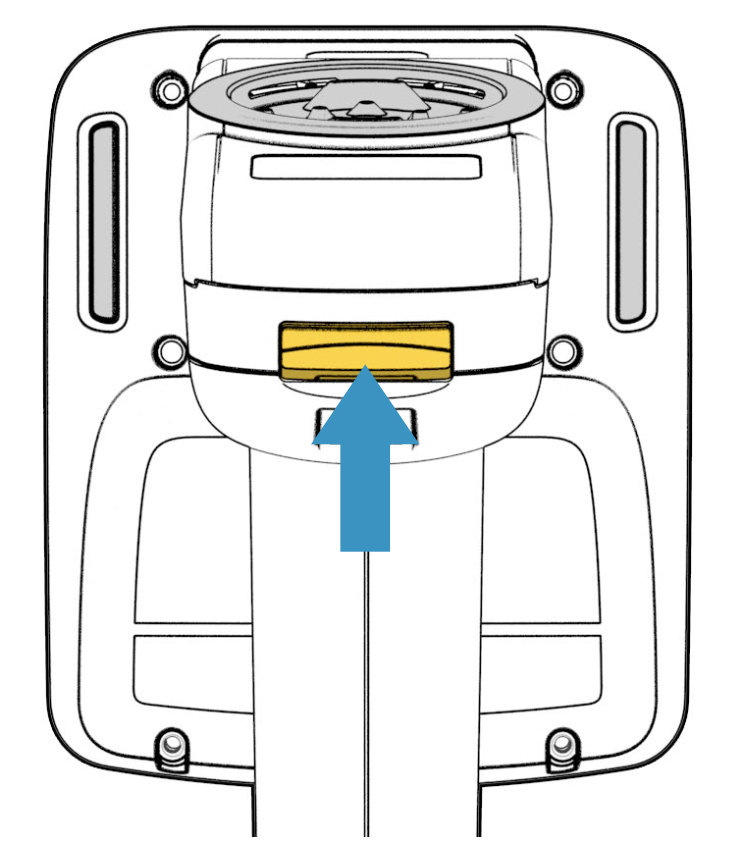
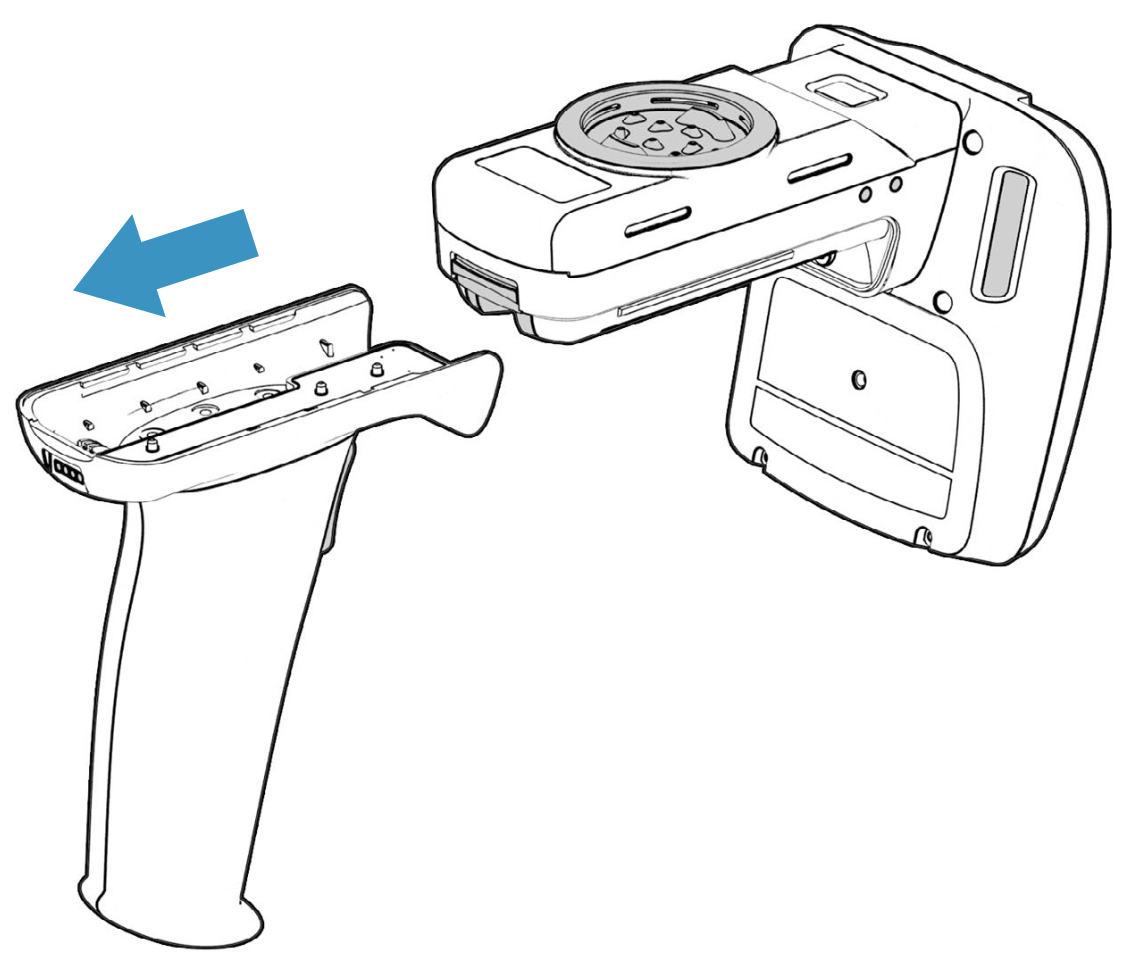
First, lift the yellow latch on the back of the reader, then slide the handle backwards to remove it:
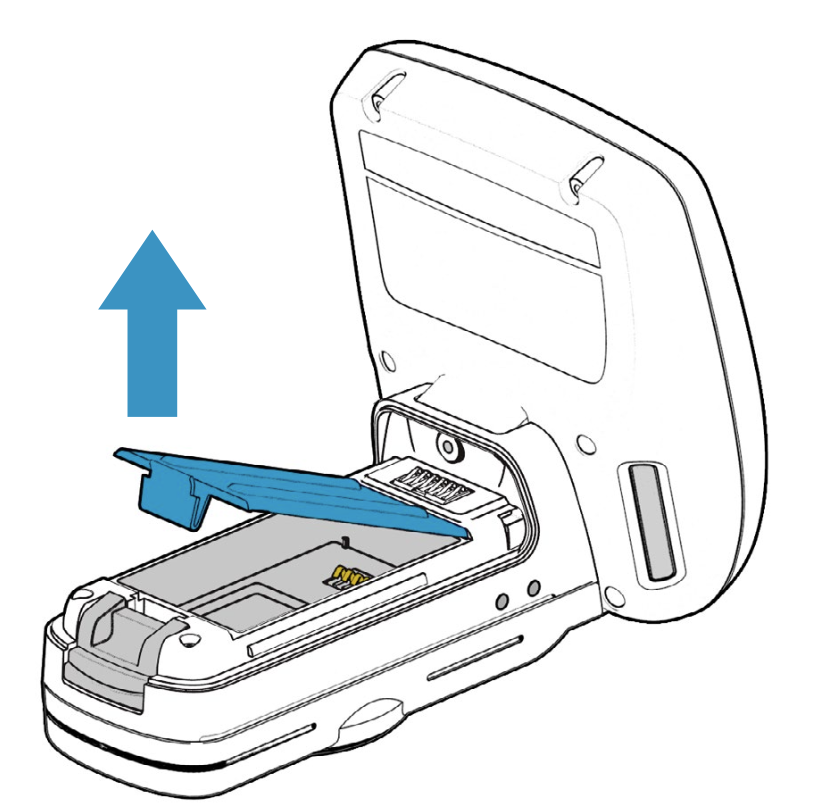
Then, remove the battery cover:
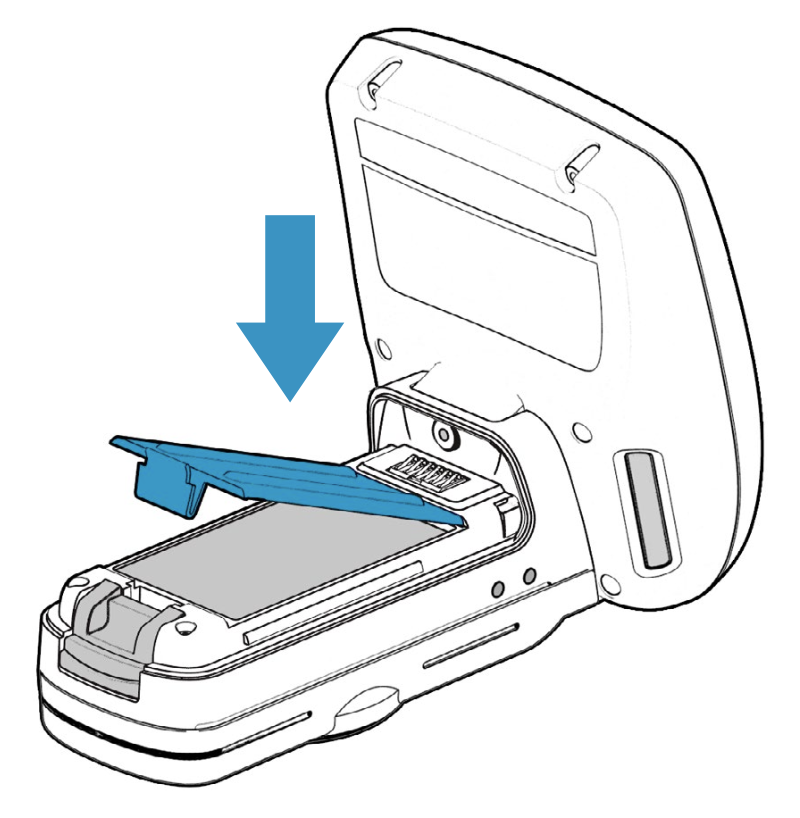
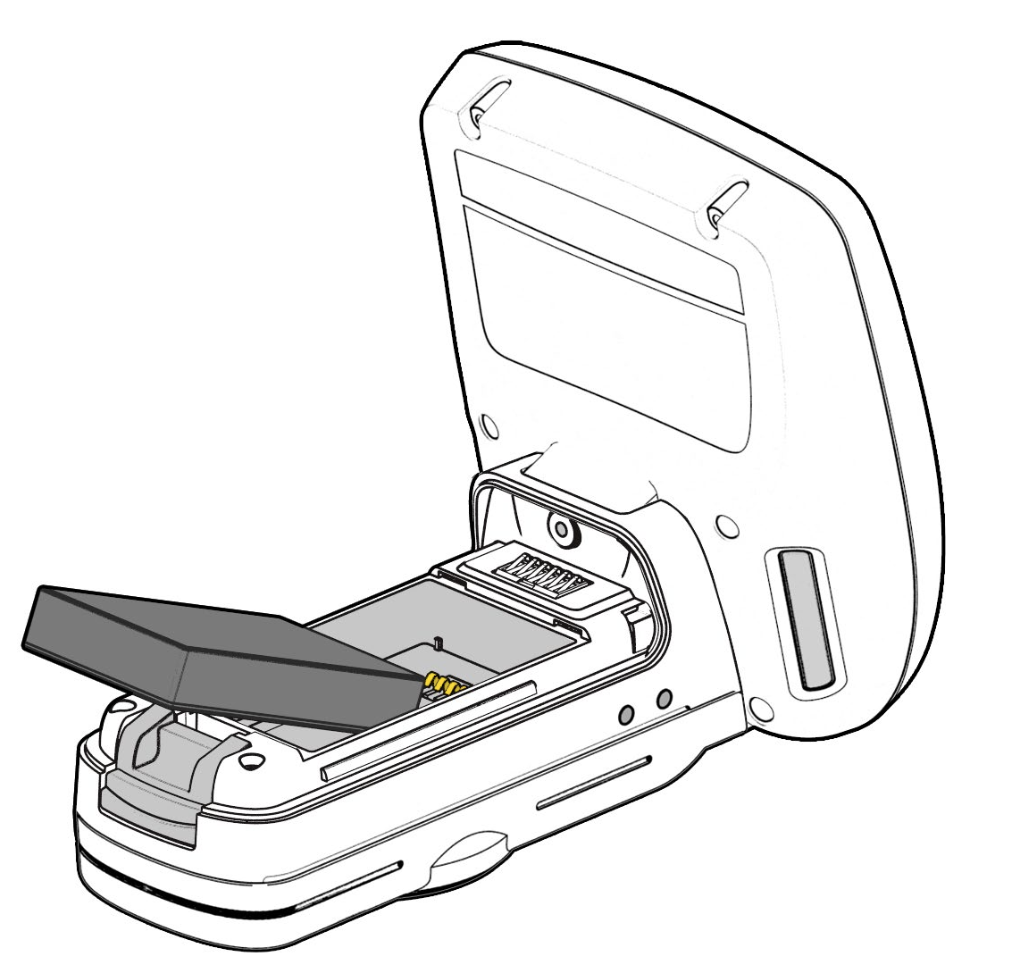
Place the battery in the reader, lining up the pins with the contacts:
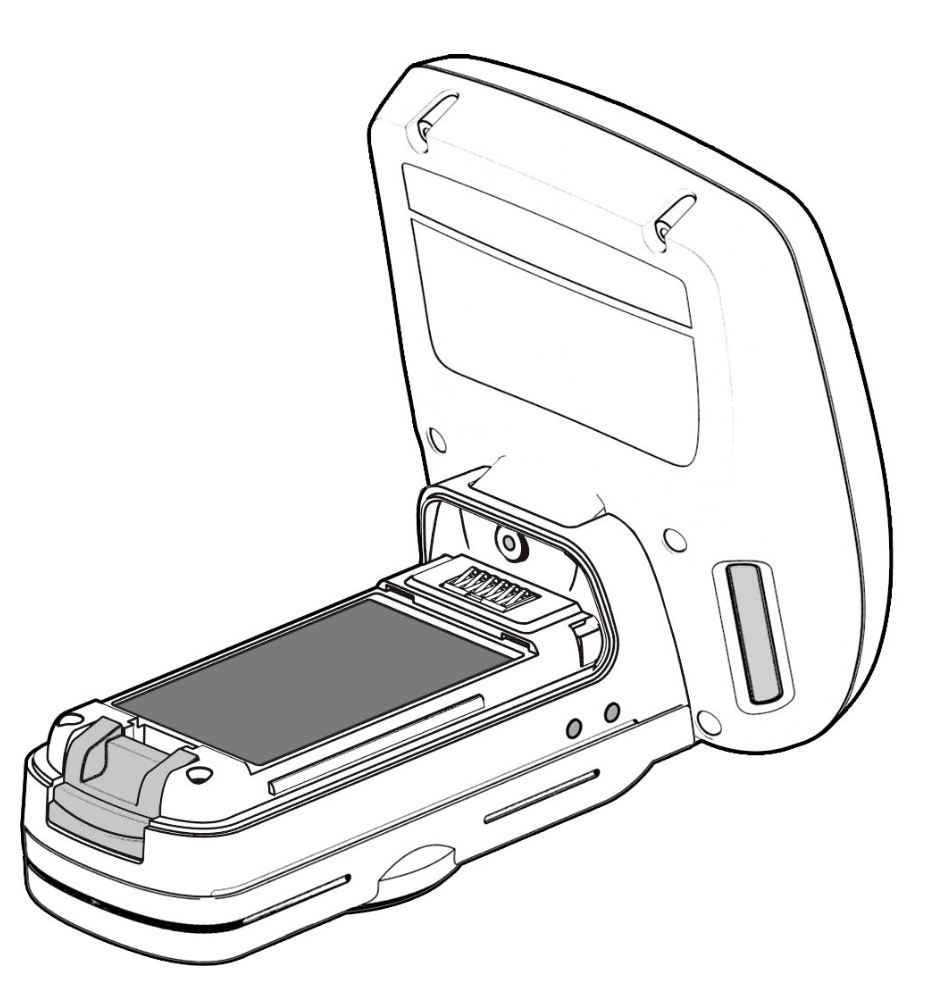
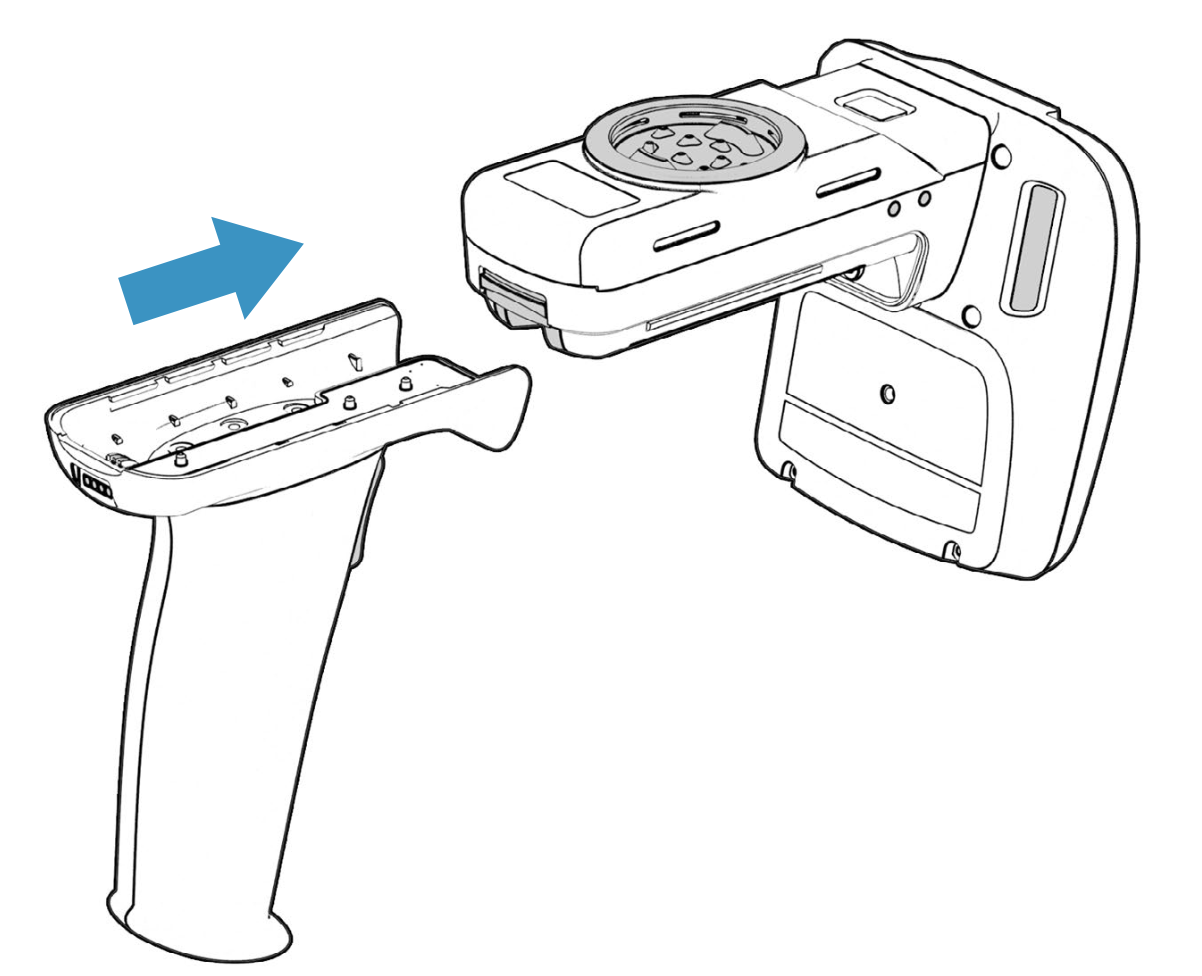
Last, replace the battery cover and the handle: