Fixed Reader Issues
Troubleshooting fixed reader issues
Restart Fixed Reader Client
Install Print Client
Restarting the Fixed Reader Client on the host PC can usually resolve issues related to fixed reader connectivity.
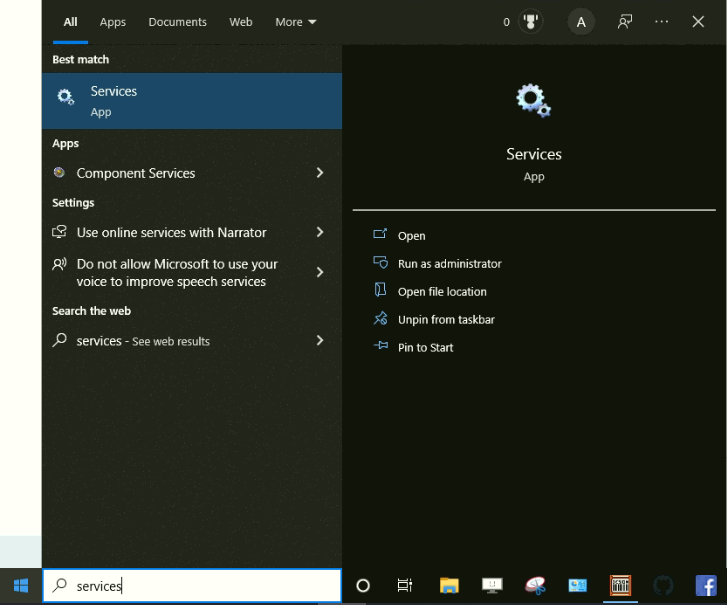
- From the HOST PC, type into the Windows start menu "Services."
- Then from the HOST PC Services page
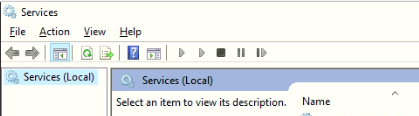
- Scroll down until you locate "SimpleRFID Fixed Reader Client" (The list is alphabetized)
- Click "SimpleRFID Fixed Reader Client"
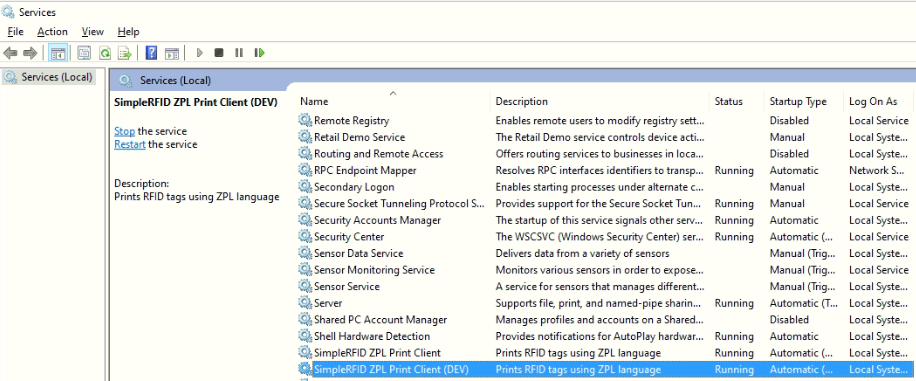
- On the left, click "Restart."
After a few minutes, you should see your fixed reader back online. If the device is still offline, confirm that the host PC is connected to the internet, and contact support@simplerfid.com.